WSHttpBinding 是 WCF 中最常用的 HTTP 綁定,預設實作 WS-Security 與 WS-* 協定,支援與任何相容服務互通。本系列採用統一服務合約與實作:
[ServiceContract(Namespace = "https://chnking.com")]
public interface IGetIdentity
{
    [OperationContract]
    string Get(string ClientIdentity);
}

public class GetIdentity : IGetIdentity
{
    public string Get(string ClientIdentity)
    {
        return "服務端Identity是'" + ServiceSecurityContext.Current.PrimaryIdentity.Name +
               "'\r\n客戶端Identity是 '" + ClientIdentity + "'";
    }
}
所有範例採自宿主 Console 應用程式,搭配 TcpTrace 監聽 8055 埠、實際服務跑 8056 埠,以觀察封包內容。
設定 SecurityMode.None 後,訊息以明文 Text/XML 傳輸,無完整性、機密性、驗證保護。適用於純測試或受信任區域網路。
// 服務端
WSHttpBinding binding = new WSHttpBinding();
binding.Security.Mode = SecurityMode.None;
Uri baseAddress = new Uri("https://localhost:8056/WCFService/");
ServiceHost host = new ServiceHost(typeof(GetIdentity), baseAddress);
host.AddServiceEndpoint(typeof(IGetIdentity), binding, "GetIdentity");
// 啟用 MEX
ServiceMetadataBehavior behavior = new ServiceMetadataBehavior();
behavior.HttpGetEnabled = true;
behavior.HttpGetUrl = new Uri("https://localhost:8057/mex");
host.Description.Behaviors.Add(behavior);
host.Open();

// 客戶端
WSHttpBinding binding = new WSHttpBinding();
binding.Security.Mode = SecurityMode.None;
EndpointAddress ea = new EndpointAddress("https://localhost:8056/WCFService/GetIdentity");
GetIdentityClient client = new GetIdentityClient(binding, ea);
// 設定 Via 行為供 TcpTrace 監聽
client.Endpoint.Behaviors.Add(new ClientViaBehavior(new Uri("https://localhost:8055/WCFService/GetIdentity")));
string result = client.Get(WindowsIdentity.GetCurrent().Name);
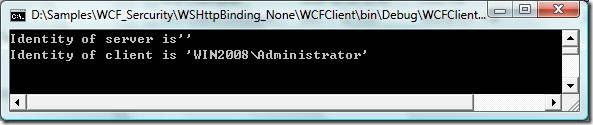
TcpTrace 擷取封包顯示 SOAP Body 明文可讀,確認無加密。
Transport 模式透過 HTTPS 保障訊息機密性與完整性。服務端必須擁有 SSL 憑證並綁定至特定埠口;自宿主需用 netsh http add sslcert(Vista/Server 2008)或 httpcfg(XP/Server 2003)指令綁定。Endpoint 位址必須使用 https:// 結構描述。
僅伺服器憑證驗證伺服器身分,客戶端匿名。
客戶端提供使用者名稱/密碼(Base64 編碼),透過 SSL 加密傳輸。程式碼設定 HttpClientCredentialType.Basic 並在客戶端指定 ClientCredentials.UserName。
使用 Windows 整合驗證(NTLM 挑戰/回應機制),密碼不傳輸明文。適用於同網域或同帳號密碼的工作群組環境。
與 Ntlm 類似,但支援 Kerberos 協商:雙方同屬網域且以網域帳號登入時自動升級為 Kerberos,否則回退 NTLM。
雙向憑證驗證:服務端憑證建立 SSL,客戶端憑證識別呼叫者。需分別產生伺服器(CN=win2008)與客戶端(CN=TestClient)憑證,並匯入對方信任的根憑證授權單位存儲區。
// 產生伺服器憑證
makecert -sr localmachine -ss My -n CN=win2008 -sky exchange -pe -r

// 產生客戶端憑證
makecert -sr currentuser -ss My -n CN=TestClient -sky exchange -pe -r

// Vista/Server 2008 綁定憑證至埠 8056
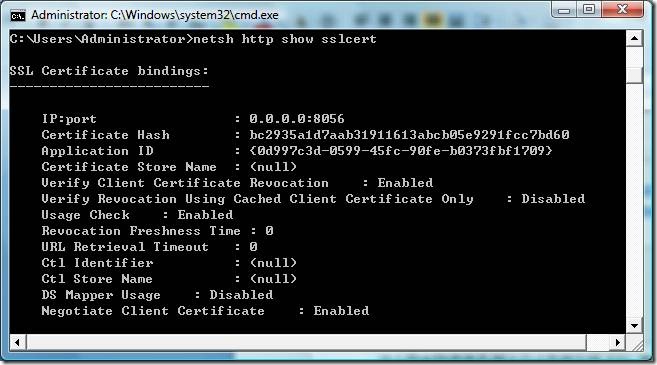
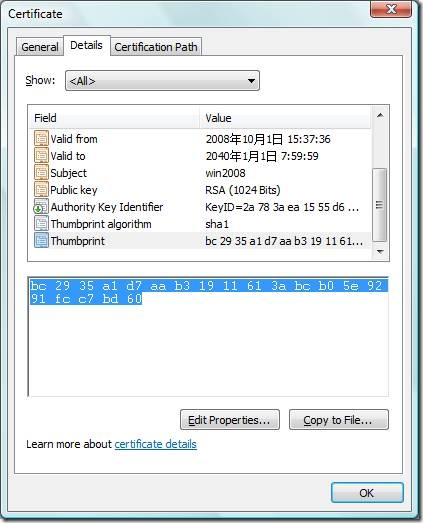
netsh http add sslcert ipport=0.0.0.0:8056 certhash=THUMBPRINT appid={GUID} clientcertnegotiation=enable

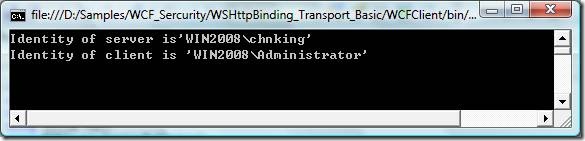
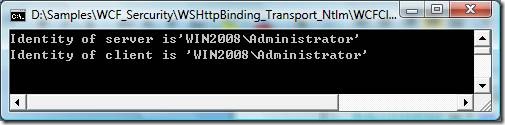

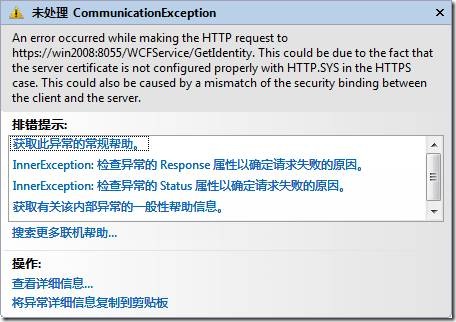
所有 Transport 模式測試在重啟前正常,重啟後客戶端拋出「無法建立 SSL/TLS 安全通道」異常,但 netsh http show sslcert 顯示綁定仍存在。必須刪除再重新綁定才能恢復。根因未明,疑為 HTTP.sys 驅動程式載入順序或憑證存儲區存取時機問題。若有解決方案請不吝分享。