PowerShell 以物件為核心,輸出非純文字而是結構化物件,擁有屬性(資訊)與方法(行為)。如同「燈泡」物件有顏色/功率屬性,及開關方法。
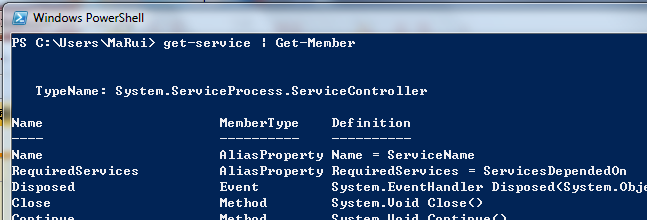
Get-Service | Get-Member                    # 所有成員
Get-Service | Get-Member -MemberType Property  # 僅屬性
Get-Service | Get-Member -MemberType Method    # 僅方法
Get-ChildItem -Path d:\ -Recurse | Where-Object { $_.LastWriteTime -gt "01/01/2010" }
LastWriteTime 為 System.DateTime 型別,支援 -gt(大於)比較
Format-* 系列 Cmdlet 控制顯示模式:
Get-Command Format-* # 列出所有格式化命令

Get-ChildItem C:\Windows | Format-Table
Get-ChildItem C:\Windows | Format-Table -AutoSize
Get-ChildItem C:\Windows | Format-Custom
Get-ChildItem C:\Windows | Format-List
Get-ChildItem C:\Windows | Format-List -Property FullName
Get-ChildItem C:\Windows | Format-Wide

Get-ChildItem C:\Windows -Recurse | Format-List FullName,CreationTime,LastWriteTime
Get-ChildItem C: | Format-Wide -Column 3
Get-Process | Group-Object Company
Get-EventLog System | Group-Object EventID | Sort-Object Count -Descending
Get-Process | ConvertTo-Html | Out-File "Processes.html"
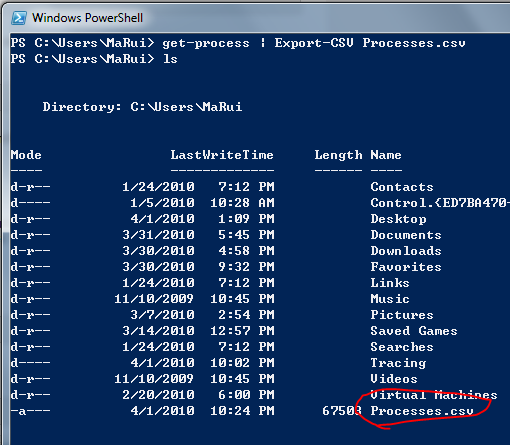
Get-Process | Export-Csv Processes.csv
Invoke-Item Processes.html   # 開啟 HTML
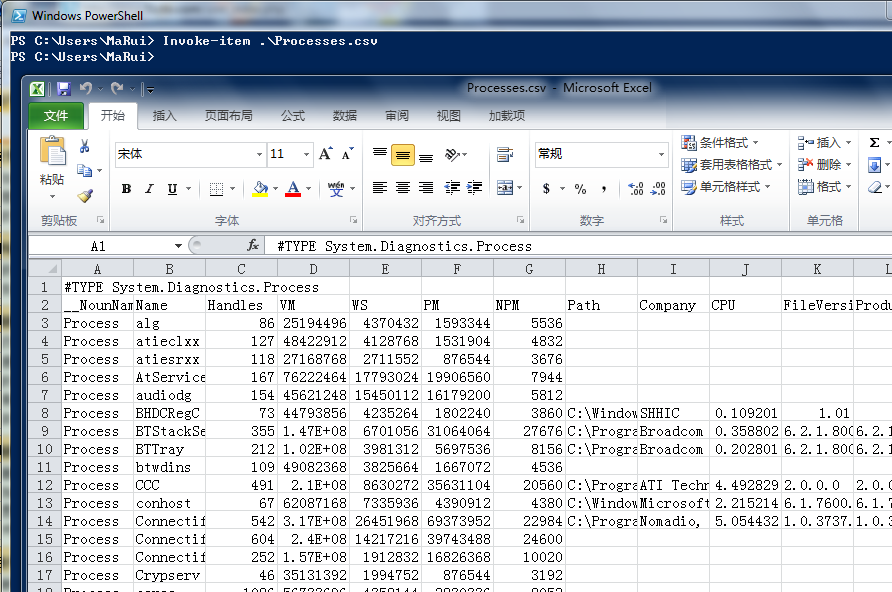
Invoke-Item Processes.csv    # 用 Excel 開啟 CSV
幾乎所有 Cmdlet 共享的標準參數:
| 參數 | 說明 | 別名 |
|---|---|---|
| -Confirm | 執行前提示確認 | - |
| -Debug | 提供除錯資訊 | - |
| -ErrorAction | 錯誤處理:Continue/Stop/... | -ea |
| -ErrorVariable | 錯誤存入指定變數 | -ev |
| -OutVariable | 輸出存入指定變數 | -ov |
| -OutBuffer | 管道緩衝物件數 | -ob |
| -Verbose | 顯示詳細資訊 | -vb |
| -WhatIf | 模擬執行,不實際執行 | - |
Set-ExecutionPolicy Unrestricted -WhatIf   # 模擬:顯示將會發生的事
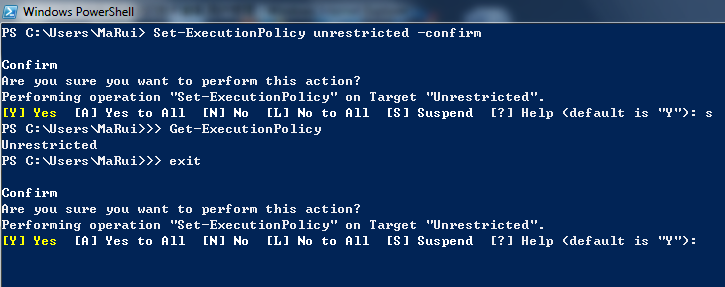
Set-ExecutionPolicy Unrestricted -Confirm  # 互動確認:Y/A/N/L/S/?
S(Suspend)會進入暫停模式(提示符變 >>),可輸入指令檢查狀態,再 exit 返回確認提示。


善用 Tab 自動完成與 Get-Help cmdlet -Full 學習參數。