RDLC (Report Definition Language Client-side) 是 Visual Studio 內建的免費報表方案,無需 Reporting Services 伺服器即可在本地模式下產生專業報表。本系列開篇,手把手帶你建立第一個 RDLC 報表專案。
DataEntity(存放 DataSet)、ReportTemplate(存放 .rdlc 檔)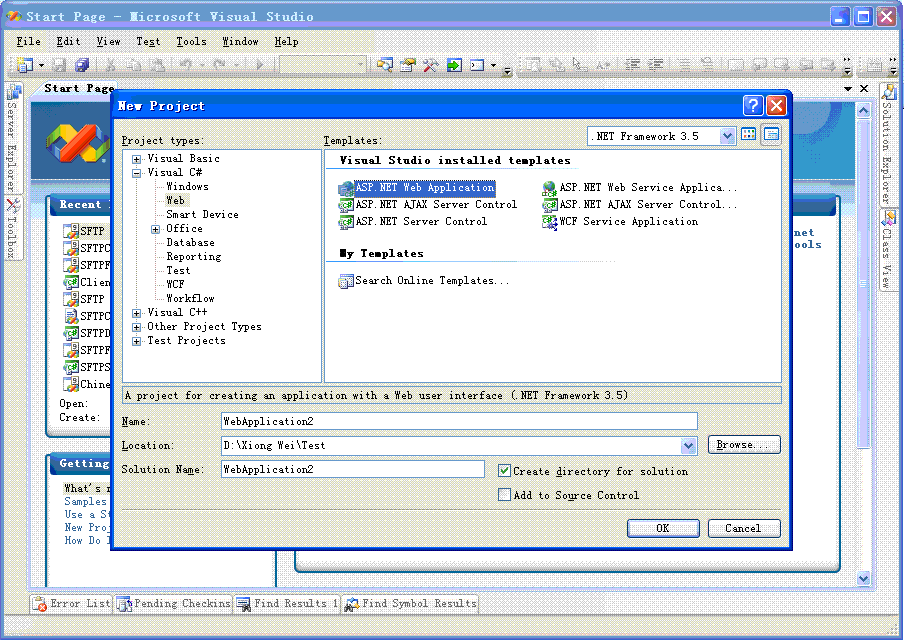
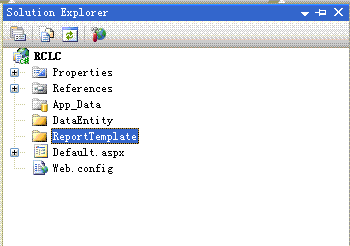
專案右鍵 Add Reference → .NET 標籤 → 勾選:
Microsoft.Reporting.WinForms (核心報表引擎)System.Windows.Forms (WinForms 相容性)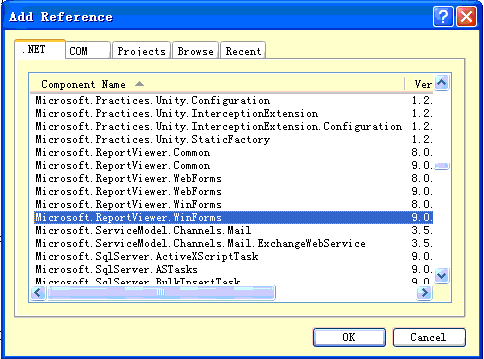
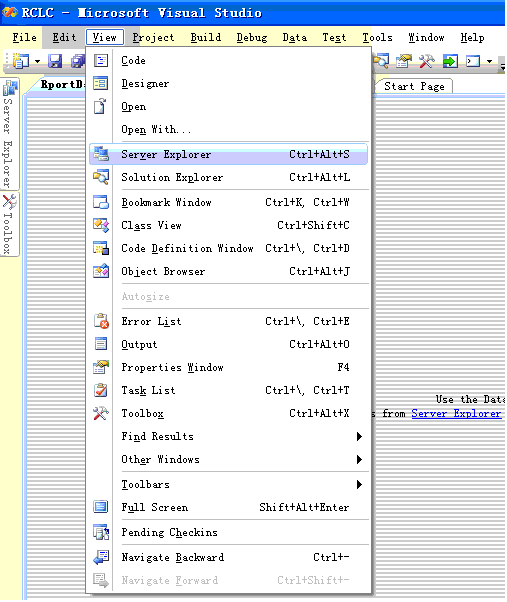
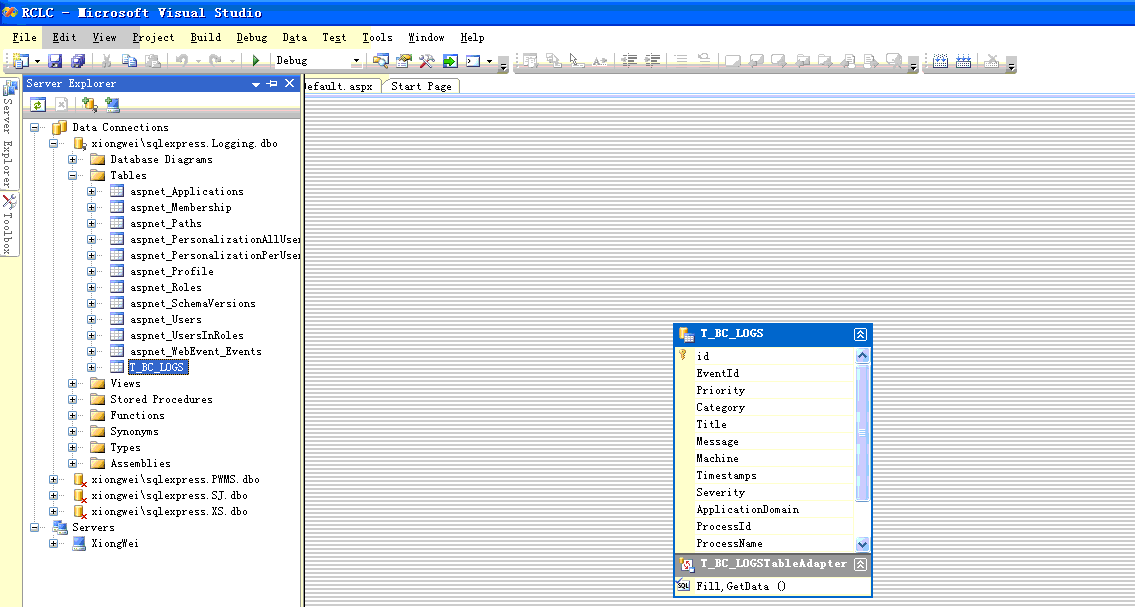
DataEntity → Add New Item → DataSet,命名 ReportDataSet.xsd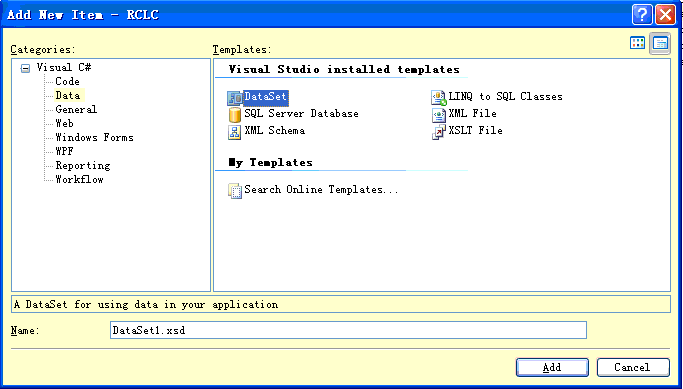
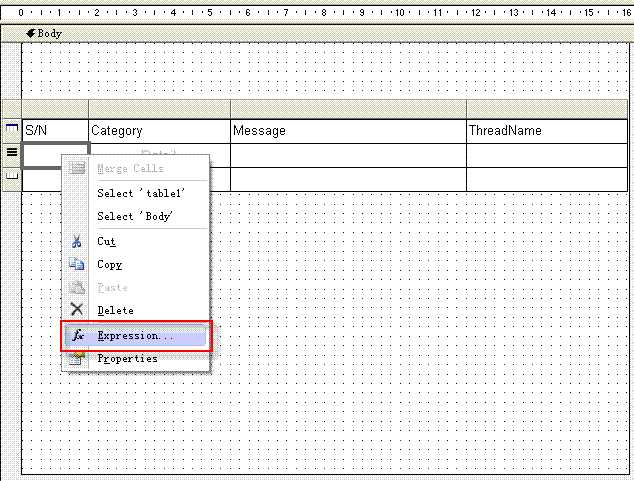
ReportTemplate → Add New Item → Report,命名 LogReport.rdlc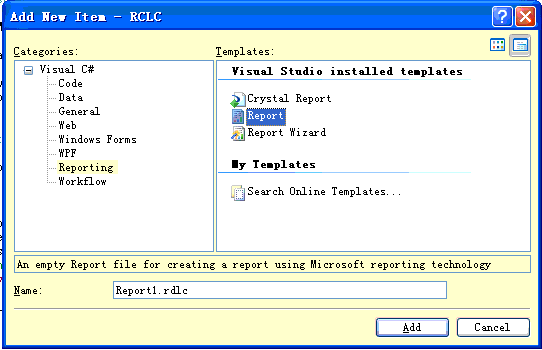
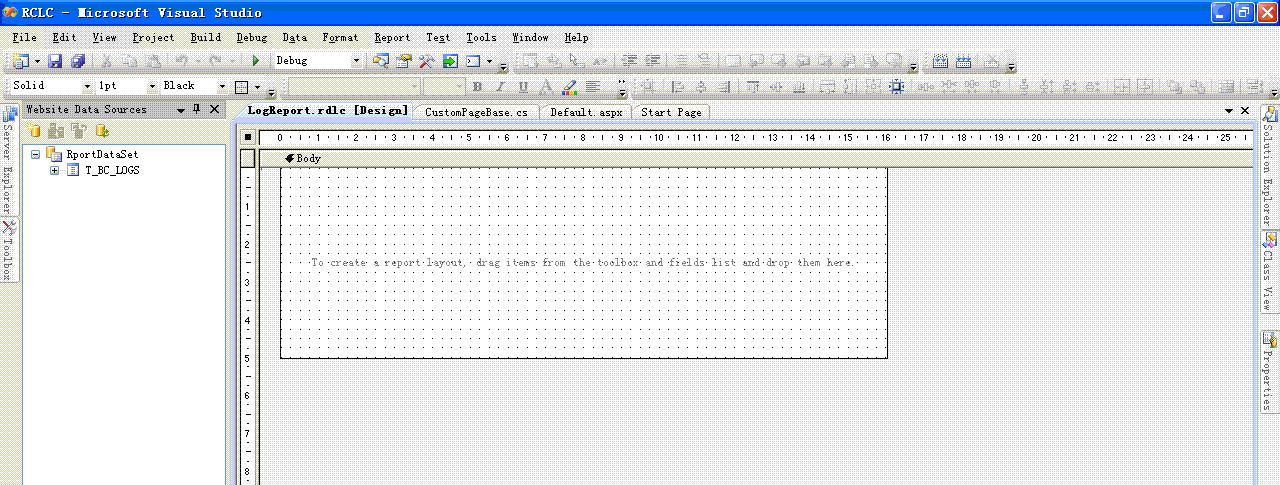
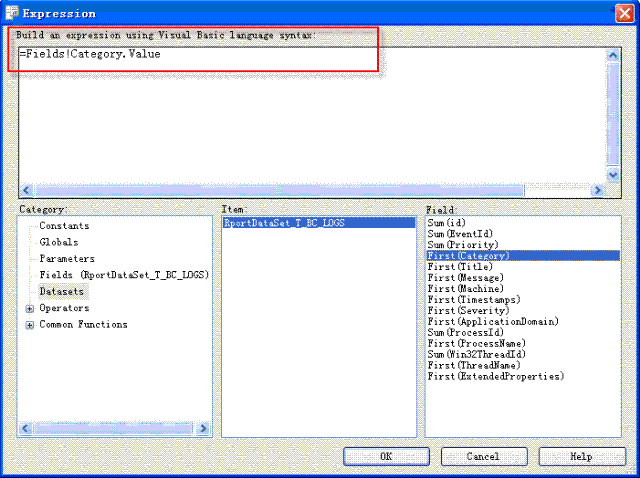
ReportDataSet 中的 DataTable(如 T_BC_LOGS)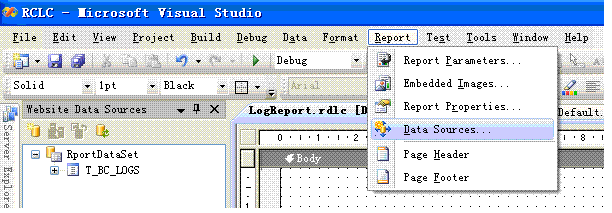
public class CustomPageBase : Page {
public void GetReportMultipleDataSourceFile(
List<ReportDataSource> reportDataSources,
string templatePath,
List<ReportParameter> parameters,
string fileType)
{
var viewer = new ReportViewer {
ProcessingMode = ProcessingMode.Local,
LocalReport = { ReportPath = Server.MapPath(templatePath) }
};
viewer.LocalReport.DataSources.Clear();
foreach (var ds in reportDataSources)
viewer.LocalReport.DataSources.Add(ds);
if (parameters.Count > 0)
viewer.LocalReport.SetParameters(parameters);
string mimeType, encoding, extension, deviceInfo = @"True public partial class _Default : CustomPageBase {
protected void ButtonReportGenerate_Click(object sender, EventArgs e) {
var reportDataSources = new List<ReportDataSource>();
var ds = new ReportDataSet();
string templatePath = "ReportTemplate/LogReport.rdlc";
using (var conn = new SqlConnection(ConfigurationManager.ConnectionStrings["LoggingConnectionString"].ConnectionString)) {
var cmd = conn.CreateCommand();
cmd.CommandText = "SELECT * FROM T_BC_LOGS";
new SqlDataAdapter(cmd).Fill(ds, "T_BC_LOGS");
}
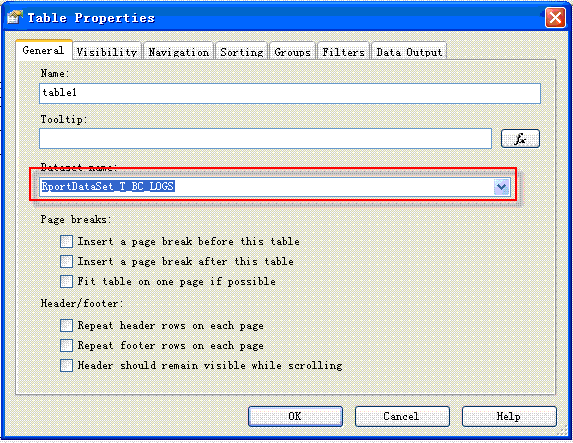
// 關鍵:資料集名稱必須與報表設計時的 DataSetName 完全一致
reportDataSources.Add(new ReportDataSource("ReportDataSet_T_BC_LOGS", ds.T_BC_LOGS));
GetReportMultipleDataSourceFile(reportDataSources, templatePath, new List<ReportParameter>(), "pdf");
}
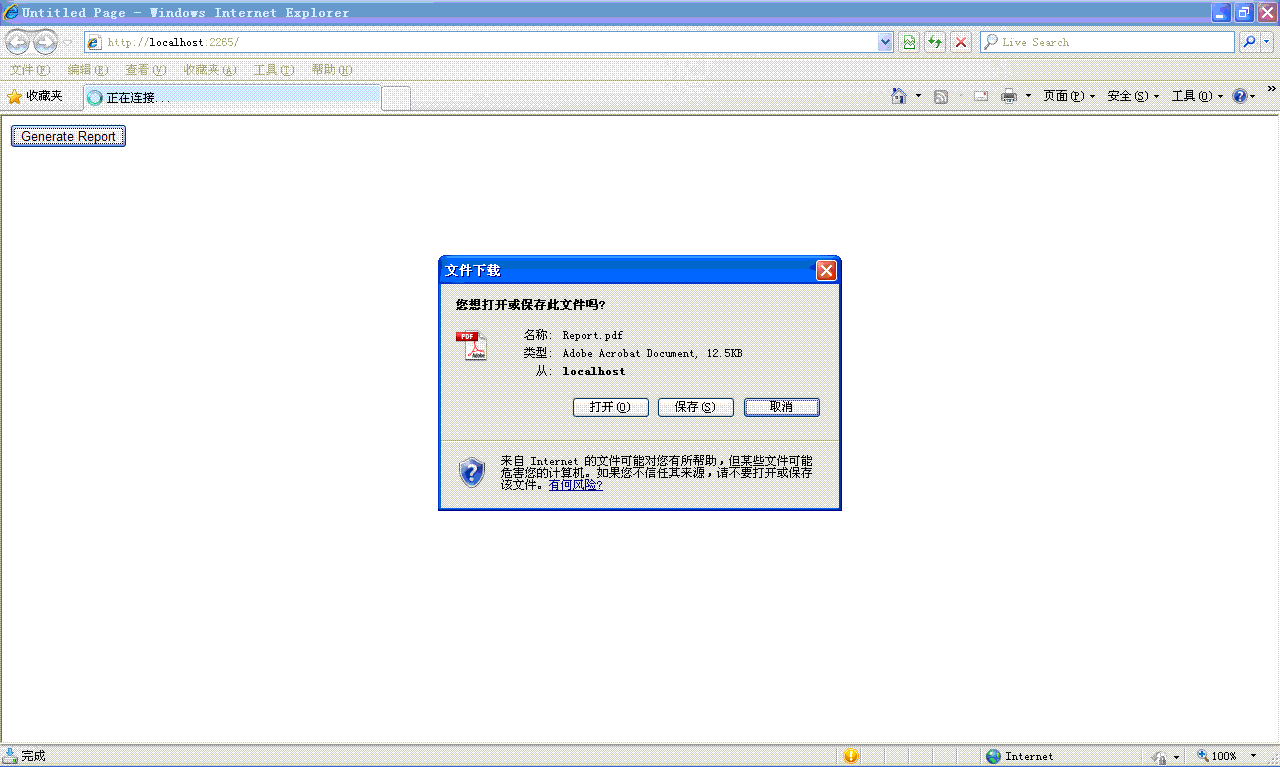
}瀏覽頁面,點擊按鈕,瀏覽器將下載產生的 PDF 報表。
| 層級 | 檔案/類別 | 職責 |
|---|---|---|
| 資料層 | DataEntity/ReportDataSet.xsd | 定義報表所需資料結構(DataTable、Columns、Relations) |
| 模板層 | ReportTemplate/*.rdlc | 定義報表版面、樣式、資料綁定運算式、參數 |
| 程式層 | CustomPageBase + _Default | 填充資料、設定參數、呼叫 Render 輸出 PDF/Excel/Word |
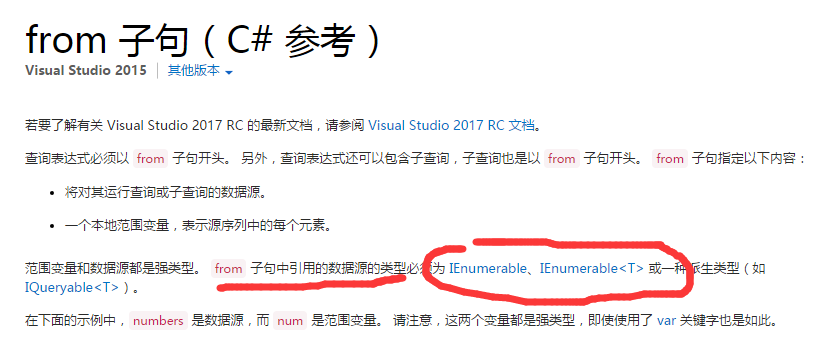
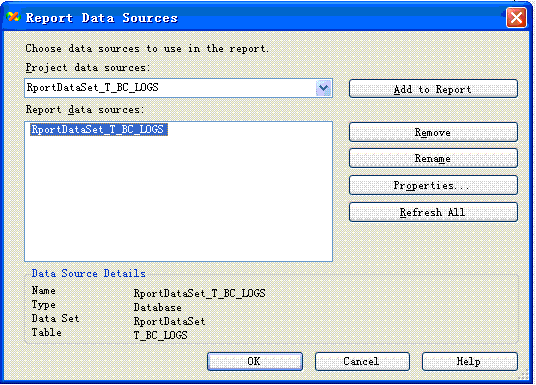
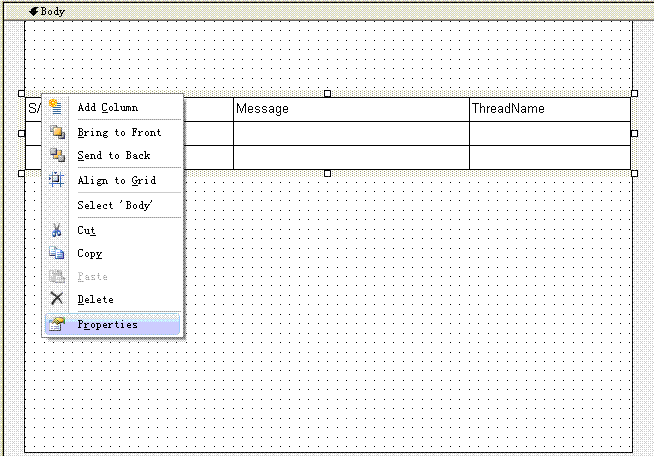
new ReportDataSource("Name", data) 的 Name 必須與 .rdlc 設計時的 DataSetName 完全一致(區分大小寫)。Microsoft.ReportViewer.WebForms 組件已安裝或 Bin 部署。Render("pdf")、"excel"、"word"、"image" 等,對應不同輸出格式。ProcessingMode.Local),無需 SSRS 伺服器。完成第一個報表後,你已掌握 RDLC 核心開發流程:定義資料結構 → 設計模板綁定 → 程式填充渲染。後續將深入參數、圖片、子報表、運算式等進階主題。