WF4.0 的活動樹結構遠比 WF3.x 複雜,活動可能擁有 Activities、Body、Implementation 等多種子活動屬性,手寫遞迴遍歷極易遺漏。WorkflowInspectionServices 類別正是為了解決此痛點而設計,能自動判斷並遍歷活動樹上的所有活動節點。
Activities/Body/Implementation,一次取得所有活動。FlowNode、FlowStep、FlowSwitch、FlowDecision 不繼承自 Activity,故無法直接取得,但其內部包含的 Activity 仍可被發現。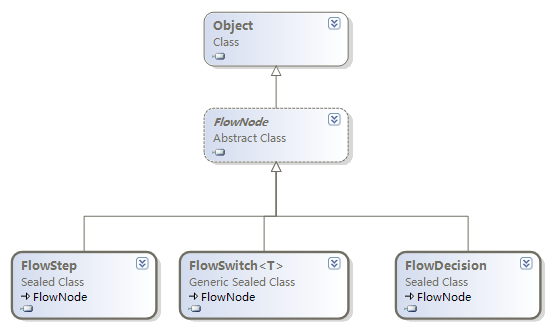
static void PrintActivityTree(Activity activity, string indent)
{
    Console.WriteLine($"{indent}{activity.DisplayName}, Type: {activity.GetType()}");
    foreach (var child in WorkflowInspectionServices.GetActivities(activity))
    {
        PrintActivityTree(child, " " + indent);
    }
}
搭配 XAML 載入與 CacheMetadata 驗證:
static Activity GetActivity(string filePath)
{
    string xaml = File.ReadAllText(filePath);
    var activity = ActivityXamlServices.Load(new StringReader(xaml));
    WorkflowInspectionServices.CacheMetadata(activity);
    return activity;
}自訂遞迴可針對 Sequence 列印變數、DynamicActivity 列印屬性與實作、VisualBasicValue 顯示運算式文本等,適合需深度分析的場景。
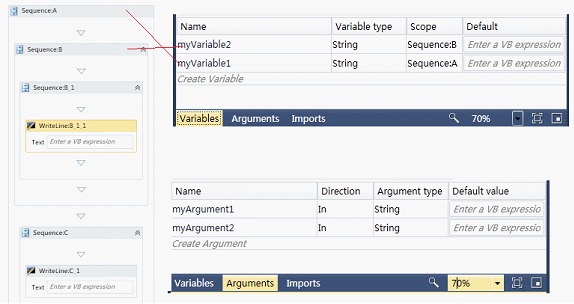
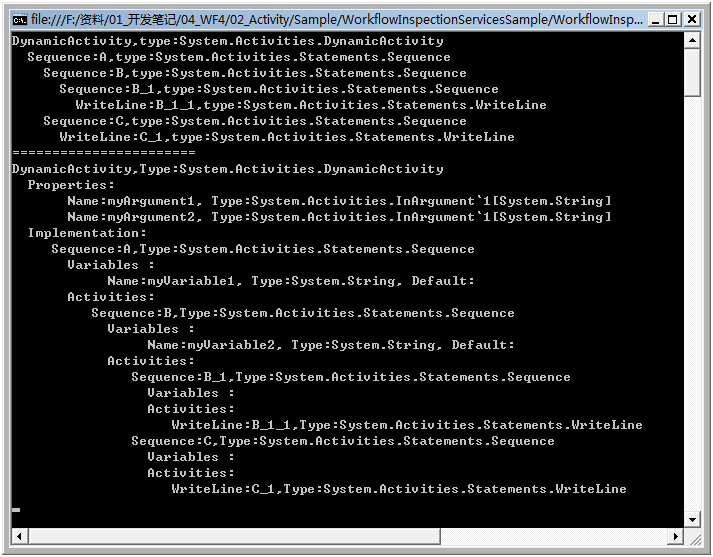
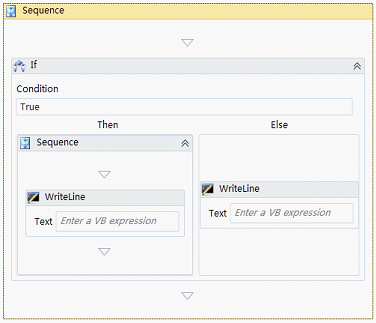
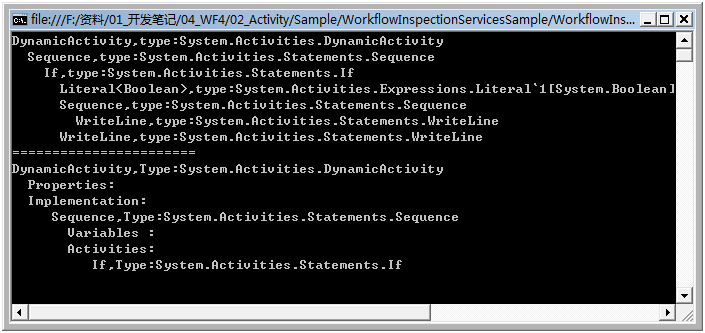
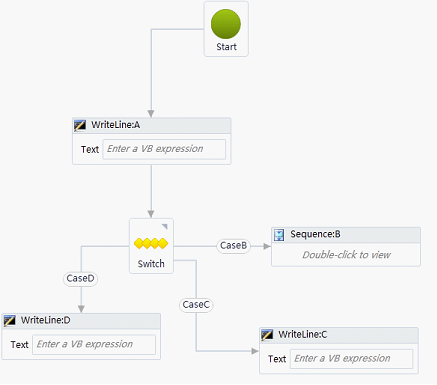
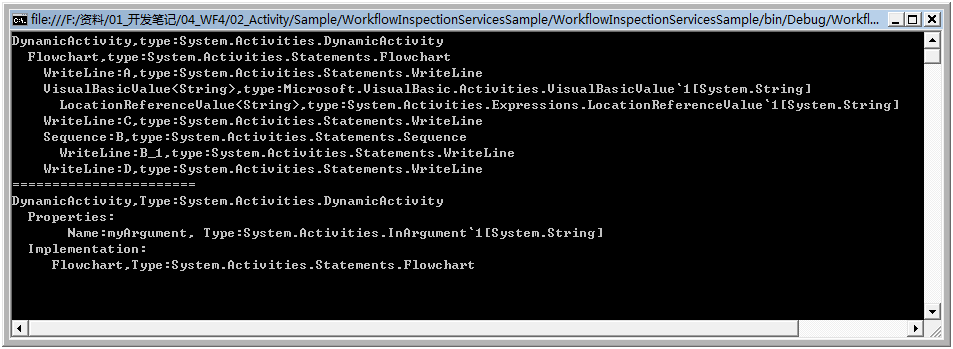 (驗證 FlowNode 不被 GetActivities 取得)
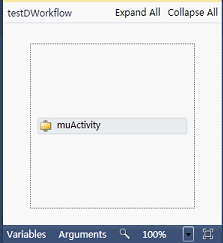
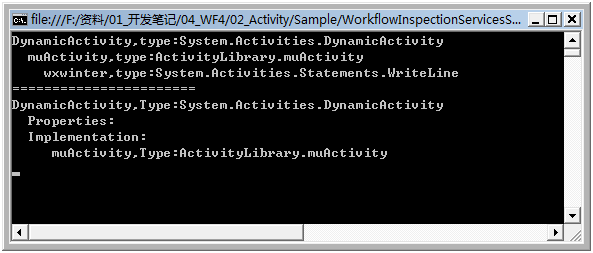
var fs = new FileStream("Service1.xamlx", FileMode.Open);
var wfs = (WorkflowService)XamlServices.Load(fs);
PrintActivityTree(wfs.Body, "|--");var act = WorkflowInspectionServices.Resolve(wf, "1.5");
Console.WriteLine($"{act.Id}, {act.DisplayName}");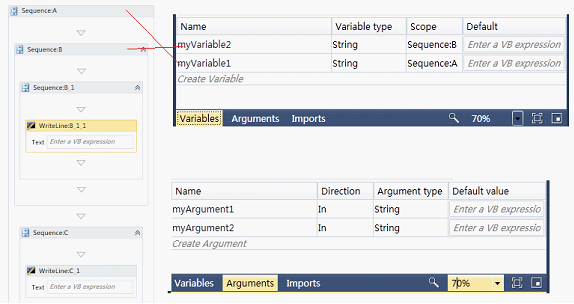
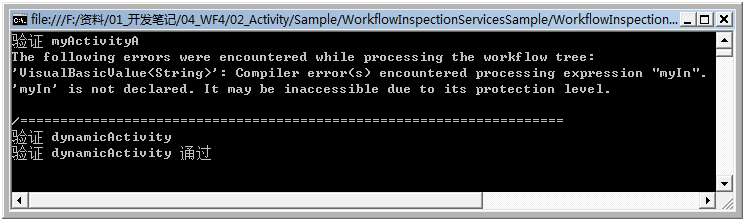
驗證活動定義正確性,失敗拋出例外,建議包在 Try-Catch 中:
try {
    WorkflowInspectionServices.CacheMetadata(new MyActivityA());
    Console.WriteLine("驗證通過");
} catch (Exception ex) {
    Console.WriteLine(ex.Message);
}
配套原始碼:下載連結