本系列記錄基於 ASP.NET MVC 開發校友錄系統的實戰過程。第七部分著重於圖片上傳功能的實現,以及多對多關聯表的 LINQ 查詢技巧。
檔案上傳需在 `
@using (Html.BeginForm("ToCreate", "Class", FormMethod.Post,
    new { enctype = "multipart/form-data" }))
{
    <input type="file" name="ClassCover" />
    <input type="submit" value="建立班級" />
}
在 Action 方法中透過 `Request.Files` 取得上傳檔案:
[HttpPost]
public ActionResult ToCreate(CreateClassViewModel model)
{
    HttpPostedFileBase file = Request.Files[0];
    if (file != null && file.ContentLength > 0)
    {
        string savedFileName = FileHelper.SaveFile(file);
        model.ClassCoverPath = savedFileName;
    }
    // 後續儲存班級資料至資料庫...
    return RedirectToAction("Index", new { className = model.ClassName });
}
採用時間戳記重新命名,避免檔名衝突:
public static class FileHelper
{
    private static readonly string UploadRoot =
        @"E:\Projects\AlumniBook\Upload\"; // 實際專案請從設定檔讀取

    public static string SaveFile(HttpPostedFileBase file)
    {
        string originalName = file.FileName;
        string extension = Path.GetExtension(originalName); // 含 ".xxx"
        string newName = DateTime.Now.ToString("HHmmssfff") + extension;
        string fullPath = Path.Combine(UploadRoot, newName);

        file.SaveAs(fullPath);
        return newName; // 僅回傳檔名,路徑由系統統一管理
    }
}
最佳實踐提醒:生產環境請務必驗證副檔名、MIME 類型、檔案大小,並將上傳目錄設定為不可執行權限,防止惡意腳本上傳。
假設「學生」與「課程」為多對多關聯,中介表為 `StudentCourse`。查詢某學生選修的所有課程:
var studentId = "S001";
var courses = db.StudentCourse
    .Where(sc => sc.StudentId == studentId)
    .Select(sc => sc.Course)
    .ToList();
若需包含課程老師資訊(多層導航):
var courseDetails = db.StudentCourse
    .Where(sc => sc.StudentId == studentId)
    .Select(sc => new
    {
        CourseName = sc.Course.Name,
        TeacherName = sc.Course.Teacher.Name
    })
    .ToList();
檔案上傳是 Web 系統常見需求,掌握 `multipart/form-data` 表單與伺服端串流處理是基礎;多對多關聯查詢則展現 LINQ 強大的導航屬性能力。下一篇將介紹權限過濾器的實作細節。
問題背景 在 ASP.NET MVC 控制器中使用 GET
前言 ADO.NET Entity Framework (E
微軟官方「.NET 企業應用架構指南」核心觀點整理,涵蓋 W
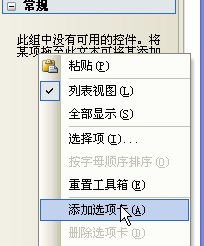
工具箱加入 PivotGridControl 右鍵工具