透過 SocketType.Raw 與 ProtocolType.IP,並啟用 IOControl(SIO_RCVALL),C# 可在 Windows 上實作簡易封包偵測器,擷取網卡經過的所有 IP 封包。本文整理從 VB.NET 移植的 C# 完整實作,並說明關鍵技術細節。
Precedence, Delay, Throughput, Reliability, Protocol。
private const int SIO_RCVALL = -2147483648 ^ 0x18000000 ^ 1; // IOC_IN ^ IOC_VENDOR ^ 1

public void Start()
{
    if (m_Monitor != null) return;

    if (!(Environment.OSVersion.Platform == PlatformID.Win32NT) &&
        Environment.OSVersion.Version.Major < 5)
        throw new NotSupportedException("需 Windows 2000/XP/Server 以上");

    m_Monitor = new Socket(AddressFamily.InterNetwork, SocketType.Raw, ProtocolType.IP);
    m_Monitor.Bind(new IPEndPoint(IP, 0));
    m_Monitor.IOControl(SIO_RCVALL, BitConverter.GetBytes(1), null); // 開啟混雜模式

    m_Monitor.BeginReceive(m_Buffer, 0, m_Buffer.Length, SocketFlags.None, OnReceive, null);
}
private void OnReceive(IAsyncResult ar)
{
    try
    {
        int received = m_Monitor.EndReceive(ar);
        if (m_Monitor != null && received > 0)
        {
            byte[] pkt = new byte[received];
            Array.Copy(m_Buffer, 0, pkt, 0, received);
            OnNewPacket(new Packet(pkt, DateTime.Now)); // 觸發事件
        }
    }
    catch (ObjectDisposedException) { /* Socket 已關閉,正常結束 */ }
    catch (Exception ex) { /* 記錄錯誤 */ }

    // 繼續接收下一個封包
    if (m_Monitor != null)
        m_Monitor.BeginReceive(m_Buffer, 0, m_Buffer.Length, SocketFlags.None, OnReceive, null);
}
public Packet(byte[] raw, DateTime time)
{
    if (raw == null || raw.Length < 20) throw new ArgumentException();

    m_Raw = raw;
    m_Time = time;
    m_HeaderLength = (raw[0] & 0x0F) * 4; // IHL * 4
    if (m_HeaderLength < 20) throw new ArgumentException();

    // IP 標頭解析(RFC 791)
    m_Precedence = (Precedence)((raw[1] & 0xE0) >> 5);
    m_Delay = (Delay)((raw[1] & 0x10) >> 4);
    m_Throughput = (Throughput)((raw[1] & 0x08) >> 3);
    m_Reliability = (Reliability)((raw[1] & 0x04) >> 2);
    m_TotalLength = raw[2] * 256 + raw[3];
    m_Identification = raw[4] * 256 + raw[5];
    m_TimeToLive = raw[8];
    m_Protocol = (Protocol)raw[9];
    m_Checksum = new byte[] { raw[11], raw[10] }; // 大端序

    m_SourceAddress = GetIPAddress(raw, 12);
    m_DestinationAddress = GetIPAddress(raw, 16);

    // TCP/UDP 埠號(位於 IP 標頭之後)
    if (m_Protocol == Protocol.Tcp || m_Protocol == Protocol.Udp)
    {
        int offset = m_HeaderLength;
        m_SourcePort = raw[offset] * 256 + raw[offset + 1];
        m_DestinationPort = raw[offset + 2] * 256 + raw[offset + 3];
    }
}
private Monitor[] m_PacketMonitors;
private List m_Packets = new List();
private long m_TotalBytes;

private void StartMonitor()
{
    IPAddress[] ips = Dns.GetHostEntry(Dns.GetHostName()).AddressList;
    if (ips.Length == 0) throw new Exception("無非回環介面");

    m_PacketMonitors = new Monitor[1];
    m_PacketMonitors[0] = new Monitor(ips[0]);
    m_PacketMonitors[0].NewPacket += OnNewPacket;
    m_PacketMonitors[0].Start();
}

private void OnNewPacket(Monitor m, Packet p)
{
    m_Packets.Add(p);
    m_TotalBytes += p.TotalLength;

    // UI 更新需跨執行緒委派
    txtLog.Invoke((Action)(() => {
        txtLog.AppendText($"{p.Time:HH:mm:ss.fff} {p.Protocol} {p.Source} -> {p.Destination} {p.TotalLength} bytes\r\n");
    }));

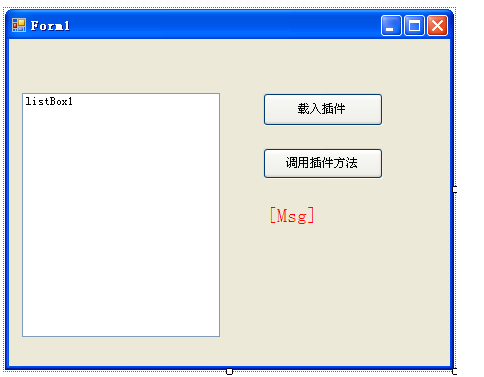
    statusBar.Text = $"攔截 {m_Packets.Count} 封包 [{m_TotalBytes} bytes]";
}
SIO_RCVALL 為 Windows 專有 IOCTL 碼。| 函式庫 | 特點 |
|---|---|
| SharpPcap | 封裝 WinPcap/Npcap/libpcap,跨平台、核心級過濾、高效能 |
| PacketDotNet | 豐富封包解析模型(Ethernet, IP, TCP, UDP, HTTP, DNS...) |
| Pcap.Net | .NET 原生 P/Invoke 封裝,支援 LINQ 查詢封包 |
Raw Socket 實作 Sniffer 是理解網路協定、Socket 程式設計與非同步 I/O 的絕佳練習。生產環境請採用成熟的 SharpPcap + PacketDotNet 組合,獲得穩定、高效能、跨平台的封包擷取與分析能力。