本文提供完整可編譯的設計器代碼 (Form1.Designer.cs 對應部分),涵蓋所有控制項實例化、屬性設定、事件綁定、版面配置與 Main 入口。可直接複製到專案中替換同名檔案,無需手動拖拉控制項,立即獲得標準 INI 讀寫工具介面。
using System;
using System.Drawing;
using System.Windows.Forms;

namespace IniFileDemo
{
    partial class IniForm
    {
        // 元件容器
        private System.ComponentModel.IContainer components = null;

        // 控制項宣告
        private TextBox txtFilePath;
        private Button btnBrowse;
        private TextBox txtSection;
        private TextBox txtKey;
        private TextBox txtValue;
        private Button btnWrite;
        private Button btnRead;
        private Label lblFilePath;
        private Label lblSection;
        private Label lblKey;
        private Label lblValue;
        private Label lblStatus;
        private OpenFileDialog openFileDialog1;

        // 釋放資源
        protected override void Dispose(bool disposing)
        {
            if (disposing && (components != null))
                components.Dispose();
            base.Dispose(disposing);
        }

        // InitializeComponent - 設計器核心邏輯
        private void InitializeComponent()
        {
            this.txtFilePath = new TextBox();
            this.btnBrowse = new Button();
            this.txtSection = new TextBox();
            this.txtKey = new TextBox();
            this.txtValue = new TextBox();
            this.btnWrite = new Button();
            this.btnRead = new Button();
            this.lblFilePath = new Label();
            this.lblSection = new Label();
            this.lblKey = new Label();
            this.lblValue = new Label();
            this.lblStatus = new Label();
            this.openFileDialog1 = new OpenFileDialog();
            this.SuspendLayout();

            // txtFilePath
            this.txtFilePath.Location = new Point(100, 15);
            this.txtFilePath.Name = "txtFilePath";
            this.txtFilePath.ReadOnly = true;
            this.txtFilePath.Size = new Size(300, 23);
            this.txtFilePath.TabIndex = 0;

            // btnBrowse
            this.btnBrowse.Location = new Point(410, 13);
            this.btnBrowse.Name = "btnBrowse";
            this.btnBrowse.Size = new Size(100, 27);
            this.btnBrowse.TabIndex = 1;
            this.btnBrowse.Text = "選擇 INI 檔案";
            this.btnBrowse.UseVisualStyleBackColor = true;
            this.btnBrowse.Click += new EventHandler(this.btnBrowse_Click);

            // lblFilePath
            this.lblFilePath.AutoSize = true;
            this.lblFilePath.Location = new Point(20, 18);
            this.lblFilePath.Name = "lblFilePath";
            this.lblFilePath.Size = new Size(68, 15);
            this.lblFilePath.TabIndex = 2;
            this.lblFilePath.Text = "INI 檔案:";

            // lblSection
            this.lblSection.AutoSize = true;
            this.lblSection.Location = new Point(20, 58);
            this.lblSection.Name = "lblSection";
            this.lblSection.Size = new Size(44, 15);
            this.lblSection.TabIndex = 3;
            this.lblSection.Text = "區段:";

            // txtSection
            this.txtSection.Location = new Point(100, 55);
            this.txtSection.Name = "txtSection";
            this.txtSection.Size = new Size(200, 23);
            this.txtSection.TabIndex = 4;

            // lblKey
            this.lblKey.AutoSize = true;
            this.lblKey.Location = new Point(20, 98);
            this.lblKey.Name = "lblKey";
            this.lblKey.Size = new Size(44, 15);
            this.lblKey.TabIndex = 5;
            this.lblKey.Text = "鍵名:";

            // txtKey
            this.txtKey.Location = new Point(100, 95);
            this.txtKey.Name = "txtKey";
            this.txtKey.Size = new Size(200, 23);
            this.txtKey.TabIndex = 6;

            // lblValue
            this.lblValue.AutoSize = true;
            this.lblValue.Location = new Point(20, 138);
            this.lblValue.Name = "lblValue";
            this.lblValue.Size = new Size(44, 15);
            this.lblValue.TabIndex = 7;
            this.lblValue.Text = "值:";

            // txtValue
            this.txtValue.Location = new Point(100, 135);
            this.txtValue.Name = "txtValue";
            this.txtValue.Size = new Size(300, 23);
            this.txtValue.TabIndex = 8;

            // btnWrite
            this.btnWrite.Location = new Point(100, 175);
            this.btnWrite.Name = "btnWrite";
            this.btnWrite.Size = new Size(100, 30);
            this.btnWrite.TabIndex = 9;
            this.btnWrite.Text = "寫入 INI";
            this.btnWrite.UseVisualStyleBackColor = true;
            this.btnWrite.Click += new EventHandler(this.btnWrite_Click);

            // btnRead
            this.btnRead.Location = new Point(220, 175);
            this.btnRead.Name = "btnRead";
            this.btnRead.Size = new Size(100, 30);
            this.btnRead.TabIndex = 10;
            this.btnRead.Text = "讀取 INI";
            this.btnRead.UseVisualStyleBackColor = true;
            this.btnRead.Click += new EventHandler(this.btnRead_Click);

            // lblStatus
            this.lblStatus.AutoSize = true;
            this.lblStatus.ForeColor = Color.Green;
            this.lblStatus.Location = new Point(100, 220);
            this.lblStatus.Name = "lblStatus";
            this.lblStatus.Size = new Size(0, 15);
            this.lblStatus.TabIndex = 11;

            // openFileDialog1
            this.openFileDialog1.Filter = "INI Files (*.ini)|*.ini|All Files (*.*)|*.*";
            this.openFileDialog1.CheckFileExists = false;
            this.openFileDialog1.AddExtension = true;
            this.openFileDialog1.DefaultExt = "ini";

            // IniForm
            this.AutoScaleDimensions = new SizeF(7F, 15F);
            this.AutoScaleMode = AutoScaleMode.Font;
            this.ClientSize = new Size(540, 260);
            this.Controls.AddRange(new Control[]
            {
                this.lblStatus,
                this.btnRead,
                this.btnWrite,
                this.txtValue,
                this.lblValue,
                this.txtKey,
                this.lblKey,
                this.txtSection,
                this.lblSection,
                this.btnBrowse,
                this.txtFilePath,
                this.lblFilePath
            });
            this.FormBorderStyle = FormBorderStyle.FixedDialog;
            this.MaximizeBox = false;
            this.MinimizeBox = false;
            this.Name = "IniForm";
            this.StartPosition = FormStartPosition.CenterScreen;
            this.Text = "C# INI 檔案讀寫工具";
            this.ResumeLayout(false);
            this.PerformLayout();
        }
    }
}
using System;
using System.Windows.Forms;

namespace IniFileDemo
{
    static class Program
    {
        [STAThread]
        static void Main()
        {
            Application.EnableVisualStyles();
            Application.SetCompatibleTextRenderingDefault(false);
            Application.Run(new IniForm());
        }
    }
}
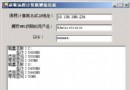
┌─────────────────────────────────────────────────────────────┐
│ C# INI 檔案讀寫工具                                    [_] [×] │
├─────────────────────────────────────────────────────────────┤
│ INI 檔案: [____________________________________] [選擇...]  │
│                                                            │
│ 區段:     [____________________]                          │
│ 鍵名:     [____________________]                          │
│ 值:       [____________________________________]          │
│                                                            │
│ [寫入 INI]    [讀取 INI]                                   │
│                                                            │
│ 狀態訊息區域 (綠字成功/紅字錯誤)                            │
└─────────────────────────────────────────────────────────────┘
| 控制項 | 事件 | 處理方法 (在 Form1.cs 實作) |
|---|---|---|
| btnBrowse | Click | btnBrowse_Click |
| btnWrite | Click | btnWrite_Click |
| btnRead | Click | btnRead_Click |
IniFileDemo/
├── Program.cs              // 入口點
├── IniForm.cs              // 表單邏輯 (btnBrowse_Click, btnWrite_Click, btnRead_Click)
├── IniForm.Designer.cs     // 本文代碼 (InitializeComponent)
└── IniForm.resx            // 資源檔 (自動生成)
IniFileDemoForm1.csIniForm.cs (繼承 Form),貼上邏輯代碼 (上一篇)IniForm.Designer.cs (partial class),貼上本文代碼Program.cs 指向 new IniForm()| 問題 | 原因 | 解決 |
|---|---|---|
| 控制項不顯示/位置錯誤 | SuspendLayout/ResumeLayout 缺失或順序錯誤 | 確保所有屬性設定在 SuspendLayout 之後、ResumeLayout 之前 |
| 事件不觸發 | 事件綁定語法錯誤或方法簽名不符 | 檢查 += new EventHandler(this.MethodName) 且方法為 void Method(object sender, EventArgs e) |
| 設計器報錯「型別不存在」 | 命名空間不一致或缺少 using | 確保 partial class 同名、命名空間一致、引用 System.Windows.Forms |
| 中文標籤顯示亂碼 | 原始碼檔案編碼非 UTF-8 | VS → 檔案 → 另存為 → 編碼選 UTF-8 (含 BOM) |
若不想手寫 Designer.cs,可使用以下方式:
Controls.Add(new Button { Text="...", Location=..., Click=... }) 完全無 Designer.cs結語:完整的設計器代碼讓你零手動拖拉即可獲得標準化 INI 工具介面。理解 InitializeComponent 的結構 (實例化 → 屬性 → 事件 → 版面 → ResumeLayout),有助於除錯設計器問題、編寫動態表單生成器、或遷移至無設計器架構 (如 Blazor/Avalonia/MAUI)。