4) 障礙物陣列導出與導入
預製 XML 模板:<Item ID="Obstruction" Value="" />。繪製滿意並通過 A* 測試後導出:
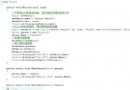
private void outputMatrix_FileOk(object sender, CancelEventArgs e)
{
    SaveFileDialog outputMatrix = sender as SaveFileDialog;
    string result = "";
    for (int y = 0; y <= ObstructionMatrix.GetUpperBound(1); y++)
        for (int x = 0; x <= ObstructionMatrix.GetUpperBound(0); x++)
            if (ObstructionMatrix[x, y] == 0)
                result = string.Format("{0}{1}", result, string.Format("{0}_{1},", x, y));
    SetXMLValue(Data, "Item", "ID", "Obstruction", "Value", result.TrimEnd(','));
    Data.Save(outputMatrix.FileName);
    MessageBox.Show("導出成功!");
}
導出內容範例:
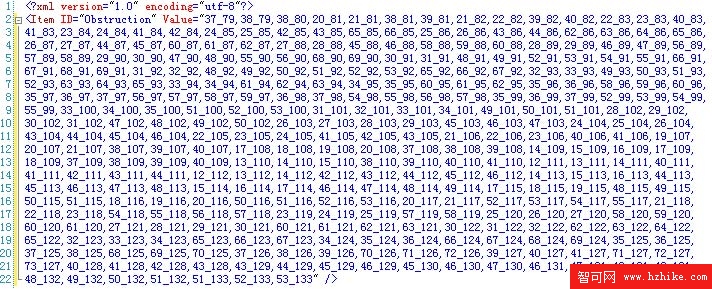
資料格式 x_y 逗號分隔,導入輕鬆:
private void loadMatrix_FileOk(object sender, CancelEventArgs e)
{
    OpenFileDialog loadMatrix = sender as OpenFileDialog;
    try
    {
        XElement XML = XElement.Load(loadMatrix.FileName);
        if (XML.HasAttributes)
        {
            ClearGrid(); RemoveRect();
            string[] matrix = GetXmlValue(XML, "Item", "ID", "Obstruction", "Value").Split(',');
            for (int i = 0; i < matrix.Count(); i++)
                SetRect(string.Format("Rect_{0}", matrix[i]), new SolidColorBrush(Colors.Yellow), new SolidColorBrush(Colors.Black), GridWidthSlider.Value, GridHeightSlider.Value, 0, 0, Convert.ToInt32(matrix[i].Split('_')[0]), Convert.ToInt32(matrix[i].Split('_')[1]));
        }
    }
    catch { MessageBox.Show("導入失敗!請檢文件是否匹配"); e.Cancel = true; }
}
地圖編輯器初具雛形,後續將持續添加新功能,使遊戲設計更輕鬆快速。