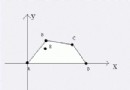
截圖略顯粗糙,請見諒。兩棵樹長相奇特請包涵。
// 區域 1
for (int y = 22; y <= 24; y++)
    for (int x = 5; x <= 16; x++) {
        Matrix[x, y] = 0;
        rect = new Rectangle();
        rect.Fill = new SolidColorBrush(Colors.GreenYellow);
        rect.Opacity = 0.3;
        rect.Stroke = new SolidColorBrush(Colors.Gray);
        rect.Width = GridSize;
        rect.Height = GridSize;
        Carrier.Children.Add(rect);
        Canvas.SetLeft(rect, x * GridSize);
        Canvas.SetTop(rect, y * GridSize);
    }

// 區域 2
for (int y = 11; y <= 14; y++)
    for (int x = 27; x <= 31; x++) {
        Matrix[x, y] = 0;
        rect = new Rectangle();
        rect.Fill = new SolidColorBrush(Colors.GreenYellow);
        rect.Opacity = 0.3;
        rect.Stroke = new SolidColorBrush(Colors.Gray);
        rect.Width = GridSize;
        rect.Height = GridSize;
        Carrier.Children.Add(rect);
        Canvas.SetLeft(rect, x * GridSize);
        Canvas.SetTop(rect, y * GridSize);
    }

// 區域 3
for (int y = 18; y <= 21; y++)
    for (int x = 33; x <= 37; x++) {
        Matrix[x, y] = 0;
        rect = new Rectangle();
        rect.Fill = new SolidColorBrush(Colors.GreenYellow);
        rect.Opacity = 0.3;
        rect.Stroke = new SolidColorBrush(Colors.Gray);
        rect.Width = GridSize;
        rect.Height = GridSize;
        Carrier.Children.Add(rect);
        Canvas.SetLeft(rect, x * GridSize);
        Canvas.SetTop(rect, y * GridSize);
    }