代碼與上節差異不大,修改處以黃底標示(..... 表未變)。主要針對主角真實腳底座標在雙座標系間換算進行佈局調整,可與上節代碼對比理解。
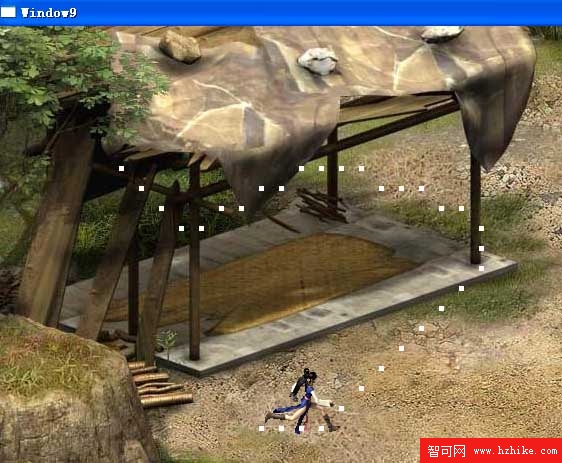
移除障礙物顯示,Ctrl+F5 驗證:
將本節菱形障礙物代碼替換第九節正方形障礙物,運行新 Window9.xaml:
for (int x = 10; x < 20; x++)
    for (int y = 0; y < 10; y++) {
        Matrix[x, y] = 0;
        rect = new Rectangle();
        rect.Fill = new SolidColorBrush(Colors.GreenYellow);
        rect.Opacity = 0.3;
        rect.Stroke = new SolidColorBrush(Colors.Gray);
        rect.Width = GridSize;
        rect.Height = GridSize;
        Carrier.Children.Add(rect);
        Point p = getWindowPosition(x, y);
        Canvas.SetLeft(rect, p.X);
        Canvas.SetTop(rect, p.Y);
    }
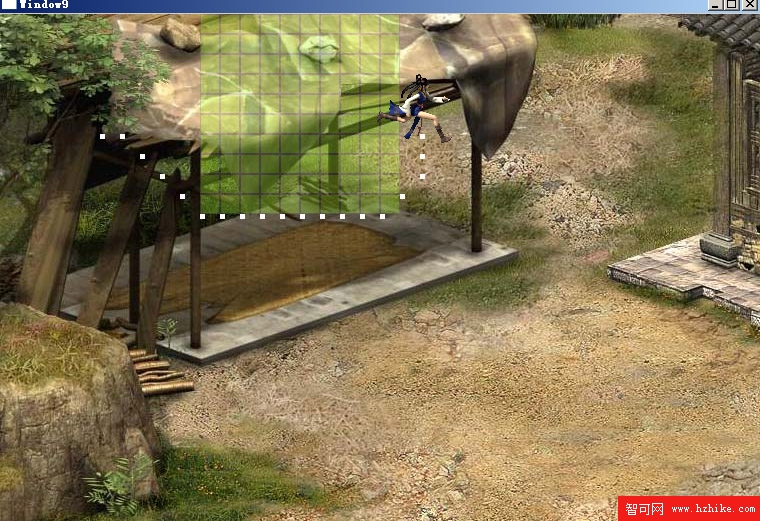
同樣障礙物邏輯:第九節直角座標系顯示垂直方塊,本節斜度 60° 座標系顯示菱形。證明斜度 α 地圖構建成功!
A* 可無視格子形狀(正方形/菱形/六邊形)尋路,斜度地圖在實戰幾乎無處不在。地圖編輯器決定遊戲成敗,離完成仍有長路。下節將講地圖遮罩效果,敬請關注。