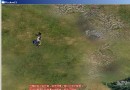
結合第一節 Storyboard 移動與第四節 DispatcherTimer 幀動畫,實現點擊移動同時播放跑步動畫。
int count = 0;
Image Spirit;
Storyboard storyboard;

public Window6() {
    InitializeComponent();
    Spirit = new Image();
    Spirit.Width = 150;
    Spirit.Height = 150;
    Carrier.Children.Add(Spirit);
    Canvas.SetLeft(Spirit, 0);
    Canvas.SetTop(Spirit, 0);

    DispatcherTimer dispatcherTimer = new DispatcherTimer();
    dispatcherTimer.Tick += new EventHandler(dispatcherTimer_Tick);
    dispatcherTimer.Interval = TimeSpan.FromMilliseconds(150);
    dispatcherTimer.Start();
}

private void dispatcherTimer_Tick(object sender, EventArgs e) {
    Spirit.Source = new BitmapImage(new Uri(@"Player\" + count + ".png", UriKind.Relative));
    count = count == 7 ? 0 : count + 1;
}
private void Carrier_MouseLeftButtonDown(object sender, MouseButtonEventArgs e) {
    Point p = e.GetPosition(Carrier);
    Move(p);
}

private void Move(Point p) {
    storyboard = new Storyboard();

    DoubleAnimation doubleAnimation = new DoubleAnimation(
        Canvas.GetLeft(Spirit), p.X, new Duration(TimeSpan.FromSeconds(1)));
    Storyboard.SetTarget(doubleAnimation, Spirit);
    Storyboard.SetTargetProperty(doubleAnimation, new PropertyPath("(Canvas.Left)"));
    storyboard.Children.Add(doubleAnimation);

    doubleAnimation = new DoubleAnimation(
        Canvas.GetTop(Spirit), p.Y, new Duration(TimeSpan.FromSeconds(1)));
    Storyboard.SetTarget(doubleAnimation, Spirit);
    Storyboard.SetTargetProperty(doubleAnimation, new PropertyPath("(Canvas.Top)"));
    storyboard.Children.Add(doubleAnimation);

    if (!Resources.Contains("rectAnimation"))
        Resources.Add("rectAnimation", storyboard);
    storyboard.Begin();
}
Move() 邏輯同第一節,合併後即可實現:滑鼠點哪,主角向哪移動,同時持續播放跑步動畫。