承接前兩篇文章,本文將完成自訂元件的編譯、建立客戶端應用程式進行測試,並總結元件導向程式設計的優勢。
自訂元件的編譯過程與一般應用程式不同,輸出為類別庫(DLL)而非執行檔:
csc /r:System.Windows.Forms.dll /t:library control.cs
/t:library:指定輸出為類別庫/r::參考 Windows Forms 組件編譯成功後產生 control.dll,即為我們的自訂元件組件。
使用自訂元件與使用 .NET Framework 內建元件完全相同,遵循以下步驟:
using MyControls;
protected LabeledTextBox name, address, zip;
自訂屬性 LabelText 的設定方式與內建屬性無異:
name = new LabeledTextBox();
name.Location = new System.Drawing.Point(5, 5);
name.LabelText = "姓名:";
this.Controls.Add(name);
this.Controls.Add(address);
this.Controls.Add(zip);
using System.Windows.Forms;
using MyControls;
using System;

public class Form1 : Form
{
    protected LabeledTextBox name, address, zip;
    protected Button show;

    public Form1()
    {
        InitializeComponent();
    }

    public static void Main()
    {
        Application.Run(new Form1());
    }

    public void InitializeComponent()
    {
        name = new LabeledTextBox();
        address = new LabeledTextBox();
        zip = new LabeledTextBox();
        show = new Button();

        // 設定元件屬性
        name.Location = new System.Drawing.Point(5, 5);
        name.LabelText = "姓名:";
        address.Location = new System.Drawing.Point(5, 35);
        address.LabelText = "住址:";
        zip.Location = new System.Drawing.Point(5, 70);
        zip.LabelText = "郵編:";

        show.Location = new System.Drawing.Point(5, 100);
        show.Text = "顯示元件屬性值";
        show.Size = new System.Drawing.Size(100, 25);
        show.Click += new System.EventHandler(show_Click);

        this.Text = "顯示自建元件的 LabelText 與 Text 屬性值!";
        this.Controls.Add(name);
        this.Controls.Add(address);
        this.Controls.Add(zip);
        this.Controls.Add(show);
    }

    protected void show_Click(object sender, EventArgs e)
    {
        string message = name.LabelText + " " + name.Text + "\n" +
                         address.LabelText + " " + address.Text + "\n" +
                         zip.LabelText + " " + zip.Text;
        MessageBox.Show(message, "元件的 LabelText 與 Text 屬性值如下:");
    }
}
csc /r:control.dll sample.cs
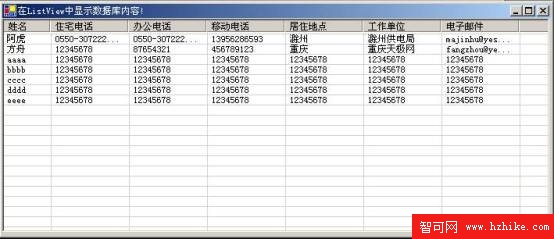
編譯時需參考自訂元件 control.dll,產生的 sample.exe 執行畫面如下:
元件導向程式設計是未來軟體開發的重要趨勢。透過 Visual C# 開發元件,相較於其他語言,開發者在撰寫與部署時輕鬆許多:
這一切歸功於 .NET Framework 在底層已妥善處理了傳統元件開發的複雜問題,讓開發者專注於商務邏輯實作。