開發一個簡單的「定時關機」工具,核心在於如何精準觸發指定時間的事件。本文記錄從查找 API 走彎路,到採用 time_t 秒數比對實現定時邏輯的完整過程,並提供完整 C++ 程式碼與效能分析。
GetLocalTime(Windows API)SYSTEMTIME sys_time;
GetLocalTime(&sys_time);
// sys_time.wHour, wMinute, wSecond 為當前時間分量優點:直觀易讀;缺點:需自行組合比對,跨日處理麻煩。
time() + time_t(C/C++ 標準庫)#include <ctime>
time_t now = time(NULL); // 從 1970-01-01 00:00:00 UTC 至今的秒數優點:單一整數即可表示時間點,運算極簡單;缺點:精度僅到秒。
結論:定時觸發類需求,time_t 運算最便利。
#include <windows.h>
#include <ctime>
#include <iostream>
using namespace std;

int Time_Tick() {
    SYSTEMTIME sys_time;
    GetLocalTime(&sys_time);
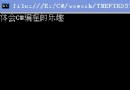
    cout << "now the time is: " << sys_time.wHour << sys_time.wMinute << sys_time.wSecond << "\n";

    time_t time_now, time_all, time_user_H, time_user_M, time_user_S;

    cout << "your time...\n";
    cout << "Hour: ";   cin >> time_user_H;
    cout << "Minute: "; cin >> time_user_M;
    cout << "Second: "; cin >> time_user_S;

    time_now = time(NULL);
    // 目標觸發絕對秒數 = 當前秒數 + 輸入的時分秒折算秒數
    time_all = time_user_H * 3600 + time_user_M * 60 + time_user_S + time_now;

    // 忙等待迴圈
LOOP:
    time_now = time(NULL);
    if (time_now == time_all) {
        return 1; // 觸發
    } else {
        goto LOOP;
    }
}time_now = time(NULL) 取得當前 Unix 時間戳。time_all = 輸入秒數 + time_now,將相對時間轉為絕對時間戳。time_now,若等於 time_all 則返回觸發。現狀:使用 goto 形成忙等待,佔用 100% CPU,效率極低。
改進建議:
Sleep(1000),每秒檢查一次,CPU 佔用近乎零。CreateWaitableTimer + SetWaitableTimer 讓核心負責喚醒,最精準且零佔用。Sleep((time_all - time_now) * 1000) 一次性睡到目標時間(需處理被中斷喚醒的情況)。#include <windows.h>
#include <ctime>
#include <iostream>
using namespace std;
int main() {
time_t target_H, target_M, target_S;
cout << "請輸入定時關機時間 (時 分 秒):";
cin >> target_H >> target_M >> target_S;
time_t now = time(NULL);
time_t target = now + target_H * 3600 + target_M * 60 + target_S;
cout << "系統將於 " << ctime(&target) << " 關機。\n";
while (true) {
now = time(NULL);
if (now >= target) break;
Sleep(1000); // 每秒檢查一次
}
system("shutdown -s -t 0"); // 執行關機
return 0;
}time_t 將時間轉為純量,讓邏輯極度簡化。定時功能的本質是「時間點比對」,掌握 time_t 絕對秒數運算,配合 Sleep 或核心 Timer,即可輕鬆實現高效率、低資源佔用的定時觸發。下一步可嘗試加入網路流量監控模組,豐富工具功能。