本文整理自《Free/Open Source Software Guide to Localization》第 10 章範例,在 Red Hat 5.3 環境實測通過,示範 gettext 核心工作流:標記字串 → 提取模板 → 翻譯編輯 → 編譯二進位 → 部署測試。
關鍵巨集定義與初始化流程:
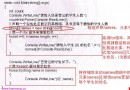
#include <libintl.h>
#include <locale.h>
#include <stdio.h>

#define _(String) gettext(String)
#define _t(String1,String2,n) ngettext(String1,String2,n)

int main() {
    int i;
    setlocale(LC_ALL, "");
    bindtextdomain("helloworldintl", "/usr/share/locale");
    textdomain("helloworldintl");

    printf(_("again\n"));
    printf(_("Hello World\n"));
    printf(_("These text demonstrate that translation using po files is easier\n"));
    scanf("%d", &i);
    printf(_t("This number %d is of singular form", "This number %d is of plural form", i), i);
    printf(_("The magic number is %d\n"), i);
    printf(_("These are additional words"));
    printf(_("I love translation\n"));
    return 0;
}
setlocale(LC_ALL, ""):依環境變數設定當前地區bindtextdomain:指定翻譯檔搜尋根目錄textdomain:設定當前應用程式網域_() 對應 gettext (單數),_t() 對應 ngettext (複數判斷)xgettext -d helloworldintl -o helloworldintl.pot \
--keyword=_t:1,2 -k_ -s helloworldintl.c-k_ 指定底線巨集,--keyword=_t:1,2 處理雙參數複數形式。
msgstr 欄位填入目標語言 (範例為繁體中文),複數形式填寫 msgstr[0]、msgstr[1]。msgfmt helloworldintl.po -o helloworldintl.mocp helloworldintl.mo /usr/share/locale/zh_TW/LC_MESSAGES/目錄結構需符合 /usr/share/locale/<語言代碼>/LC_MESSAGES/。
設定 LANG=zh_TW 執行即顯示中文介面;LANG=C 則回退英文原文。gettext 機制完全在執行期動態載入 .mo,無需重新編譯主程式,極適合開源專案多語言維護。