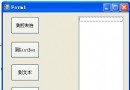
本文以攝氏/華氏溫度轉換器為例,示範 .NET Framework 早期 (System.Windows.Forms 命名空間) 的 GUI 程式設計基本流程:建立表單、配置控制項、事件繫結、輸入驗證與單位轉換邏輯。雖然現代開發多用 .NET Core/5+ 的 WinForms/WPF,但核心觀念相通。
using System;
using System.Windows.Forms;
using System.Drawing;

public class TempConverter : Form
{
    // 控制項宣告
    private readonly Label lblC = new Label();
    private readonly Label lblF = new Label();
    private readonly TextBox txtC = new TextBox();
    private readonly TextBox txtF = new TextBox();
    private readonly Button btnCtoF = new Button();
    private readonly Button btnFtoC = new Button();

    public TempConverter()
    {
        // 表單屬性
        Text = "℃→℉ / ℉→℃ 轉換器";
        ClientSize = new Size(260, 120);
        FormBorderStyle = FormBorderStyle.FixedDialog;
        MaximizeBox = false;
        StartPosition = FormStartPosition.CenterScreen;

        // 攝氏區
        txtC.Location = new Point(10, 10);
        txtC.Size = new Size(80, 25);
        txtC.TabIndex = 0;

        lblC.Text = "℃";
        lblC.Location = new Point(100, 12);
        lblC.AutoSize = true;

        // 華氏區
        txtF.Location = new Point(10, 45);
        txtF.Size = new Size(80, 25);
        txtF.TabIndex = 1;

        lblF.Text = "℉";
        lblF.Location = new Point(100, 47);
        lblF.AutoSize = true;

        // 按鈕
        btnCtoF.Text = "℃ → ℉";
        btnCtoF.Location = new Point(130, 10);
        btnCtoF.Size = new Size(100, 30);
        btnCtoF.TabIndex = 2;
        btnCtoF.Click += BtnCtoF_Click;

        btnFtoC.Text = "℉ → ℃";
        btnFtoC.Location = new Point(130, 45);
        btnFtoC.Size = new Size(100, 30);
        btnFtoC.TabIndex = 3;
        btnFtoC.Click += BtnFtoC_Click;

        // 加入控制項
        Controls.AddRange(new Control[] { txtC, lblC, txtF, lblF, btnCtoF, btnFtoC });

        // 預設焦點
        txtC.Focus();
    }

    private void BtnCtoF_Click(object sender, EventArgs e)
    {
        if (!double.TryParse(txtC.Text, out double c))
        {
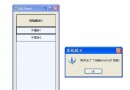
            MessageBox.Show("請輸入有效的數字", "輸入錯誤");
            txtC.Clear(); txtF.Clear();
            txtC.Focus();
            return;
        }

        double f = c * 1.8 + 32;
        txtF.Text = f.ToString("F2"); // 保留兩位小數
        txtF.Focus();
        txtF.SelectAll();
    }

    private void BtnFtoC_Click(object sender, EventArgs e)
    {
        if (!double.TryParse(txtF.Text, out double f))
        {
            MessageBox.Show("請輸入有效的數字", "輸入錯誤");
            txtC.Clear(); txtF.Clear();
            txtF.Focus();
            return;
        }

        double c = (f - 32) / 1.8;
        txtC.Text = c.ToString("F2");
        txtC.Focus();
        txtC.SelectAll();
    }

    [STAThread]
    public static void Main()
    {
        Application.EnableVisualStyles();
        Application.SetCompatibleTextRenderingDefault(false);
        Application.Run(new TempConverter());
    }
}# .NET Framework (csc.exe)
csc /r:System.dll /r:System.Windows.Forms.dll /r:System.Drawing.dll TempConverter.cs
# .NET Core / .NET 5+ (SDK)
dotnet new winforms -o TempConv
# 將 Program.cs 替換為上述程式碼
dotnet run| 觀念 | 說明 |
|---|---|
| 表單繼承 | 自訂類別繼承 Form,在建構函式初始化 UI |
| 控制項實例化 | new Button() 等,設定 Location/Size/Text |
| 事件繫結 | btn.Click += Handler 或設計器自動產生 |
| 版面配置 | 絕對座標 (Location);現代建議用 TableLayoutPanel/FlowLayoutPanel |
| 輸入驗證 | double.TryParse 避免例外,給予使用者友善提示 |
| 焦點管理 | Focus()、SelectAll() 提升使用體驗 |
| 應用程式進入點 | Application.Run(new Form()) 啟動訊息迴圈 |
txtC.Text、txtF.Text 繫結至 ViewModel 屬性,轉換邏輯移至 set 存取子。Enter 觸發轉換、Escape 清空。Enable Windows Forms High DPI,或 Application.SetHighDpiMode(HighDpiMode.PerMonitorV2)。Controls.Add() 或座標超出 ClientSize。InitializeComponent() 之後才繫結事件,或 Handler 簽名錯誤。LangVersion。Invoke / BeginInvoke 回主執行緒更新控制項。