將類別的介面轉換為客戶期望的另一介面,使原本因介面不相容而無法合作的類別能一起工作。別名:Wrapper (包裝器)。
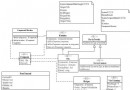
類別適配器:          物件適配器:
Client → Target ← Adapter → Adaptee    Client → Target ← Adapter → Adaptee
                      ↑ 繼承                  ↑ 組合
                      │                      (多型支援子類)
public interface ITarget { void Request(); }
public class Adaptee { public void SpecificRequest() => Console.WriteLine("Hello Adaptee!!"); }

// 類別適配器
public class ClassAdapter : Adaptee, ITarget
{
    public void Request() => SpecificRequest();
}

// 物件適配器
public class ObjectAdapter : ITarget
{
    private readonly Adaptee _adaptee;
    public ObjectAdapter(Adaptee adaptee = null) => _adaptee = adaptee;
    public void Request() => _adaptee?.SpecificRequest();
}情境:自有 Grapher 使用 IDrawStrategy.Draw(),第三方庫提供 IPaint.Paint() 實作 (Triangle/Circle/Square),無法修改第三方代碼。
public class TriangleDrawAdapter : Triangle, IDrawStrategy
{ public void Draw() => Paint(); }
public class CircleDrawAdapter : Circle, IDrawStrategy
{ public void Draw() => Paint(); }
public class SquareDrawAdapter : Square, IDrawStrategy
{ public void Draw() => Paint(); }
public class DrawAdapter : IDrawStrategy
{
    private readonly IPaint _adaptee;
    public DrawAdapter(IPaint adaptee) => _adaptee = adaptee;
    public void Draw() => _adaptee?.Paint();
}

// 客戶端
var grapher = new Grapher(new DrawAdapter(new Triangle()));
grapher.DrawShape();
grapher.SetShape(new DrawAdapter(new Circle()));
grapher.DrawShape();本文提供完整四語言代碼,核心差異在於:
private 繼承封裝 Adapteeref class 與 gcnewInherits + Implements| 類別適配器 | 物件適配器 |
|---|---|
| ✓ 易覆寫 Adaptee 行為 | ✓ 適配整個類別階層 (含子類) |
| ✓ 代碼較簡潔 | ✓ 執行期動態切換 Adaptee |
| ✗ 僅適配單一具體類別 | ✗ 較難覆寫 Adaptee 行為 (需先衍生再組合) |
| ✗ 編譯期綁定,無法動態切換 | ✗ 代碼稍多 (委派呼叫) |
DataAdapter, HttpClientHandler, TextReader/TextWriter 皆為適配器模式應用。適配器模式是解決介面不相容的「萬能轉接頭」。掌握類別/物件兩種形式優劣、善用組合與泛型技巧,能讓你在整合第三方庫、遷移舊系統、跨平台開發時遊刃有餘。記住:介面隔離是架構長青的關鍵,適配器是介面隔離的守門員。