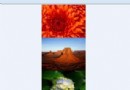
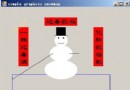
使用 Graphics.DrawImage 放大圖片時,預設雙線性插值會導致邊緣模糊;需求為像素風格放大 (最近鄰插值),且發現左上角少半像素偏移。
Graphics g = Graphics.FromImage(targetBitmap);

// 1. 最近鄰插值:保留銳利像素邊緣
g.InterpolationMode = InterpolationMode.NearestNeighbor;

// 2. 半像素偏移修正:解決左上角少半像素問題
g.PixelOffsetMode = PixelOffsetMode.Half;public static Bitmap ScaleNearestNeighbor(Bitmap src, int scale)
{
Bitmap dst = new Bitmap(src.Width * scale, src.Height * scale);
using (Graphics g = Graphics.FromImage(dst))
{
g.InterpolationMode = InterpolationMode.NearestNeighbor;
g.PixelOffsetMode = PixelOffsetMode.Half;
g.DrawImage(src, 0, 0, dst.Width, dst.Height);
}
return dst;
}| 模式 | 品質 | 速度 | 適用場景 |
|---|---|---|---|
| NearestNeighbor | 低 (銳利) | 最快 | 像素藝術、索引色 |
| Bilinear | 中 | 快 | 一般照片縮放 |
| Bicubic | 高 | 較慢 | 高品質照片放大 |
| HighQualityBicubic | 最高 | 最慢 | 專業列印輸出 |