File → New → ProjectTestService,確定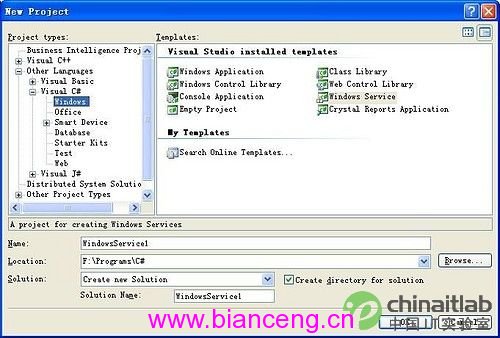
Service1.cs → Rename → MyFirstService.csServiceName = "MyFirstService"EventLog 元件,命名 eventLog1eventLog1.Log = "Application"、eventLog1.Source = "MyFirstService"using System.Diagnostics;
using System.ServiceProcess;
namespace TestService {
public partial class MyFirstService : ServiceBase {
public MyFirstService() => InitializeComponent();
protected override void OnStart(string[] args) {
eventLog1.WriteEntry("Service started at " + DateTime.Now);
// TODO: 啟動背景工作執行緒、Timer、檔案監視器等
}
protected override void OnStop() {
eventLog1.WriteEntry("Service stopped at " + DateTime.Now);
// TODO: 釋放資源、停止執行緒、關閉連線
}
}
}
Add Installer,產生 ProjectInstaller.csserviceProcessInstaller1,設定 Account = LocalSystemserviceInstaller1,設定 StartType = Automatic(或 Manual)開啟「Visual Studio 開發人員命令提示字元」(管理員):
cd 專案輸出目錄\bin\Debug
installutil TestService.exe          # 安裝
installutil /u TestService.exe       # 解除安裝
安裝後可在 services.msc 查看/啟動/停止服務。
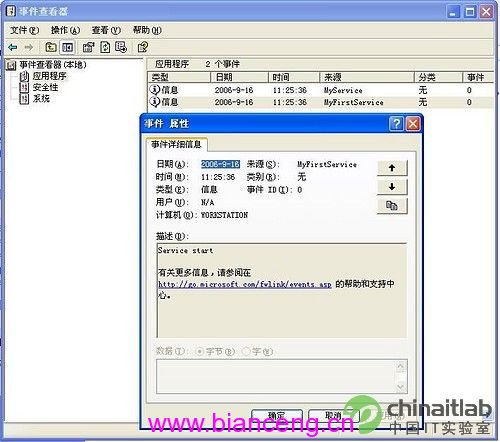
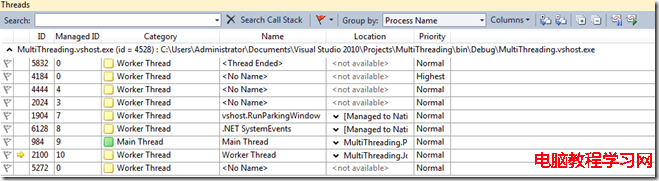
services.msc 手動啟動服務Debug → Attach to ProcessTestService.exe)→ Attach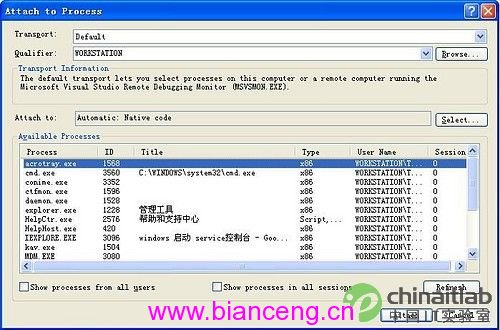
生產環境建議:
• 使用EventLog或ILogger記錄關鍵事件
• 長時間工作放在獨立執行緒/Task,OnStart僅啟動、OnStop通知取消
• 考慮改用 .NET Generic Host (IHostedService),支援依賴注入、設定檔、跨平台部署