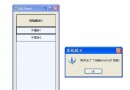
ToolTip 元件提供滑鼠懸停顯示提示文字的功能,屬於 System.Windows.Forms 命名空間。最簡單用法只需兩行:
var tip = new ToolTip();
tip.SetToolTip(txtUserId, "請輸入 6-12 位英數字元");| 屬性 | 說明 | 預設值 |
|---|---|---|
AutoPopDelay | 提示保持顯示毫秒數 | 5000 |
InitialDelay | 滑鼠停留多久才出現提示 | 500 |
ReshowDelay | 在同一控件間移動時的延遲 | 100 |
ShowAlways | 即使表單失去焦點仍顯示 | false |
IsBalloon | 氣球樣式(帶尾巴) | false |
ToolTipIcon | 圖示:None/Info/Warning/Error | None |
ToolTipTitle | 提示標題(需 IsBalloon=true 或設定 Icon) | "" |
ForeColor/BackColor | 前景/背景色 | 系統色 |
UseAnimation/UseFading | 動畫/淡入淡出效果 | true |
var tip = new ToolTip
{
    // 視覺風格
    IsBalloon = true,
    ToolTipIcon = ToolTipIcon.Info,
    ToolTipTitle = "輸入提示",
    BackColor = Color.LightYellow,
    ForeColor = Color.DarkBlue,

    // 時間控制
    AutoPopDelay = 8000,
    InitialDelay = 300,
    ReshowDelay = 50,
    ShowAlways = true,

    // 動畫
    UseAnimation = true,
    UseFading = true
};

// 為多個控件批次設定
tip.SetToolTip(txtEmail, "格式: user@domain.com");
tip.SetToolTip(txtPhone, "格式: 09xx-xxxxxx");
tip.SetToolTip(btnSubmit, "按下送出表單");若需根據驗證結果即時變更提示:
private void txtEmail_TextChanged(object sender, EventArgs e)
{
    string msg = IsValidEmail(txtEmail.Text)
        ? "格式正確 ✓"
        : "請輸入有效 Email 格式";
    toolTip1.SetToolTip(txtEmail, msg);
}| 問題 | 原因 | 解決 |
|---|---|---|
| 提示不顯示 | 控件 Enabled=false 或 Visible=false | 改用 ReadOnly 或自訂繪製 |
| 顯示位置偏移 | DPI 縮放 / 巢狀容器 | 設定 OwnerDraw=true 手繪位置 |
| 多行文字不換行 | 預設單行 | 字串加入 \n 或用 OwnerDraw 量測繪製 |
| 記憶體洩漏 | 動態建立 ToolTip 未 Dispose | 表單關閉時 tip.Dispose() 或用元件托管 |
var tip = new ToolTip { OwnerDraw = true };
tip.Draw += (s, e) =>
{
    e.DrawBackground();
    e.DrawBorder();
    using (var font = new Font("微軟正黑體", 10f))
    using (var brush = new SolidBrush(Color.DarkSlateGray))
    {
        e.Graphics.DrawString(e.ToolTipText, font, brush, e.Bounds);
    }
};ToolTip 是提升使用者體驗最低成本的元件。善用 IsBalloon、ToolTipIcon、ToolTipTitle 即可獲得專業外觀;搭配 AutoPopDelay 等時間屬性微調體驗;複雜場景可開啟 OwnerDraw 完全掌控渲染。記得在表單關閉時釋放資源,避免非託管洩漏。