MEF 發現擴充組件的來源稱為 Catalog(目錄)。本文詳細說明三大內建目錄類別的使用時機與範例,並示範 AggregateCatalog 合併多個搜尋範圍,達成「外掛資料夾 + 專案內建擴充」並存。
| Catalog | 搜尋範圍 | 典型用途 |
|---|---|---|
AssemblyCatalog | 指定組件 | 當前專案、特定 DLL、單元測試組件 |
DirectoryCatalog | 資料夾(支援萬用字元) | 外掛資料夾、熱插拔目錄 |
ApplicationCatalog | 應用程式執行目錄 | ClickOnce、單檔部署、簡易自動發現 |
var catalog = new AssemblyCatalog(Assembly.GetExecutingAssembly());
var container = new CompositionContainer(catalog);
container.ComposeParts(this); // 匯入標記 [Import] 的屬性
// 掃描 D:\Plugins 下所有 *.dll
var catalog = new DirectoryCatalog(@"D:\Plugins", "*.dll");
// 或只掃描 ext_ 開頭
var catalog = new DirectoryCatalog(@"D:\Plugins", "ext_*.dll");
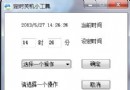
WinForms 範例:使用者透過 FolderBrowserDialog 選擇資料夾 → DirectoryCatalog 發現擴充類別 → 顯示在 ComboBox → 選擇後呼叫 SaySomething()。
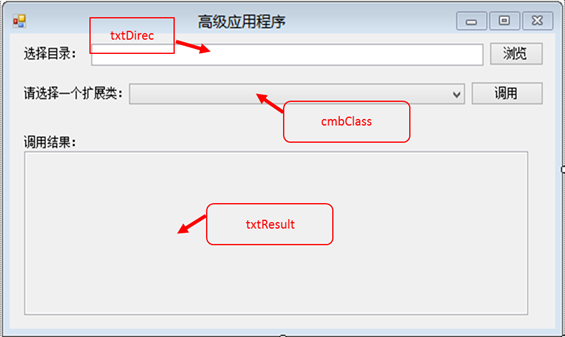
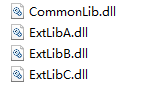
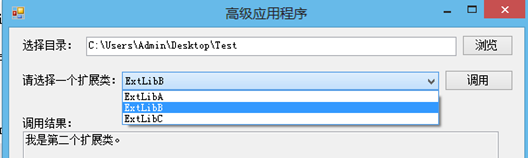
情境:三個外掛在 D:\Plugins,第四個直接寫在主專案裡。用 AggregateCatalog 合併 DirectoryCatalog + AssemblyCatalog。
var aggregate = new AggregateCatalog();
aggregate.Catalogs.Add(new DirectoryCatalog(pluginPath));
aggregate.Catalogs.Add(new AssemblyCatalog(typeof(Program).Assembly));

var container = new CompositionContainer(aggregate);
container.ComposeParts(this);
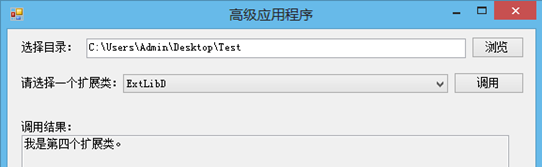
DirectoryCatalog 指定固定外掛資料夾,避免掃描整個安裝目錄影響啟動速度。AggregateCatalog 加入 AssemblyCatalog 方便除錯內建擴充。DirectoryCatalog 搭配強名稱/簽章驗證,防止惡意 DLL 被載入。CompositionContainer。掌握三大 Catalog 與 AggregateCatalog,就能靈活控制 MEF 的發現範圍——無論是熱插拔外掛、內建功能、或是單元測試替身,都能精準定位。