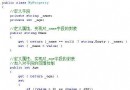
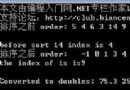
系統需支援 UI 按鈕的位置、文字、功能邏輯完全可配置,無需重新編譯部署。配置儲存於 XML/資料庫,執行期動態編譯執行。
CSharpCodeProvider (Framework) 或 Roslyn (Core/5+) 動態編譯代碼字串為組件void/基本型別/物件回傳
using System;
using System.CodeDom.Compiler;
using System.Collections.Generic;
using System.IO;
using System.Linq;
using System.Reflection;
using System.Text;
using Microsoft.CSharp;

public class Evaluator
{
    private readonly string _configPath;
    private object _compiledInstance;

    public Evaluator(string configPath)
    {
        _configPath = configPath;
    }

    ///
    /// 根據按鈕配置動態編譯
    ///
    public void CompileFromConfig(string buttonName)
    {
        var config = ConfigManager.Load(_configPath);
        var btn = config.Buttons.FirstOrDefault(b => b.Name == buttonName);
        if (btn == null) throw new ArgumentException($"找不到按鈕配置: {buttonName}");

        var items = new[] { new EvaluatorItem(btn.ReturnType, btn.Code, "Execute") };
        CompileItems(items, config);
    }

    ///
    /// 直接編譯代碼字串
    ///
    public void CompileCode(Type returnType, string code, string methodName, ConfigManager config)
    {
        CompileItems(new[] { new EvaluatorItem(returnType, code, methodName) }, config);
    }

    private void CompileItems(EvaluatorItem[] items, ConfigManager config)
    {
        var provider = new CSharpCodeProvider();
        var cp = new CompilerParameters
        {
            GenerateExecutable = false,
            GenerateInMemory = true,
            ReferencedAssemblies = { "System.dll", "System.Core.dll" }
        };

        // 加入配置指定的組件
        foreach (var asm in config.Assemblies)
            cp.ReferencedAssemblies.Add(asm);

        var code = new StringBuilder();
        // 命名空間引用
        foreach (var ns in config.Namespaces)
            code.AppendLine(ns);

        code.AppendLine("namespace DynamicButtons {");
        code.AppendLine("  public class Executor {");

        foreach (var item in items)
        {
            code.AppendLine($"    public {item.ReturnType.Name.ToLower()} {item.Name}() {{");
            if (item.ReturnType == typeof(void))
                code.AppendLine($"      {item.Expression};");
            else
                code.AppendLine($"      return ({item.Expression});");
            code.AppendLine("    }");
        }

        code.AppendLine("  }");
        code.AppendLine("}");

        var results = provider.CompileAssemblyFromSource(cp, code.ToString());
        if (results.Errors.HasErrors)
        {
            var err = new StringBuilder("動態編譯失敗:\n");
            foreach (CompilerError e in results.Errors)
                err.AppendLine($"{e.FileName}({e.Line},{e.Column}): {e.ErrorText}");
            throw new InvalidOperationException(err.ToString());
        }

        var asm = results.CompiledAssembly;
        _compiledInstance = asm.CreateInstance("DynamicButtons.Executor");
    }

    // 執行方法
    public object Execute(string methodName = "Execute")
        => _compiledInstance.GetType().GetMethod(methodName).Invoke(_compiledInstance, null);

    public void ExecuteVoid(string methodName = "Execute")
        => _compiledInstance.GetType().GetMethod(methodName).Invoke(_compiledInstance, null);

    public T Execute(string methodName = "Execute")
        => (T)Execute(methodName);
}

public class EvaluatorItem
{
    public Type ReturnType { get; }
    public string Expression { get; }
    public string Name { get; }
    public EvaluatorItem(Type returnType, string expression, string name)
    {
        ReturnType = returnType; Expression = expression; Name = name;
    }
}
using System.Xml.Linq;

public class ConfigManager
{
    public List Assemblies { get; } = new();
    public List Namespaces { get; } = new();
    public List Buttons { get; } = new();

    public class ButtonConfig
    {
        public string Name { get; set; }
        public string Text { get; set; }
        public int Left { get; set; }
        public int Top { get; set; }
        public Type ReturnType { get; set; }
        public string Code { get; set; }
    }

    private static ConfigManager _instance;
    public static ConfigManager Load(string path)
    {
        if (_instance != null) return _instance;

        var doc = XDocument.Load(path);
        var config = new ConfigManager();

        foreach (var e in doc.Descendants("dll"))
            config.Assemblies.Add(e.Attribute("name").Value);

        foreach (var e in doc.Descendants("using"))
            config.Namespaces.Add(e.Attribute("name").Value);

        foreach (var e in doc.Descendants("btn"))
        {
            config.Buttons.Add(new ButtonConfig
            {
                Name = e.Attribute("name").Value,
                Text = e.Attribute("text").Value,
                Left = int.Parse(e.Attribute("left").Value),
                Top = int.Parse(e.Attribute("top").Value),
                ReturnType = Type.GetType(e.Attribute("returntype").Value) ?? typeof(void),
                Code = e.Attribute("code").Value
            });
        }

        _instance = config;
        return config;
    }
}
public partial class MainForm : Form
{
    private Evaluator _evaluator;

    protected override void OnLoad(EventArgs e)
    {
        base.OnLoad(e);
        _evaluator = new Evaluator(Path.Combine(Application.StartupPath, "FunBtn.config"));
        CreateButtons();
    }

    private void CreateButtons()
    {
        var config = ConfigManager.Load(_evaluator._configPath);
        foreach (var btnConfig in config.Buttons)
        {
            var btn = new Button
            {
                Name = btnConfig.Name,
                Text = btnConfig.Text,
                Left = btnConfig.Left,
                Top = btnConfig.Top,
                Width = 100,
                Height = 30,
                Tag = btnConfig.Name // 存按鈕名稱供事件識別
            };
            btn.Click += DynamicButton_Click;
            this.Controls.Add(btn);
        }
    }

    private void DynamicButton_Click(object sender, EventArgs e)
    {
        var btn = (Button)sender;
        var methodName = btn.Tag.ToString();

        try
        {
            // 依配置編譯 (可快取已編譯實例)
            _evaluator.CompileFromConfig(methodName);

            // 執行
            var returnType = ConfigManager.Load(_evaluator._configPath)
                .Buttons.First(b => b.Name == methodName).ReturnType;

            if (returnType == typeof(void))
                _evaluator.ExecuteVoid(methodName);
            else
                MessageBox.Show($"執行結果: {_evaluator.Execute(methodName)}");
        }
        catch (Exception ex)
        {
            MessageBox.Show($"按鈕 [{btn.Text}] 執行失敗: {ex.Message}");
        }
    }
}
| 項目 | Framework (CSharpCodeProvider) | .NET Core / 5+ (Roslyn) |
|---|---|---|
| 命名空間 | Microsoft.CSharp | Microsoft.CodeAnalysis.CSharp.Scripting |
| 編譯方式 | CompileAssemblyFromSource | CSharpScript.Create / Compile |
| 效能 | 較慢、完整編譯 | 支援增量、Scripting API 輕量 |
| 安全性 | Code Access Security (CAS) | 無 CAS,需自行沙箱 |
| 部署 | 內建 Framework | 需 NuGet 套件 |
_compiledInstance,避免重複編譯#line 指令或輸出 PDB,支援 Visual Studio 附加偵錯CSharpScript.EvaluateAsync 更輕量MoonSharp、Jint、Jurassic,沙箱更容易NRules、WorkflowCore,領域專用語言動態編譯賦予系統極高靈活性,但也帶來安全、維護、效能挑戰。權衡利弊,配合嚴格權限控管與快取策略,可構建強大的可配置業務系統。