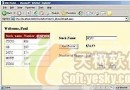
GridView 內建編輯/刪除,但無插入介面。本文示範利用 FooterTemplate 在頁腳建立插入列,包含文字方塊、下拉清單等輸入控制項,搭配 ObjectDataSource InsertMethod 實現無縫新增體驗。
<asp:GridView ID="gvProducts" runat="server"
    DataSourceID="odsProducts"
    AutoGenerateColumns="False"
    DataKeyNames="ProductID"
    ShowFooter="True" <!-- 關鍵:顯示頁腳 -->
    OnRowCommand="gvProducts_RowCommand">

    <Columns>
        <asp:TemplateField HeaderText="產品名稱">
            <ItemTemplate><%# Eval("ProductName") %></ItemTemplate>
            <FooterTemplate>
                <asp:TextBox ID="txtNewProductName" runat="server" Width="90%" />
                <asp:RequiredFieldValidator ID="rfvName" runat="server"
                    ControlToValidate="txtNewProductName" Text="*" ValidationGroup="Insert" />
            </FooterTemplate>
        </asp:TemplateField>

        <asp:TemplateField HeaderText="類別">
            <ItemTemplate><%# Eval("CategoryName") %></ItemTemplate>
            <FooterTemplate>
                <asp:DropDownList ID="ddlNewCategory" runat="server"
                    DataSourceID="odsCategories" DataTextField="CategoryName" DataValueField="CategoryID" />
            </FooterTemplate>
        </asp:TemplateField>

        <asp:TemplateField HeaderText="供應商">
            <ItemTemplate><%# Eval("SupplierName") %></ItemTemplate>
            <FooterTemplate>
                <asp:DropDownList ID="ddlNewSupplier" runat="server"
                    DataSourceID="odsSuppliers" DataTextField="CompanyName" DataValueField="SupplierID" />
            </FooterTemplate>
        </asp:TemplateField>

        <asp:TemplateField HeaderText="單價">
            <ItemTemplate><%# Eval("UnitPrice", "{0:C2}") %></ItemTemplate>
            <FooterTemplate>
                <asp:TextBox ID="txtNewUnitPrice" runat="server" Width="60%" />
                <asp:CompareValidator ID="cvPrice" runat="server"
                    ControlToValidate="txtNewUnitPrice" Type="Currency" Operator="DataTypeCheck"
                    Text="*" ValidationGroup="Insert" />
            </FooterTemplate>
        </asp:TemplateField>

        <asp:TemplateField HeaderText="操作">
            <ItemTemplate>
                <asp:LinkButton ID="lbEdit" runat="server" CommandName="Edit" Text="編輯" />
                <asp:LinkButton ID="lbDelete" runat="server" CommandName="Delete" Text="刪除" OnClientClick="return confirm('確定刪除?')" />
            </ItemTemplate>
            <FooterTemplate>
                <asp:LinkButton ID="lbInsert" runat="server" CommandName="Insert" Text="新增"
                    ValidationGroup="Insert" CausesValidation="True" />
                <asp:LinkButton ID="lbCancel" runat="server" CommandName="Cancel" Text="取消" Visible="False" />
            </FooterTemplate>
        </asp:TemplateField>
    </Columns>
</asp:GridView><asp:ObjectDataSource ID="odsProducts" runat="server"
TypeName="BLL.ProductsBLL"
SelectMethod="GetProducts"
InsertMethod="InsertProduct"
UpdateMethod="UpdateProduct"
DeleteMethod="DeleteProduct"
OnInserting="odsProducts_Inserting"
OnInserted="odsProducts_Inserted">
<InsertParameters>
<asp:Parameter Name="productName" Type="String" />
<asp:Parameter Name="categoryID" Type="Int32" />
<asp:Parameter Name="supplierID" Type="Int32" />
<asp:Parameter Name="unitPrice" Type="Decimal" />
<asp:Parameter Name="unitsInStock" Type="Int16" />
<asp:Parameter Name="discontinued" Type="Boolean" />
</InsertParameters>
</asp:ObjectDataSource>
<!-- 類別與供應商下拉清單資料源 -->
<asp:ObjectDataSource ID="odsCategories" runat="server" TypeName="BLL.CategoriesBLL" SelectMethod="GetCategories" />
<asp:ObjectDataSource ID="odsSuppliers" runat="server" TypeName="BLL.SuppliersBLL" SelectMethod="GetSuppliers" />protected void gvProducts_RowCommand(object sender, GridViewCommandEventArgs e)
{
if (e.CommandName == "Insert")
{
// 觸發驗證
Page.Validate("Insert");
if (!Page.IsValid) return;
// 取得 FooterRow 中的控制項值
GridViewRow footer = gvProducts.FooterRow;
TextBox txtName = (TextBox)footer.FindControl("txtNewProductName");
DropDownList ddlCat = (DropDownList)footer.FindControl("ddlNewCategory");
DropDownList ddlSup = (DropDownList)footer.FindControl("ddlNewSupplier");
TextBox txtPrice = (TextBox)footer.FindControl("txtNewUnitPrice");
// 設定 ObjectDataSource 插入參數 (也可在 OnInserting 事件中設定)
odsProducts.InsertParameters["productName"].DefaultValue = txtName.Text;
odsProducts.InsertParameters["categoryID"].DefaultValue = ddlCat.SelectedValue;
odsProducts.InsertParameters["supplierID"].DefaultValue = ddlSup.SelectedValue;
odsProducts.InsertParameters["unitPrice"].DefaultValue = txtPrice.Text;
odsProducts.InsertParameters["unitsInStock"].DefaultValue = "0";
odsProducts.InsertParameters["discontinued"].DefaultValue = "false";
// 執行插入
odsProducts.Insert();
}
}protected void odsProducts_Inserting(object sender, ObjectDataSourceMethodEventArgs e)
{
GridViewRow footer = gvProducts.FooterRow;
if (footer == null) { e.Cancel = true; return; }
e.InputParameters["productName"] = ((TextBox)footer.FindControl("txtNewProductName")).Text;
e.InputParameters["categoryID"] = int.Parse(((DropDownList)footer.FindControl("ddlNewCategory")).SelectedValue);
e.InputParameters["supplierID"] = int.Parse(((DropDownList)footer.FindControl("ddlNewSupplier")).SelectedValue);
e.InputParameters["unitPrice"] = decimal.Parse(((TextBox)footer.FindControl("txtNewUnitPrice")).Text);
e.InputParameters["unitsInStock"] = (short)0;
e.InputParameters["discontinued"] = false;
}
protected void odsProducts_Inserted(object sender, ObjectDataSourceStatusEventArgs e)
{
if (e.Exception != null)
{
lblError.Text = "新增失敗:" + e.Exception.Message;
e.ExceptionHandled = true;
}
else
{
// 可選:清空 Footer 輸入框
GridViewRow footer = gvProducts.FooterRow;
((TextBox)footer.FindControl("txtNewProductName")).Text = "";
((TextBox)footer.FindControl("txtNewUnitPrice")).Text = "";
}
}[DataObjectMethod(DataObjectMethodType.Insert, true)]
public int InsertProduct(string productName, int categoryID, int supplierID,
decimal unitPrice, short unitsInStock, bool discontinued)
{
// 驗證、呼叫 DAL 插入、回傳新 ProductID
return _adapter.Insert(productName, null, supplierID, categoryID, unitPrice, unitsInStock, 0, 0, 0, discontinued, productName);
}| 方案 | 優點 | 缺點 |
|---|---|---|
| GridView FooterTemplate | 列表與新增同頁、無需切換頁面、程式碼少 | 頁腳空間有限、複雜欄位難排版、驗證群組管理較繁 |
| DetailsView DefaultMode=Insert | 專用插入介面、支援欄位多、樣式彈性大 | 需額外頁面或 Modal、列表與新增分離 |
| Modal Popup (AJAX/JS) | 體驗佳、不離開列表頁 | 需客戶端腳本、Accessibility 需額外處理 |
<asp:LinkButton ID="lbShowInsert" runat="server" Text="顯示新增列" OnClick="lbShowInsert_Click" />

protected void lbShowInsert_Click(object sender, EventArgs e)
{
    gvProducts.ShowFooter = !gvProducts.ShowFooter;
    ((LinkButton)sender).Text = gvProducts.ShowFooter ? "隱藏新增列" : "顯示新增列";
    gvProducts.DataBind();
}GridView FooterTemplate 插入是 WebForms 時代的經典技巧,適合欄位較少、頻繁新增的管理介面。關鍵在於 ShowFooter="True"、FooterTemplate 定義輸入控制項、ValidationGroup 隔離驗證、ObjectDataSource.InsertMethod 對應 BLL 方法。現代專案建議改用 Modal + Web API / ASP.NET Core Razor Pages 實現更佳 UX。