MVC 內建預設模板依資料型別自動渲染 HTML。若無自訂模板,布爾值預設渲染為 CheckBox。本文示範建立 Boolean.cshtml 編輯器模板,將所有布爾屬性統一改為雙 RadioButton(是/否)呈現。
public class Employee
{
    [DisplayName("姓名")] public string Name { get; set; }
    [DisplayName("部門")] public string Department { get; set; }
    [DisplayName("是否兼職")] public bool IsPartTime { get; set; }
}
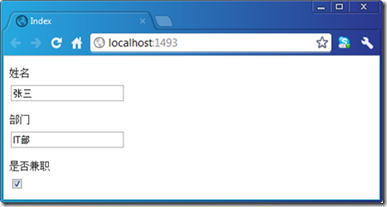
目標:改為 RadioButton 列表
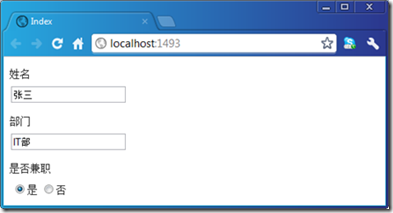
路徑:Views/Shared/EditorTemplates/Boolean.cshtml
@model bool
<table>
<tr>
<td>@Html.RadioButton("", true, Model) 是</td>
<td>@Html.RadioButton("", false, !Model) 否</td>
</tr>
</table>
關鍵點:RadioButton name 參數傳空字串,MVC 依 ModelMetadata 自動命名為屬性名(IsPartTime),確保表單繫結正常。
<div class="editor-label"><label for="IsPartTime">是否兼職</label></div>
<div class="editor-field">
<table>
<tr>
<td><input checked="checked" id="IsPartTime" name="IsPartTime" type="radio" value="True" />是</td>
<td><input id="IsPartTime" name="IsPartTime" type="radio" value="False" />否</td>
</tr>
</table>
</div>
註:兩個 radio 共用相同 id,若需唯一 id 可進一步客製化模板(如加入 Guid.NewGuid() 後綴)。
型別名稱模板(Boolean.cshtml)優先級低於 UIHint/DataType 指定模板,故僅在未明確指定時生效,完美實現「慣例優於配置」。