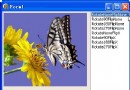
TDIB.BlendPixel 在指定座標對單一像素進行 Alpha 混合,可實現噴刷、星塵、粒子特效等精細像素操作。本文提供隨機灑點展示不同 Alpha 值效果的範例。
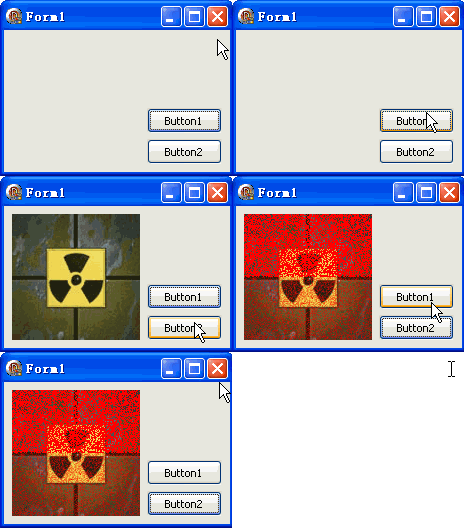
unit Unit1;
interface
uses Windows, Messages, SysUtils, Variants, Classes, Graphics, Controls, Forms,
  Dialogs, DIB, StdCtrls;
type
  TForm1 = class(TForm)
    DXPaintBox1: TDXPaintBox;
    Button1: TButton; // 載入圖片
    Button2: TButton; // 執行像素混合
    procedure Button1Click(Sender: TObject);
    procedure Button2Click(Sender: TObject);
  end;
var Form1: TForm1;
implementation {$R *.dfm}

procedure TForm1.Button1Click(Sender: TObject);
const ImgPath1 = 'C:\Temp\DX.jpg';
begin
  DXPaintBox1.DIB.LoadFromFile(ImgPath1);
  DXPaintBox1.Width := DXPaintBox1.DIB.Width;
  DXPaintBox1.Height := DXPaintBox1.DIB.Height;
  DXPaintBox1.Repaint;
end;

procedure TForm1.Button2Click(Sender: TObject);
var w, h, i: Integer;
begin
  w := DXPaintBox1.DIB.Width; h := DXPaintBox1.DIB.Height;
  for i := 0 to 9999 do begin
    // 上半部:紅色 Alpha=255(不透明)
    DXPaintBox1.DIB.BlendPixel(Random(w), Random(h div 2), clRed, 255);
    // 下半部:紅色 Alpha=64(約 25% 不透明)
    DXPaintBox1.DIB.BlendPixel(Random(w), Random(h div 2) + (h div 2), clRed, 64);
  end;
  DXPaintBox1.Repaint;
end;
end.
BlendPixel(X, Y: Integer; Color: TColor; Alpha: Byte)
Result = Src * (Alpha/255) + Dest * (1 - Alpha/255)ScanLine),直接操作像素陣列procedure SprayBrush(DIB: TDIB; CenterX, CenterY, Radius: Integer; Color: TColor; Density: Single);
var i, dx, dy, dist2: Integer; Alpha: Byte;
begin
for i := 0 to Round(Density * Radius * Radius) do begin
dx := Random(Radius*2) - Radius;
dy := Random(Radius*2) - Radius;
dist2 := dx*dx + dy*dy;
if dist2 < Radius*Radius then begin
Alpha := Round(255 * (1 - Sqrt(dist2) / Radius)); // 中心濃、邊緣淡
DIB.BlendPixel(CenterX + dx, CenterY + dy, Color, Alpha);
end;
end;
end;