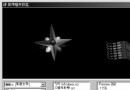
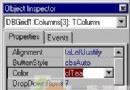
TDIB.ColoredLine 繪製兩端顏色不同的漸層直線,支援 3 種線型與 3 種像素幾何模式,適合雷達掃描線、能量光束、UI 裝飾線等視覺效果。本文提供完整互動介面展示所有組合。
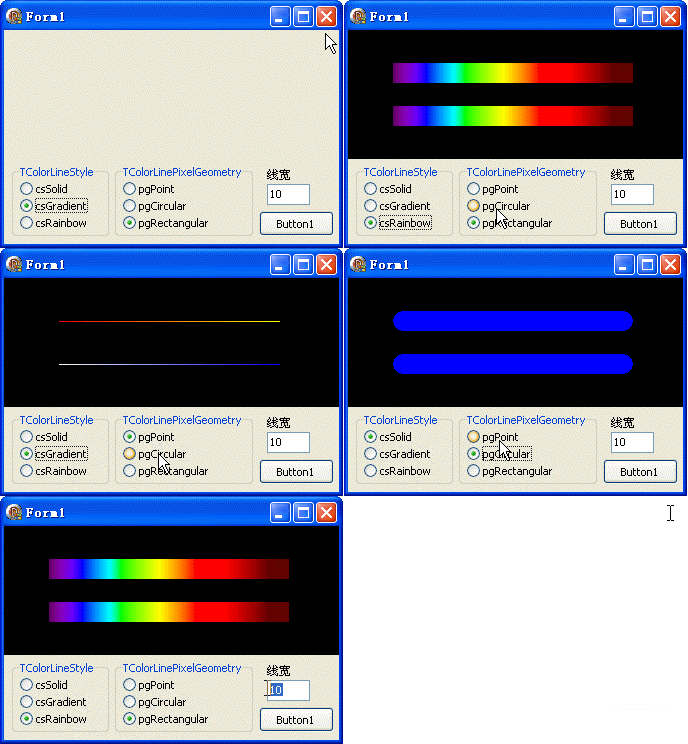
unit Unit1;
interface
uses Windows, Messages, SysUtils, Variants, Classes, Graphics, Controls, Forms,
  Dialogs, DIB, StdCtrls, ExtCtrls;
type
  TForm1 = class(TForm)
    DXPaintBox1: TDXPaintBox;
    RadioGroup1: TRadioGroup; // 線型
    RadioGroup2: TRadioGroup; // 像素幾何
    Button1: TButton;
    LabeledEdit1: TLabeledEdit; // 線寬
    procedure FormCreate(Sender: TObject);
    procedure Button1Click(Sender: TObject);
  end;
var Form1: TForm1;
implementation {$R *.dfm}
uses TypInfo;

procedure TForm1.Button1Click(Sender: TObject);
var w, h: Integer; pt1, pt2, pt3, pt4: TPoint;
begin
  w := DXPaintBox1.ClientWidth; h := DXPaintBox1.ClientHeight;
  pt1 := Point(w div 6, h div 3); pt2 := Point(w div 6 * 5, h div 3);
  pt3 := Point(w div 6, h div 3 * 2); pt4 := Point(w div 6 * 5, h div 3 * 2);
  DXPaintBox1.DIB.SetSize(w, h, 24);
  DXPaintBox1.DIB.FillDIB8(0); // 快速填充
  // 第一條線:紅→黃
  DXPaintBox1.DIB.ColoredLine(pt1, pt2,
    TColorLineStyle(RadioGroup1.ItemIndex),
    clRed, clYellow,
    TColorLinePixelGeometry(RadioGroup2.ItemIndex),
    StrToIntDef(LabeledEdit1.Text, 1));
  // 第二條線:白→藍
  DXPaintBox1.DIB.ColoredLine(pt3, pt4,
    TColorLineStyle(RadioGroup1.ItemIndex),
    clWhite, clBlue,
    TColorLinePixelGeometry(RadioGroup2.ItemIndex),
    StrToIntDef(LabeledEdit1.Text, 1));
  DXPaintBox1.Repaint;
end;

procedure TForm1.FormCreate(Sender: TObject);
var i: Integer;
begin
  DXPaintBox1.Align := alTop;
  LabeledEdit1.EditLabel.Caption := '線寬';
  LabeledEdit1.Text := '10';
  RadioGroup1.Caption := 'TColorLineStyle';
  RadioGroup2.Caption := 'TColorLinePixelGeometry';
  for i := 0 to 2 do begin
    RadioGroup1.Items.Add(GetEnumName(TypeInfo(TColorLineStyle), i));
    RadioGroup2.Items.Add(GetEnumName(TypeInfo(TColorLinePixelGeometry), i));
  end;
  RadioGroup1.ItemIndex := 1; RadioGroup2.ItemIndex := 2;
  RadioGroup1.OnClick := Button1Click;
  RadioGroup2.OnClick := Button1Click;
  LabeledEdit1.OnChange := Button1Click;
end;
end.
| 值 | 常數 | 效果 |
|---|---|---|
| 0 | clsSolid | 實線漸層 |
| 1 | clsDash | 虛線漸層 |
| 2 | clsDot | 點線漸層 |
| 值 | 常數 | 效果 |
|---|---|---|
| 0 | clpgSquare | 方形像素(粗線呈方塊) |
| 1 | clpgRound | 圓形像素(粗線端點圓潤) |
| 2 | clpgDiamond | 菱形像素(粗線呈菱形) |
ColoredLine(P1, P2: TPoint; Style: TColorLineStyle; Color1, Color2: TColor;
  Geometry: TColorLinePixelGeometry; Width: Integer)
Fill 快