TGPGraphics.SetSmoothingMode 控制幾何圖形與文字的邊緣抗鋸齒品質。本文提供完整的七種模式即時切換對比,幫助開發者根據效能與品質需求選擇最適合的設定。
| 常數值 | Delphi 列舉 | 微軟對應 | 品質 | 速度 | 適用場景 |
|---|---|---|---|---|---|
| -1 | SmoothingModeInvalid | Invalid | 無效 | - | 錯誤測試用 |
| 0 | SmoothingModeDefault | Default | 無抗鋸齒 | 最快 | 高效能、簡單幾何 |
| 1 | SmoothingModeHighSpeed | HighSpeed | 無抗鋸齒 | 最快 | 遊戲、即時渲染 |
| 2 | SmoothingModeHighQuality | HighQuality | 高品質抗鋸齒 | 較慢 | 印刷級輸出、靜態 UI |
| 3 | SmoothingModeNone | None | 無抗鋸齒 | 最快 | 像素藝術、銳利邊緣 |
| 4 | SmoothingModeAntiAlias | AntiAlias | 標準抗鋸齒 | 中等 | 通用 UI、平衡選擇 |
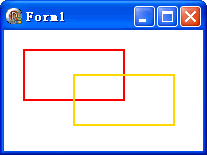
左側繪圖區即時反映選擇模式,繪製橢圓與交叉線條展示邊緣品質差異。
procedure TForm1.FormPaint(Sender: TObject);
var
  g: TGPGraphics;
  p: TGPPen;
begin
  g := TGPGraphics.Create(Canvas.Handle);
  p := TGPPen.Create(aclRed, 2);
  {ListBox ItemIndex 對應列舉值 -1 到 4}
  g.SetSmoothingMode(ListBox1.ItemIndex - 1);
  g.DrawEllipse(p, 10, 10, ClientWidth - ListBox1.Width - 20, ClientHeight - 20);
  g.DrawLine(p, 0, 0, ClientWidth - ListBox1.Width, ClientHeight);
  g.DrawLine(p, ClientWidth - ListBox1.Width, 0, 0, ClientHeight);
  p.Free; g.Free;
end;
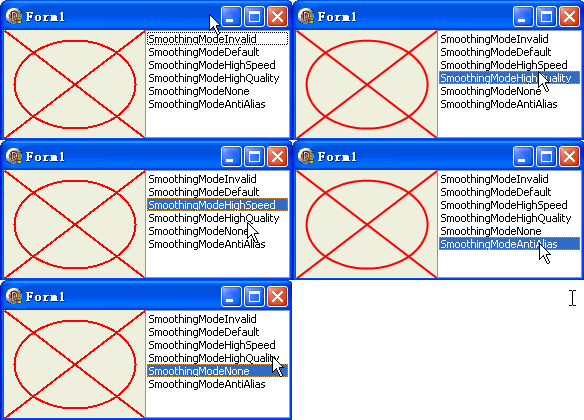
SmoothingModeAntiAlias (4) - 品質/速度最佳平衡SmoothingModeHighQuality (2) - 列印預覽、匯出圖檔SmoothingModeHighSpeed (1) - 60fps 遊戲、即時圖表SmoothingModeNone (3) - 像素藝術、銳利幾何邊緣SmoothingModeInvalid (-1)、Default (0) 行為不一致文字抗鋸齒由 SetTextRenderingHint 獨立控制(見第 45 篇),不受 SmoothingMode 影響。
object Form1: TForm1
  Left = 0
  Top = 0
  Caption = 'Form1'
  ClientHeight = 108
  ClientWidth = 286
  Color = clBtnFace
  Font.Charset = DEFAULT_CHARSET
  Font.Color = clWindowText
  Font.Height = -11
  Font.Name = 'Tahoma'
  Font.Style = []
  OldCreateOrder = False
  Position = poDesktopCenter
  OnCreate = FormCreate
  OnPaint = FormPaint
  PixelsPerInch = 96
  TextHeight = 13
  object ListBox1: TListBox ... {七個模式項目}
end