除了通用的 SetBlend,GDI+ 還提供兩個預設的特殊混合函數:SetBlendTriangularShape(三角形漸層)與 SetBlendBellShape(鐘形漸層)。這兩個方法能以極簡代碼產生視覺豐富的聚光燈、光暈等效果。
| 方法 | 視覺效果 | 參數說明 | 數學模型 |
|---|---|---|---|
SetBlendTriangularShape(focus, scale) | 尖銳的三角形漸層,像聚光燈 | focus: 焦點位置 (0~1) scale: 縮放比例 (0~1,預設 1.0) | 線性遞增到焦點再線性遞減 |
SetBlendBellShape(focus, scale) | 平滑的鐘形曲線漸層,像柔光 | focus: 焦點位置 (0~1) scale: 縮放比例 (0~1,預設 1.0) | 類似高斯分佈的平滑曲線 |
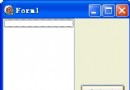
focus 參數(0~100 對應 0.0~1.0)scale 參數(0~100 對應 0.0~1.0)procedure TForm1.FormPaint(Sender: TObject);
const
colors: array[0..0] of TGPColor = (aclRed);
var
g: TGPGraphics;
path: TGPGraphicsPath;
pb: TGPPathGradientBrush;
num: Integer;
begin
g := TGPGraphics.Create(Canvas.Handle);
path := TGPGraphicsPath.Create;
path.AddRectangle(MakeRect(30,10,160,150));
pb := TGPPathGradientBrush.Create(path);
num := Length(colors);
pb.SetSurroundColors(@colors, num);
pb.SetCenterColor(aclYellow); {中心色為黃色}
case RadioGroup1.ItemIndex of
0: pb.SetBlendTriangularShape(TrackBar1.Position/100, TrackBar2.Position/100);
1: pb.SetBlendBellShape(TrackBar1.Position/100, TrackBar2.Position/100);
end;
g.FillPath(pb, path);
pb.Free; path.Free; g.Free;
end;
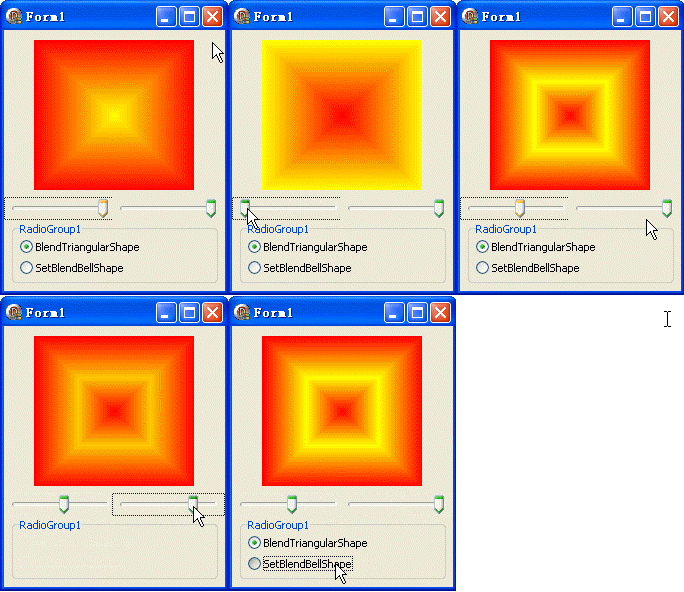
註:GIF 限制 256 色,實際執行顏色更平滑
SetCenterColor 決定焦點顏色,環繞色決定邊緣顏色object Form1: TForm1
Left = 0
Top = 0
Caption = 'Form1'
ClientHeight = 261
ClientWidth = 221
Color = clBtnFace
Font.Charset = DEFAULT_CHARSET
Font.Color = clWindowText
Font.Height = -11
Font.Name = 'Tahoma'
Font.Style = []
OldCreateOrder = False
Position = poDesktopCenter
OnCreate = FormCreate
OnPaint = FormPaint
PixelsPerInch = 96
TextHeight = 13
object TrackBar1: TTrackBar ... {兩個 TrackBar + RadioGroup 定義略}
end