動態連結庫(DLL)不僅能封裝函式,更是 Delphi 實現窗體重用的強大載體。將設計完善的通用窗體(如登入對話框、設定視窗)打包進 DLL,即可讓 Delphi、C++、Visual Basic 等異構應用程式共同呼叫,極大提升程式碼復用率與跨語言互通性。
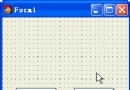
本範例建立 PassForm.dll,內含兩個窗體:TSetPassWordForm(密碼設定)與 TGetPasswordForm(密碼驗證),並匯出 SetPassWord、GetPassword 兩個函式供外部呼叫。
// 介面宣告(置於 implementation 區)
function GetPassword(Password: PChar): Boolean; far; external 'c:\dlls\PassForm';
function SetPassword(PassWord: PChar): Boolean; far; external 'c:\dlls\PassForm';

// 設定密碼
procedure TForm1.SetButtonClick(Sender: TObject);
begin
  PassWord := StrAlloc(40);
  if not SetPassWord(PassWord) then
    MessageDlg('PassWord is not set', mtInformation, [mbOK], 0);
end;

// 驗證密碼
procedure TForm1.TestButtonClick(Sender: TObject);
begin
  if PassWord = nil then begin
    MessageDlg('Set password first', mtInformation, [mbOK], 0);
    SetButton.SetFocus; Exit;
  end;
  if GetPassword(PassWord) then
    Label1.Caption := 'You are Welcome!'
  else
    Label1.Caption := 'Sorry, You are Invalid User.';
end;Option Explicit
Declare Function GetPassWord Lib "c:\dlls\passform.dll" (ByVal PassWord As String) As Integer
Declare Function SetPassWord Lib "c:\dlls\passform.dll" (ByVal PassWord As String) As Integer
Dim PassWord As String * 40
Sub Check_Click()
If PassWord = "" Then
MsgBox "Enter sample password first"
SetPass.SetFocus
Else
If GetPassWord(PassWord) Then
StatusLbl.Caption = "You are Welcome!"
Else
StatusLbl.Caption = "Sorry, You are Invalid User."
End If
End If
End Sub
Sub SetPass_Click()
If SetPassWord(PassWord) = 0 Then MsgBox "PassWord is not Set."
End SubVB 透過標準 API 呼叫約定即可無縫使用 Delphi 產出的 DLL,證明了窗體重用機制的跨平台價值。
Delphi 在 DLL 開發上展現卓越優勢:
善用 DLL 窗體重用,不僅能統一企業級應用的視覺風格與業務邏輯,更能打破開發工具壁壘,實現真正的元件級復用。