DrawLines 以單次調用繪製多段連續線段 (Polyline),點陣列中相鄰兩點構成一線段。比循環 DrawLine 更高效,適合繪製折線圖、軌跡、多邊形輪廓 (不自動閉合)。
g.DrawLines(p, PGPPoint(PtArr), Length(PtArr));
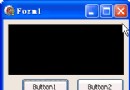
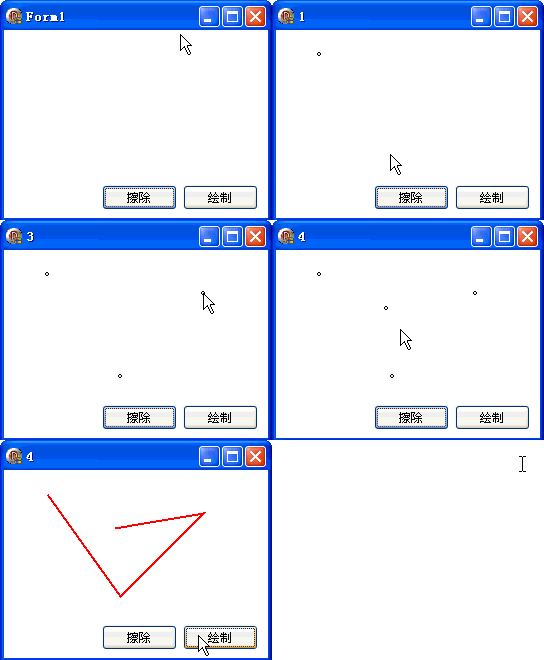
PtArr:TGPPoint 陣列,N 個點產生 N-1 段線段滑鼠點擊新增頂點,按鈕清空/重繪:
unit Unit1;

interface

uses
  Windows, Messages, SysUtils, Variants, Classes, Graphics, Controls, Forms,
  Dialogs, StdCtrls;

type
  TForm1 = class(TForm)
    Button1: TButton;
    Button2: TButton;
    procedure FormMouseUp(Sender: TObject; Button: TMouseButton;
      Shift: TShiftState; X, Y: Integer);
    procedure FormPaint(Sender: TObject);
    procedure Button1Click(Sender: TObject);
    procedure Button2Click(Sender: TObject);
  end;

var
  Form1: TForm1;

implementation

{$R *.dfm}
uses GDIPOBJ, GDIPAPI;

var
  PtArr: array of TGPPoint;
  i: Integer = 0;

procedure TForm1.FormMouseUp(Sender: TObject; Button: TMouseButton;
  Shift: TShiftState; X, Y: Integer);
begin
  Canvas.Ellipse(X - 2, Y - 2, X + 2, Y + 2);
  Inc(i);
  SetLength(PtArr, i);
  PtArr[i - 1].X := X;
  PtArr[i - 1].Y := Y;
  Text := IntToStr(i);
end;

procedure TForm1.FormPaint(Sender: TObject);
var
  g: TGPGraphics;
  p: TGPPen;
begin
  g := TGPGraphics.Create(Canvas.Handle);
  p := TGPPen.Create(aclRed, 2);
  g.Clear(aclWhite);
  g.DrawLines(p, PGPPoint(PtArr), Length(PtArr));
  g.Free;
  p.Free;
end;

procedure TForm1.Button1Click(Sender: TObject);
begin
  i := 0;
  SetLength(PtArr, i);
  Repaint;
  Text := IntToStr(i);
end;

procedure TForm1.Button2Click(Sender: TObject);
begin
  Repaint;
end;

end.
object Form1: TForm1
  Left = 0
  Top = 0
  Caption = 'Form1'
  ClientHeight = 188
  ClientWidth = 264
  Color = clBtnFace
  Font.Charset = DEFAULT_CHARSET
  Font.Color = clWindowText
  Font.Height = -11
  Font.Name = 'Tahoma'
  Font.Style = []
  OldCreateOrder = False
  Position = poDesktopCenter
  OnMouseUp = FormMouseUp
  OnPaint = FormPaint
  PixelsPerInch = 96
  TextHeight = 13
  object Button1: TButton
    Left = 98
    Top = 155
    Width = 75
    Height = 25
    Caption = #25830#38500
    TabOrder = 0
    OnClick = Button1Click
  end
  object Button2: TButton
    Left = 179
    Top = 155
    Width = 75
    Height = 25
    Caption = #32472#21046
    TabOrder = 1
    OnClick = Button2Click
  end
| 方法 | 連接方式 | 閉合 | 曲線 | 適用場景 |
|---|---|---|---|---|
| DrawLines | 直線段 | 否 | 否 | 折線圖、軌跡、開放輪廓 |
| DrawPolygon | 直線段 | 是 | 否 | 多邊形、閉合輪廓 |
| DrawCurve | 樣條曲線 | 否 | 是 | 平滑路徑、有機曲線 |
| DrawClosedCurve | 樣條曲線 | 是 | 是 | 閉合有機形狀 |
批次繪製方法 (DrawLines/DrawRectangles/DrawBeziers 等) 是高效能 2D 繪圖的關鍵技巧。