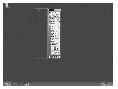
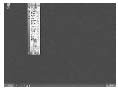
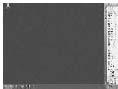
視窗拖曳至螢幕邊緣超出時,自動「吸附」隱藏,僅保留邊緣 10px 觸發區;滑鼠移入觸發區視窗彈出,移出再隱藏。
TAnchors 集合型別(akLeft, akRight, akTop, akBottom)標記目前隱藏方向。Timer.Interval := 200,檢查 WindowFromPoint(Mouse.CursorPos) = Handle 決定顯示/隱藏並設定 Left/Top。SHAppBarMessage(ABM_GETTASKBARPOS) 取得工作列位置與高度,計算隱藏區實際可視範圍(避免被工作列遮蓋)。private
FAnchors: TAnchors;
Lst_W, Lst_H: Integer;
Rec_Pos: Boolean;
Cur_Top, Cur_Bottom: Integer;
procedure TForm1.WMMoving(var Msg: TMessage);
var R: PRect;
begin
inherited;
R := Msg.LParam;
// 限制拖曳矩形在螢幕內
R.Left := Max(0, Min(R.Left, Screen.Width - Width));
R.Top := Max(0, Min(R.Top, Screen.Height - Height));
R.Right := Max(Width, Min(R.Right, Screen.Width));
R.Bottom := Max(Height, Min(R.Bottom, Screen.Height));
FAnchors := [];
if R.Left = 0 then Include(FAnchors, akLeft);
if R.Right = Screen.Width then Include(FAnchors, akRight);
if R.Top = 0 then Include(FAnchors, akTop);
if R.Bottom = Screen.Height then Include(FAnchors, akBottom);
// 角落閃爍修正:優先處理水平隱藏
if (akLeft in FAnchors) or (akRight in FAnchors) then
begin
if (R.Left > 0) and (R.Right < Screen.Width) then // 從隱藏區拖出
begin
if Rec_Pos then begin Width := Lst_W; Height := Lst_H; end;
end
else // 進入隱藏區
begin
if not Rec_Pos then begin Lst_W := Width; Lst_H := Height; Rec_Pos := True; end;
SetBarHeight; // 計算工作列避讓高度
R.Top := Cur_Top; R.Bottom := Cur_Bottom;
Exit; // 鎖定垂直位置
end;
end;
Timer1.Enabled := FAnchors <> [];
end;
procedure TForm1.Timer1Timer(Sender: TObject);
const Offset = 10;
begin
if WindowFromPoint(Mouse.CursorPos) = Handle then // 滑鼠在視窗上
begin
if akLeft in FAnchors then Left := 0;
if akRight in FAnchors then Left := Screen.Width - Width;
if akTop in FAnchors then Top := 0;
if akBottom in FAnchors then Top := Screen.Height - Height;
end
else // 滑鼠離開
begin
if akLeft in FAnchors then Left := -Width + Offset;
if akRight in FAnchors then Left := Screen.Width - Offset;
if akTop in FAnchors then Top := -Height + Offset;
if akBottom in FAnchors then Top := Screen.Height - Offset;
end;
end;procedure TForm1.SetBarHeight;
var AB: TAppBarData;
begin
AB.cbSize := SizeOf(AB);
if (SHAppBarMessage(ABM_GETSTATE, AB) and ABS_AUTOHIDE) <> 0 then
begin Cur_Top := 1; Cur_Bottom := Screen.Height - 1; end
else
begin
SHAppBarMessage(ABM_GETTASKBARPOS, AB);
case AB.uEdge of
ABE_TOP: begin Cur_Top := AB.rc.Bottom + 1; Cur_Bottom := Screen.Height - 1; end;
ABE_BOTTOM: begin Cur_Top := 1; Cur_Bottom := Screen.Height - (AB.rc.Bottom - AB.rc.Top) - 1; end;
ABE_LEFT,
ABE_RIGHT: begin Cur_Top := 1; Cur_Bottom := Screen.Height - 1; end;
end;
end;
end;