TDXPaintBox 類似 TPaintBox 擁有 Canvas,但核心屬性是 DIB: TDIB。設計時可直接載入圖片,運行時動態指派 TDIB 物件。本質上可視為 TImage 的 DirectX 版對應物 (Picture → DIB)。
TGraphic,別名 TDIBitmap。TDXDraw.Surface、TPictureCollectionItem,但提供豐富影像處理方法 (模糊、旋轉、濾鏡、色彩調整等)。uses DIB;拖放 TDXDIB 元件會自動引入。
unit Unit1;

interface
uses Windows, Messages, SysUtils, Variants, Classes, Graphics, Controls, Forms,
     Dialogs, DIB, StdCtrls;

type
  TForm1 = class(TForm)
    DXPaintBox1: TDXPaintBox;
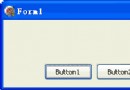
    Button1: TButton; Button2: TButton; Button3: TButton;
    procedure FormCreate(Sender: TObject);
    procedure Button1Click(Sender: TObject);
    procedure Button2Click(Sender: TObject);
    procedure Button3Click(Sender: TObject);
  end;

var Form1: TForm1; W, H: Integer;

implementation
{$R *.dfm}

procedure TForm1.FormCreate(Sender: TObject);
const ImgPath = 'C:\Temp\DX.jpg';
begin
  DXPaintBox1.Left := 0; DXPaintBox1.Top := 0;
  DXPaintBox1.DIB.LoadFromFile(ImgPath);
  W := DXPaintBox1.DIB.Width; H := DXPaintBox1.DIB.Height;
  DXPaintBox1.Width := W; DXPaintBox1.Height := H;
  DXPaintBox1.Stretch := True;  // 自動拉伸填滿控件
end;

procedure TForm1.Button1Click(Sender: TObject);
begin DXPaintBox1.Width := W div 2; DXPaintBox1.Height := H div 2; end;

procedure TForm1.Button2Click(Sender: TObject);
begin DXPaintBox1.Width := ClientWidth; DXPaintBox1.Height := ClientHeight; end;

procedure TForm1.Button3Click(Sender: TObject);
begin DXPaintBox1.Width := W; DXPaintBox1.Height := H; end;

end.
object Form1: TForm1
  ClientHeight = 165; ClientWidth = 225
  OnCreate = FormCreate
  object DXPaintBox1: TDXPaintBox
    Left = 8; Top = 8; Width = 81; Height = 73
    AutoStretch = False; Stretch = False
  end
  object Button1: TButton; Left = 23; Top = 132; Caption = 'Half'; end
  object Button2: TButton; Left = 89; Top = 132; Caption = 'Full Client'; end
  object Button3: TButton; Left = 157; Top = 132; Caption = 'Original'; end
end