在 Delphi 開發中,常需將參數傳遞給視窗,使用者操作後回傳結果——類似 Application.MessageBox 的工作模式。本文展示如何將視窗封裝為自訂函數,實現參數傳入、模態顯示、結果回傳的完整流程。
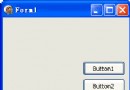
新增表單 TfrmShowMsg,放置兩個 TButton(Button1、Button2)與一個 TLabel(Label1)。設定 Button1 ModalResult := mrOK,Button2 ModalResult := mrCancel。
在 implementation 區塊**之前**宣告(確保外部單元可見):
function ShowMsg(btn1, btn2, msg, titleMsg: string): Integer;
btn1, btn2:兩按鈕標題msg:提示訊息titleMsg:視窗標題Integer:1=確定,2=取消function ShowMsg(btn1, btn2, msg, titleMsg: string): Integer;
var frmShowMsg: TfrmShowMsg;
begin
frmShowMsg := TfrmShowMsg.Create(Application);
with frmShowMsg do try
Button1.Caption := btn1;
Button2.Caption := btn2;
Label1.Caption := msg;
Caption := titleMsg;
if ShowModal = mrOK then Result := 1 else Result := 2;
finally Free; end;
end;
刪除單元介面區的 var frmShowMsg: TfrmShowMsg;,改由函數內部動態建立/釋放,避免記憶體洩漏與狀態殘留。
unit udfForm;
interface
uses Windows, Messages, SysUtils, Classes, Graphics, Controls, Forms,
Dialogs, StdCtrls;
type
TfrmShowMsg = class(TForm)
Button1: TButton; Label1: TLabel; Button2: TButton;
end;
function ShowMsg(btn1, btn2, msg, titleMsg: string): Integer;
implementation {$R *.DFM}
function ShowMsg(btn1, btn2, msg, titleMsg: string): Integer;
var frmShowMsg: TfrmShowMsg;
begin
  frmShowMsg := TfrmShowMsg.Create(Application);
  with frmShowMsg do try
    Button1.Caption := btn1;
    Button2.Caption := btn2;
    Label1.Caption := msg;
    Caption := titleMsg;
    if ShowModal = mrOK then Result := 1 else Result := 2;
  finally Free; end;
end;
end.
uses udfForm;
// ...
if ShowMsg('確定', '取消', '真的要離開嗎?', '確認') = 1 then
  Application.Terminate;
DataSet、回傳選取記錄鍵值TOpenDialog 為函數,支援多選、過濾器預設function ShowForm(Params): TResult; 統一入口| 傳統做法 | 自訂函數封裝 |
|---|---|
| 呼叫端需知視窗類別、手動建立/釋放 | 單一函數呼叫,內部自管生命週期 |
| 參數透過屬性/公有欄位傳遞 | 函數參數強型別、IDE 提示 |
| 結果透過公有欄位/事件回傳 | 函數回傳值/out 參數直接取得 |
| 易發生記憶體洩漏(忘記 Free) | try-finally 保證釋放 |