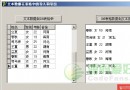
在自動化測試、螢幕閱讀器、資料擷取等場景中,常需從其他進程的視窗控制項讀取列表內容。本文提供基於 SendMessage 的完整實作,支援 ListBox 與 ComboBox,經 Windows 2000 + Delphi 6 測試通過。
function GetListBoxText(mHandle: THandle; mStrings: TStrings): Boolean;
var vItemCount, I: Integer; S: string;
begin
  Result := False;
  if not Assigned(mStrings) then Exit;
  mStrings.BeginUpdate;
  try
    mStrings.Clear;
    vItemCount := SendMessage(mHandle, LB_GETCOUNT, 0, 0);
    for I := 0 to vItemCount - 1 do begin
      SetLength(S, SendMessage(mHandle, LB_GETTEXTLEN, I, 0));
      SendMessage(mHandle, LB_GETTEXT, I, Integer(@S[1]));
      mStrings.Add(S);
    end;
    SetLength(S, 0);
  finally mStrings.EndUpdate; end;
  Result := True;
end;
function GetComboBoxText(mHandle: THandle; mStrings: TStrings): Boolean;
var vItemCount, I: Integer; S: string;
begin
  Result := False;
  if not Assigned(mStrings) then Exit;
  mStrings.BeginUpdate;
  try
    mStrings.Clear;
    vItemCount := SendMessage(mHandle, CB_GETCOUNT, 0, 0);
    for I := 0 to vItemCount - 1 do begin
      SetLength(S, SendMessage(mHandle, CB_GETLBTEXTLEN, I, 0));
      SendMessage(mHandle, CB_GETLBTEXT, I, Integer(@S[1]));
      mStrings.Add(S);
    end;
    SetLength(S, 0);
  finally mStrings.EndUpdate; end;
  Result := True;
end;
| 功能 | ListBox 訊息 | ComboBox 訊息 |
|---|---|---|
| 取得項目數 | LB_GETCOUNT | CB_GETCOUNT |
| 取得項目文字長度 | LB_GETTEXTLEN | CB_GETLBTEXTLEN |
| 取得項目文字 | LB_GETTEXT | CB_GETLBTEXT |
procedure TForm1.FormCreate(Sender: TObject);
begin
  RegisterHotKey(Handle, 1, MOD_WIN, VK_F2); // Win+F2 讀 ListBox
  RegisterHotKey(Handle, 2, MOD_WIN, VK_F3); // Win+F3 讀 ComboBox
end;

procedure TForm1.FormDestroy(Sender: TObject);
begin
  UnRegisterHotKey(Handle, 1); UnRegisterHotKey(Handle, 2);
end;

procedure TForm1.WMHOTKEY(var Msg: TWMHOTKEY);
var hWnd: THandle;
begin
  hWnd := WindowFromPoint(Point(Mouse.CursorPos.X, Mouse.CursorPos.Y));
  case Msg.HotKey of
    1: GetListBoxText(hWnd, MemoText.Lines);
    2: GetComboBoxText(hWnd, MemoText.Lines);
  end;
end;
WideString + LB_GETTEXT 配合 WM_GETTEXT 變體function GetListBoxTextW(mHandle: THandle; mStrings: TStrings): Boolean;
var cnt, i, len: Integer; ws: WideString;
begin
Result := False; if not Assigned(mStrings) then Exit;
mStrings.BeginUpdate;
try
mStrings.Clear;
cnt := SendMessage(mHandle, LB_GETCOUNT, 0, 0);
for i := 0 to cnt - 1 do begin
len := SendMessage(mHandle, LB_GETTEXTLEN, i, 0);
SetLength(ws, len);
SendMessage(mHandle, LB_GETTEXT, i, LPARAM(@ws[1]));
mStrings.Add(ws);
end;
finally mStrings.EndUpdate; end;
Result := True;
end;