需求:ImageView 背景為 Selector (XML 定義),運行時需根據條件替換 state_pressed、state_focused、default 三種狀態的圖片。
一旦 XML 膨脹為 StateListDrawable,**內部狀態映射表不可變**,無 setStateDrawable() 等方法。
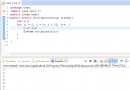
public void updateImageViewStates(ImageView imageView,
                                  int normalRes, int pressedRes, int focusedRes) {

    StateListDrawable states = new StateListDrawable();

    // 順序很重要:優先匹配具體狀態,最後默認
    states.addState(new int[]{android.R.attr.state_pressed},
        ContextCompat.getDrawable(imageView.getContext(), pressedRes));
    states.addState(new int[]{android.R.attr.state_focused},
        ContextCompat.getDrawable(imageView.getContext(), focusedRes));
    states.addState(new int[]{}, // 空數組 = 默認狀態
        ContextCompat.getDrawable(imageView.getContext(), normalRes));

    imageView.setImageDrawable(states); // 或 setBackgroundDrawable
}
updateImageViewStates(myImageView,
    R.drawable.btn_normal_new,
    R.drawable.btn_pressed_new,
    R.drawable.btn_focused_new);
若原 Selector 來自 XML 且結構複雜,需解析現有 StateListDrawable 獲取所有 State Spec,再重建:
// 注意:StateListDrawable 無公開 API 遍歷 states,需反射或複製邏輯
// 實際建議:直接按新需求全量重建,避免反射脆弱性
Drawable.ConstantState.newDrawable() 複製共享常量狀態。支持狀態轉場動畫,XML 定義 <animated-selector>,代碼動態構建同理。
理解 Selector 不可變性,採用「重建替換」模式動態控制狀態圖片。