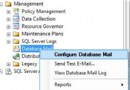
MSSQLSERVER) 的 協定。1500),將 TCP 動態連接埠 設為 0。SQL Server (MSSQLSERVER)) 選擇 重新啟動。重啟完成後,資料庫引擎將監聽新連接埠 (例:1500)。客戶端連線字串需同步更新:Server=IP,1500 或 Server=IP\INSTANCE,1500。
In SQL Server Configuration Manager, expand SQL Server 2005 Network Configuration, and then click on the server instance you want to configure.
In the right pane, double-click TCP/IP.
In the TCP/IP Properties dialog box, click the IP Addresses tab.
In the TCP Port box of the IPAll section, type an available port number. For this tutorial, we will use 1500.
Click OK to close the dialog box, and click OK to the warning that the service must be restarted.
In the left pane, click SQL Server 2005 Services.
In the right pane, right-click the instance of SQL Server, and then click Restart. When the Database Engine restarts, it will listen on port 1500.
修改預設連接埠是資安加固的基本措施之一,建議生產環境皆執行此設定。