在 SQLCLR 中,預存程序與使用者定義函數 (UDF) 均以靜態方法實作,差別僅在於標註屬性:[SqlProcedure] 與 [SqlFunction]。UDF 又分為表值函數 (TVF) 與純量函數。本文將透過完整程式碼範例,詳細比較三者的開發模式、部署設定與呼叫方式。
using System;
using System.Data;
using System.Data.SqlClient;
using System.Data.SqlTypes;
using Microsoft.SqlServer.Server;

public partial class StoredProcedures
{
    [Microsoft.SqlServer.Server.SqlProcedure]
    public static void TestStoredProcedure(string name, ref string outstr)
    {
        outstr = "hello," + name;

        using (SqlConnection cn = new SqlConnection())
        {
            cn.ConnectionString = "context connection=true";
            using (SqlCommand cmd = cn.CreateCommand())
            {
                cmd.CommandText = "Select * from userinfo";
                cn.Open();
                SqlContext.Pipe.Send(cmd.ExecuteReader());
            }
        }
    }
}
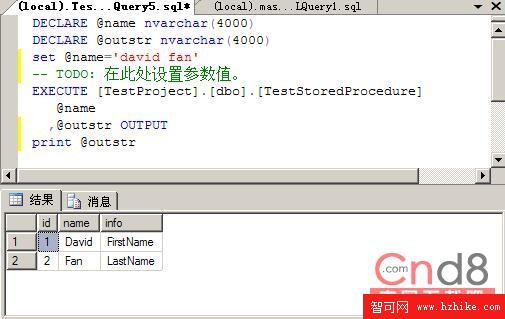
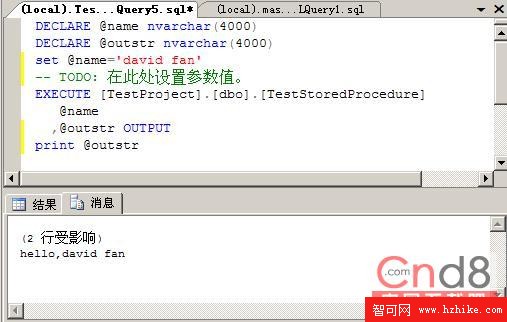
ref string outstr 實現輸出參數SqlContext.Pipe.Send 可輸出 SqlDataReader、SqlDataRecord 或字串SqlContext.Pipe.ExecuteAndSend 直接執行命令並送回結果DECLARE @name nvarchar(4000), @outstr nvarchar(4000);
SET @name = 'david fan';
EXECUTE [TestProject].[dbo].[TestStoredProcedure] @name, @outstr OUTPUT;
PRINT @outstr;
using System;
using System.Data;
using System.Data.Sql;
using System.Data.SqlTypes;
using Microsoft.SqlServer.Server;
using System.Collections;
using System.IO;
using System.Security.Principal;

public partial class UserDefinedFunctions
{
    [Microsoft.SqlServer.Server.SqlFunction(
        FillRowMethodName = "BuildRow",
        TableDefinition = "Name nvarchar(32), Length bigint, Modified DateTime")]
    public static IEnumerable FileListCs(string directoryName, string pattern)
    {
        FileInfo[] files;
        WindowsImpersonationContext OriginalContext = SqlContext.WindowsIdentity.Impersonate();
        try
        {
            DirectoryInfo di = new DirectoryInfo(directoryName);
            files = di.GetFiles(pattern);
        }
        finally
        {
            if (OriginalContext != null) OriginalContext.Undo();
        }
        return files;
    }

    public static void BuildRow(object Obj,
        ref SqlString fileName,
        ref SqlInt64 fileLength,
        ref SqlDateTime fileModified)
    {
        if (Obj != null)
        {
            FileInfo file = (FileInfo)Obj;
            fileName = file.Name;
            fileLength = file.Length;
            fileModified = file.LastWriteTime;
        }
        else
        {
            fileName = SqlString.Null;
            fileLength = SqlInt64.Null;
            fileModified = SqlDateTime.Null;
        }
    }
}
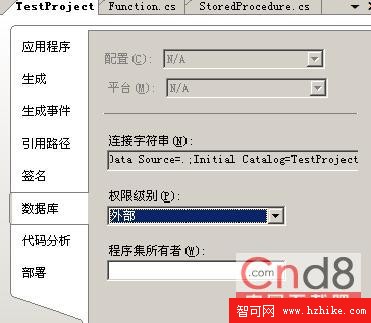
IEnumerable(如陣列、List)因需存取檔案系統(外部資源),專案屬性 → 資料庫 → 權限等級須設為 EXTERNAL_ACCESS,並執行:
ALTER DATABASE TestProject SET TRUSTWORTHY ON;
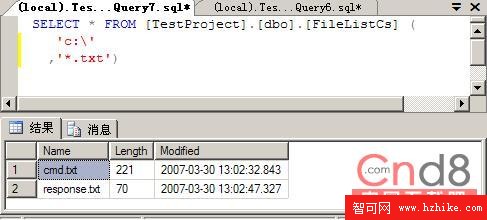
SELECT * FROM [TestProject].[dbo].[FileListCs] ('c:', '*.txt');
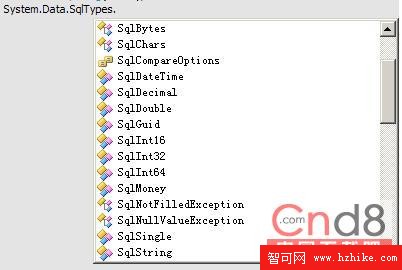
必須為 SQL Server 純量型別(如 SqlString、SqlInt32 等),不可為 CLR 原生型別。
public partial class UserDefinedFunctions
{
    [Microsoft.SqlServer.Server.SqlFunction]
    public static SqlString ScalarFunction()
    {
        return new SqlString("Hello");
    }
}
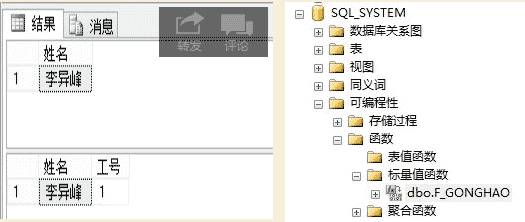
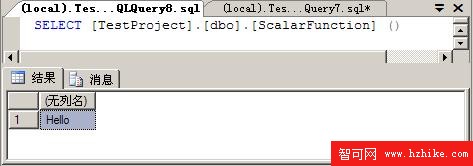
SELECT [TestProject].[dbo].[ScalarFunction] ();
| 特性 | 預存程序 | 表值函數 (TVF) | 純量函數 |
|---|---|---|---|
| 屬性 | [SqlProcedure] | [SqlFunction] + FillRow | [SqlFunction] |
| 回傳方式 | OUTPUT 參數、結果集 | 資料表 (IEnumerable) | 單一純量值 |
| 可用於 SELECT | 否 | 是 (FROM 子句) | 是 (選取清單、WHERE 等) |
| 外部存取 | 需設定權限 | 需設定權限 | 通常不需 |