跨版本導入 DMP 時常遇 IMP-00010: not a valid export file, header failed verification。原因在於 DMP 檔頭 9-10 位元組儲存導出版本號,目標庫版本較低時拒絕導入。本文介紹輕量級 C# 工具直接修改 DMP 檔頭版本號,支援 12GB 大檔,11g→10g 實測通過。
IMP-00010: not a valid export file, header failed verification
IMP-00000: Import terminated unsuccessfully
常見原因:
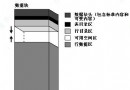
| 位移 | 長度 | 內容 |
|---|---|---|
| 0-3 | 4 bytes | Magic Number (0x03020100) |
| 4-7 | 4 bytes | 檔案標記/旗標 |
| 8-9 | 2 bytes | 版本號 (Major.Minor) |
| 10+ | ... | 元數據、資料區塊 |
版本號對照:
0x0A00 = 10.0 (10g)
0x0B00 = 11.0 (11g)
0x0C00 = 12.0 (12c)
0x1300 = 19.0 (19c)
using System;
using System.IO;

namespace DmpVersionFixer
{
    class Program
    {
        static void Main(string[] args)
        {
            if (args.Length != 2)
            {
                Console.WriteLine("Usage: DmpVersionFixer.exe  ");
                Console.WriteLine("Example: DmpVersionFixer.exe export.dmp 0A00  // 11g -> 10g");
                return;
            }

            string filePath = args[0];
            string targetVersionHex = args[1].ToUpper();

            if (!File.Exists(filePath))
            {
                Console.WriteLine($"File not found: {filePath}");
                return;
            }

            // 版本號佔 2 bytes,小端序
            byte[] versionBytes = new byte[2];
            versionBytes[0] = Convert.ToByte(targetVersionHex.Substring(2, 2), 16); // Low byte
            versionBytes[1] = Convert.ToByte(targetVersionHex.Substring(0, 2), 16); // High byte

            using (FileStream fs = new FileStream(filePath, FileMode.Open, FileAccess.ReadWrite))
            {
                // 定位到 Offset 8
                fs.Seek(8, SeekOrigin.Begin);
                fs.Write(versionBytes, 0, 2);
                fs.Flush();
            }

            Console.WriteLine($"Successfully patched {filePath} version to 0x{targetVersionHex}");
        }
    }
}
DmpVersionFixer.exe。cp export.dmp export.dmp.bak。DmpVersionFixer.exe export.dmp 0A00(11g→10g)。imp system/manager file=export.dmp full=y。| 限制 | 說明 |
|---|---|
| 僅修改版本號 | 若高版本導出使用了低版本不支援的特性(如 SecureFile LOB、Invisible Column、Identity Column、Partitioned Hybrid Table),導入仍會報錯。 |
| 不修復損壞 | 若 IMP-00010 真因是檔案截斷/傳輸錯誤,修改版本號無效,需重新導出。 |
| EXPDP Dump 無效 | Data Pump Dump 格式完全不同,此工具不適用。 |
DMP 版本修改是「應急繞過」,非「標準流程」。生產環境跨版本遷移請優先採用目標庫升級或Data Pump Network Link,確保元數據完整相容。