技術棧:ExtJS 4.x、PHP 5.3+、MySQL 5.5+、PDO、JSON。展示「資料庫 → PHP → JSON → ExtJS Store → Grid」完整鏈路。
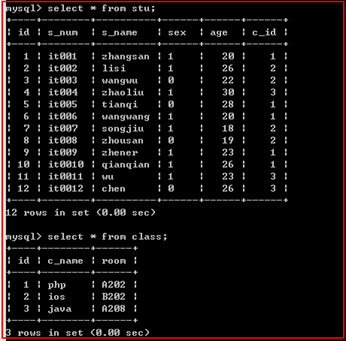
CREATE DATABASE `extjs_demo` DEFAULT CHARSET utf8mb4;
USE `extjs_demo`;

CREATE TABLE `users` (
  `id` INT PRIMARY KEY AUTO_INCREMENT,
  `username` VARCHAR(50) NOT NULL,
  `password` VARCHAR(100) NOT NULL,
  `email` VARCHAR(100),
  `created_at` DATETIME DEFAULT CURRENT_TIMESTAMP
) ENGINE=InnoDB;

INSERT INTO `users` (`username`,`password`,`email`) VALUES
('admin', '21232f297a57a5a743894a0e4a801fc3', 'admin@example.com'),
('zhangsan', 'e10adc3949ba59abbe56e057f20f883e', 'zhangsan@example.com'),
('lisi', 'e10adc3949ba59abbe56e057f20f883e', 'lisi@example.com');
 PDO::ERRMODE_EXCEPTION, PDO::ATTR_DEFAULT_FETCH_MODE => PDO::FETCH_ASSOC]
);

$sql = "SELECT id, username, email, created_at FROM users ORDER BY id";
$stmt = $pdo->query($sql);
$rows = $stmt->fetchAll();

// ExtJS JsonStore 期望格式:{ success: true, total: N, data: [...] }
echo json_encode([
  'success' => true,
  'total' => count($rows),
  'data' => $rows
], JSON_UNESCAPED_UNICODE);
Ext.onReady(function() {
  // 1. 定義 Model
  Ext.define('User', {
    extend: 'Ext.data.Model',
    fields: [
      {name: 'id', type: 'int'},
      {name: 'username', type: 'string'},
      {name: 'email', type: 'string'},
      {name: 'created_at', type: 'date', dateFormat: 'Y-m-d H:i:s'}
    ]
  });

  // 2. Store 綁定 Proxy
  var store = Ext.create('Ext.data.Store', {
    model: 'User',
    autoLoad: true,
    proxy: {
      type: 'ajax',
      url: 'get_users.php',
      reader: {
        type: 'json',
        rootProperty: 'data',
        totalProperty: 'total',
        successProperty: 'success'
      }
    }
  });

  // 3. Grid Panel
  Ext.create('Ext.grid.Panel', {
    title: '用戶列表',
    width: 600,
    height: 400,
    renderTo: Ext.getBody(),
    store: store,
    columns: [
      {text: 'ID', dataIndex: 'id', width: 50, sortable: true},
      {text: '用戶名', dataIndex: 'username', flex: 1, sortable: true},
      {text: '郵箱', dataIndex: 'email', flex: 1},
      {text: '創建時間', dataIndex: 'created_at', width: 150, renderer: Ext.util.Format.dateRenderer('Y-m-d H:i:s')}
    ],
    dockedItems: [{
      xtype: 'pagingtoolbar',
      store: store,
      dock: 'bottom',
      displayInfo: true
    }]
  });
});
ExtJS Grid Demo
{success, total, data},Store reader 對應 rootProperty/totalProperty/successProperty。DATETIME → PHP 原樣輸出 → ExtJS dateFormat 解析 → renderer 格式化顯示。pageSize + PagingToolbar,PHP 端讀取 start/limit 參數加 LIMIT。json_encode(..., JSON_UNESCAPED_UNICODE)、HTTP Header 正確。
proxy: {
  type: 'rest',
  url: 'api/users',
  reader: { type: 'json', rootProperty: 'data', totalProperty: 'total' },
  writer: { type: 'json', writeAllFields: true, encode: true },
  api: {
    read: 'api/users',
    create: 'api/users',
    update: 'api/users',
    destroy: 'api/users'
  }
}
配合 PHP $_SERVER['REQUEST_METHOD'] 分發 GET/POST/PUT/DELETE,實現完整 REST API。