php-5.0.4-Win32.zipmysql-4.1.11-essential-win.exe假設系統盤為 C:\,若非請自行替換路徑。
C:\Inetpub\PHP。C:\Inetpub\PHP 及 ext 目錄下所有 .dll 複製至 C:\Windows\system32(覆蓋)。php.exe、php-win.exe、php.ini-dist 至 C:\Windows,重命名 php.ini-dist 為 php.ini。php.ini 關鍵項:
register_globals = On(舊版應用相容)extension_dir = "C:\Inetpub\PHP\ext"php_gd2.dll、php_mbstring.dll、php_mysql.dll(必選)、php_ldap.dll、php_mssql.dll(選用)。https://localhost 可訪問)。PHPC:\Inetpub\PHP\php5isapi.dll.phpC:\Inetpub\PHP\php5isapi.dll.php3、.phtml 等。index.php 並置頂。net stop w3svc
net stop iisadmin
net start w3svc
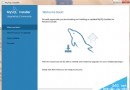
ISAPI 擴展、Active Server Pages。phpinfo.php,瀏覽 https://localhost/phpinfo.php,確認 Server API: ISAPI。mysql-4.1.11-essential-win.exe,安裝至 C:\Inetpub\MySQL,安裝嚮導選「否」稍後手動配置。C:\Inetpub\MySQL\bin\mysqld-nt -install
net start mysql
MySQLInstanceConfig.exe 圖形化配置向導。mysql -u root -p
-- 首次無密碼直接 Enter
mysql> SET PASSWORD FOR 'root'@'localhost' = OLD_PASSWORD('your_password');
mysql> FLUSH PRIVILEGES;
OLD_PASSWORD() 相容舊版客戶端(如 phpMyAdmin 2.x),否則會報 Client does not support authentication protocol。
ZendOptimizer-2.5.7-Windows-i386.exe,Web Server 選 IIS,安裝至 C:\Inetpub\Zend。php.ini 加入:
zend_extension_ts="C:\Inetpub\Zend\lib\ZendExtensionManager.dll"
zend_extension_manager.optimizer_ts="C:\Inetpub\Zend\lib\Optimizer-2.5.7"
zend_optimizer.optimization_level=15
phpinfo() 出現 Zend Optimizer v2.1.0 即成功。前已在 php.ini 啟用 extension=php_gd2.dll,phpinfo() 檢查 GD 區塊是否顯示版本資訊。
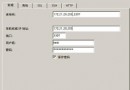
C:\Inetpub\wwwroot\phpmyadmin)。config.inc.php:
$cfg['PmaAbsoluteUri'] = 'https://localhost/phpmyadmin/';
$cfg['blowfish_secret'] = 'your_password';  // cookie 認證密鑰
$cfg['DefaultLang'] = 'zh-gb2312';
$cfg['DefaultCharset'] = 'gb2312';
$cfg['Servers'][$i]['auth_type'] = 'cookie';  // 建議 cookie 模式
$cfg['Servers'][$i]['user'] = 'root';
$cfg['Servers'][$i]['password'] = 'your_password';  // auth_type=config 時需填
https://localhost/phpmyadmin/,輸入 root 密碼登入。