MySQL UDF(User-Defined Function)本質上是一個無需設定入口點的動態連結庫(Windows 下為 DLL,*nix 稱為共享庫)。開發 UDF 時,除錯往往是痛點。本文介紹一種簡單、跨語言、跨工具、支援遠端除錯的「三無」方法——利用 Windows API 結合 Sysinternals 的 DebugView 工具。
char* 參數,複雜資料需自行格式化為字串輸出。在 UDF 程式碼適當位置加入:
OutputDebugStringA("--UDF:my_name()被調用");即可在 DebugView 中確認函數被呼叫。
利用 sprintf 等函數格式化字串,再傳給 OutputDebugStringA。
#include <stdio.h>
#include <windows.h>

char* __stdcall my_name(UDF_INIT *initid, UDF_ARGS *args, char *is_null, char *error) {
    OutputDebugStringA("--UDF:my_name()被調用");
    char *me = "my name";

    /*---- debuger start----*/
    char debugermsg[256] = {0};
    sprintf(debugermsg, "%s", me);
    OutputDebugStringA(debugermsg);
    /*---- debuger end----*/

    return me;
}
此法不需以除錯模式編譯,即可獲取執行時資訊。
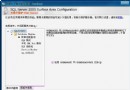
啟動 DebugView 主視窗,即可即時查看輸出訊息。其他平台請參考對應 API(如 Linux 的 syslog 或 ptrace)。