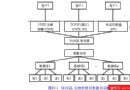
Java 應用 → JNDI 查找 DataSource → 連接池 → MySQL
package withouttears.jdbc.db;

import javax.naming.*;
import javax.sql.DataSource;
import java.sql.*;
import sun.jdbc.rowset.CachedRowSet;
import java.util.HashMap;

public class Database {
    private static DataSource getDataSource() {
        // 簡單緩存 DataSource 實例
        HashMap cache = new HashMap<>();
        if (cache.containsKey("ds")) return (DataSource)cache.get("ds");

        try {
            Context initCtx = new InitialContext();
            DataSource ds = (DataSource)initCtx.lookup("java:comp/env/jdbc/testdb");
            cache.put("ds", ds);
            return ds;
        } catch (Exception e) { e.printStackTrace(); }
        return null;
    }

    private static Connection getConnection() throws SQLException {
        return getDataSource().getConnection();
    }

    public static CachedRowSet executeQuery(String sql) {
        try (Connection conn = getConnection();
             Statement stmt = conn.createStatement();
             ResultSet rs = stmt.executeQuery(sql)) {
            CachedRowSet crs = new CachedRowSet();
            crs.populate(rs);
            return crs;
        } catch (Exception e) { e.printStackTrace(); }
        return null;
    }

    public static boolean executeUpdate(String sql) {
        try (Connection conn = getConnection();
             Statement stmt = conn.createStatement()) {
            return stmt.executeUpdate(sql) > 0;
        } catch (Exception e) { e.printStackTrace(); }
        return false;
    }
}
<Context docBase="E:/MyWorkSpace/test" path="/test"></Context>
<Context>
  <Resource name="jdbc/testdb"
    auth="Container"
    type="javax.sql.DataSource"
    driverClassName="com.mysql.jdbc.Driver"
    url="jdbc:mysql://localhost/mytestdb"
    username="root"
    password="157744375"
    maxActive="100"
    maxIdle="30"
    maxWait="10000"
  />
</Context>
<web-app>
  <welcome-file-list>
    <welcome-file>test.jsp</welcome-file>
  </welcome-file-list>
</web-app>
<%@ page import="withouttears.jdbc.db.*, java.sql.*" %>
<%
  String sql = "SELECT * FROM table_test";
  ResultSet rs = Database.executeQuery(sql);
  while (rs.next()) {
%>
  姓名:<%=rs.getString("name")%><br>
  電話:<%=rs.getString("mobile")%><br>
<%
  }
%>
| 參數 | 含義 | 建議值 |
|---|---|---|
| maxActive | 最大活躍連接數 | 100-200 (視DB max_connections) |
| maxIdle | 最大空閒連接數 | 30-50 |
| maxWait | 獲取連接最大等待毫秒數 | 10000 |
| minIdle | 最小空閒連接數 | 10 |
| validationQuery | 驗證連接有效性 SQL | SELECT 1 |
| testOnBorrow | 借出時驗證 | true |
| testWhileIdle | 空閒時驗證 | true |
@ConfigurationProperties 外部化配置