手動編譯安裝 MySQL 步驟繁瑣,參數眾多,適合編寫自動化腳本實現批量部署。本文提供一個完整的 install_mysql.sh,實現 MySQL 5.1.45 從下載、編譯、安裝、配置、啟動到驗證的全自動化。
| 項目 | 值 |
|---|---|
| 安裝前綴 | /home/longxibendi/mysql/usr/local/mysql |
| 數據/日誌目錄 | /home/longxibendi/mysql/3309/ |
| 配置文件 | /home/longxibendi/mysql/3309/my.cnf |
| 端口 | 3309 |
| 運行用戶 | longxibendi |
mkdir -p /home/longxibendi/mysql/usr/local/mysql
cd /home/longxibendi/mysql
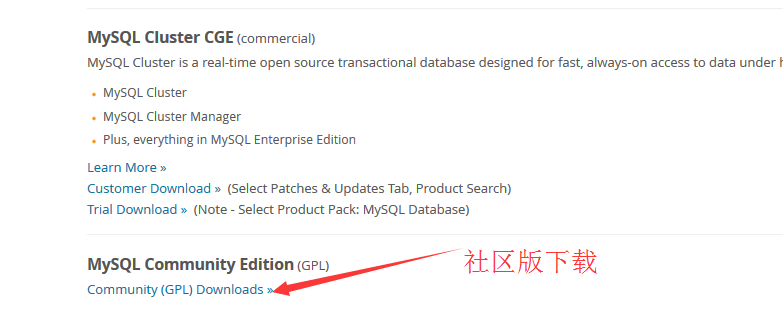
wget https://downloads.mysql.com/archives/mysql-5.1/mysql-5.1.45.tar.gz
tar zxvf mysql-5.1.45.tar.gz
cd mysql-5.1.45
./configure \
  --prefix=/home/longxibendi/mysql/usr/local/mysql \
  --without-debug \
  --with-charset=latin1 \
  --with-extra-charset=utf8,gbk \
  --with-innodb \
  --with-mysqld-user=longxibendi \
  --with-plugins=partition,heap,innobase,myisam,myisammrg,csv \
  --enable-thread-safe-client \
  --with-ssl
make -j $(nproc) && make install關鍵參數說明:
- --with-plugins 靜態編譯常用存儲引擎
- --with-extra-charset 支持 UTF-8/GBK 中文
- -j $(nproc) 並行編譯加速
mkdir -p /home/longxibendi/mysql/3309/{data,binlog,relaylog}/home/longxibendi/mysql/usr/local/mysql/bin/mysql_install_db \
--basedir=/home/longxibendi/mysql/usr/local/mysql \
--datadir=/home/longxibendi/mysql/3309/data \
--user=longxibendi腳本通過 echo 重定向生成完整配置,關鍵段:
[mysqld]
character-set-server = utf8
port = 3309
socket = /home/longxibendi/mysql/usr/local/mysql/sock/mysql.sock
basedir = /home/longxibendi/mysql
datadir = /home/longxibendi/mysql/3309/data
log-error = /home/longxibendi/mysql/3309/mysql_error.log
pid-file = /home/longxibendi/mysql/3309/mysql.pid
max_connections = 5000
innodb_buffer_pool_size = 20M
innodb_log_file_size = 20M
innodb_file_per_table = 0
server-id = 1
log-bin = /home/longxibendi/mysql/3309/binlog/binlog
binlog_format = MIXED
relay-log = /home/longxibendi/mysql/3309/relaylog/relaylog
# 主從相關註釋配置...mkdir -p /home/longxibendi/mysql/share/mysql/english/
cp /home/longxibendi/mysql/usr/local/mysql/share/mysql/english/errmsg.sys \
/home/longxibendi/mysql/share/mysql/english/參考 Bug #37942,防止啟動報錯 Can't find error message file。
/bin/sh /home/longxibendi/mysql/usr/local/mysql/bin/mysqld_safe \
  --defaults-file=/home/longxibendi/mysql/3309/my.cnf 2>&1 > /dev/null &

/home/longxibendi/mysql/usr/local/mysql/bin/mysql \
  -u root -p -S /home/longxibendi/mysql/usr/local/mysql/sock/mysql.sock \
-P3309 -h127.0.0.1 -e "show databases;"腳本執行完成後,無需輸入密碼直接回車,應輸出:
information_schema
mysql
test$?,失敗即退出並提示。server-id、port、datadir 的多實例腳本。源碼編譯雖耗時,但能獲得最大靈活性。配合自動化腳本,可實現基礎設施即代碼的數據庫部署。