在 Visual Studio .NET Beta 1 時代,存取 IBM DB2 等非 SQL Server 資料庫主要透過 ADO.NET 的 ODBC 方式;但到了 Beta 2,微軟改採 OLE DB 技術,提供更完整、更物件導向的資料存取介面。本文將以實際範例,詳細說明如何在 Visual Studio .NET 環境下,利用 OLE DB Provider for DB2 進行資料庫連線、資料顯示、新增與刪除等核心操作。
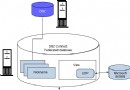
Visual Studio .NET 與 Windows 2000 Server 預設不包含 DB2 的 OLE DB 驅動,必須下載並安裝 Microsoft Host Integration Server 2000。安裝時請勾選 Data Integration 選項,完成後即可使用 DB2OLEDB Provider。
Data Source: QCDB
Network: TCP/IP
IP Address: 資料庫伺服器 IP
Network Port: DB2 服務埠號 (預設 4444)
Username / Password: 資料庫帳號密碼
Database initial Catalog: QCDB
Package collection: QCDB
Default schema: Userid
在 Visual Studio 中新建 ASP.NET 專案,啟用「伺服器總管」,直接將建立好的連線拖曳至 Web Form 設計介面。IDE 會自動產生完整的連線字串,避免手動輸入錯誤。產生的連線字串範例如下:
Provider=DB2OLEDB;Cache Authentication=False;Integrated Security=;
Password=freebsd9;Persist Security Info=True;User ID=userid;
Initial Catalog=qcdb;Data Source=qcdb;Mode=ReadWrite;
Network Transport Library=TCPIP;Host CCSID=37;PC Code Page=1282;
Network Address=172.23.169.1;Network Port=4444;
Package Collection=qcdb;Default Schema=userid;
Process Binary as Character=False;Units of Work=RUW
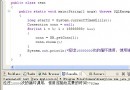
OleDbDataAdapter (命名為 oleDbDataAdapter1),選擇剛建立的連線,使用 SQL 陳述式:SELECT * FROM address。DataSet (命名為 dataSet1) 與 DataGrid (命名為 DataGrid1)。Page_Init 事件中撰寫程式碼:oleDbConnection1.Open();
oleDbDataAdapter1.Fill(dataSet1, "address");
DataGrid1.DataBind();
oleDbConnection1.Close();
編譯執行後,address 資料表內容即會顯示於 DataGrid 中。
在 Web Form 放置四個 TextBox (對應 name, email, age, address) 與一個 Button。Button 的 Click 事件:
oleDbInsertCommand1.CommandText =
    "INSERT INTO ADDRESS (NAME, EMAIL, AGE, ADDRESS) VALUES (" +
    "'" + TextBox1.Text + "'," +
    "'" + TextBox2.Text + "'," +
    TextBox3.Text + "," +
    "'" + TextBox4.Text + "')";
oleDbInsertCommand1.Connection.Open();
oleDbInsertCommand1.ExecuteNonQuery();
oleDbInsertCommand1.Connection.Close();
注意:實務上需處理單引號逸出、數值型別轉換,建議改用參數化查詢防止 SQL Injection。
新增 TextBox5 輸入要刪除的 name,Button 程式碼:
System.Data.OleDb.OleDbCommand oleDeleteCommand1 =
    new System.Data.OleDb.OleDbCommand();
oleDbDataAdapter1.DeleteCommand = oleDeleteCommand1;
oleDeleteCommand1.CommandText =
    "DELETE FROM ADDRESS WHERE NAME = '" + TextBox5.Text + "'";
oleDeleteCommand1.Connection = this.oleDbConnection1;
oleDeleteCommand1.Connection.Open();
oleDeleteCommand1.ExecuteNonQuery();
oleDeleteCommand1.Connection.Close();
刪除、新增、更新後,重新執行 Select 查詢並 DataBind 即可刷新 DataGrid。
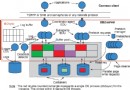
OLE DB 架構相較 ODBC 提供更廣泛的資料來源支援 (Access、郵件系統、目錄服務等),且符合 COM 標準,為企業級資料整合奠定基礎。微軟另提供 Oracle、AS/400、VSAM 等 Provider,開發者可舉一反三,套用至其他異質資料庫開發。
本範例在中文 Windows 2000 Server、IBM DB2、Visual Studio .NET Beta 2 環境驗證通過。