SQL0969N There is no message text corresponding to SQL error "-2079391743" in
the message file on this workstation. The error was returned from module
"SQLEUCCM" with original tokens "".現象:實例擁有者執行 db2 connect 正常;其他用戶 source 實例擁有者的 db2profile 後連接失敗,即使加入實例擁有者群組也無效。
db2amor:db2amor(亦屬 db2 群組)DFTDBPATH 改為 /db2,擁有者 root:db2,權限 770/db2/db2amor,擁有者 db2amor:db2amor,權限 775DB2 Client 在連接時,除需實例目錄權限外,還會檢查 DFTDBPATH 父目錄的執行/讀取權限。非實例擁有者用戶雖屬 db2amor 群組,但 /db2 僅授權 db2 群組,導致權限檢查失敗,拋出 SQLEUCCM 錯誤。
# 將需連接的用戶加入 DFTDBPATH 所屬群組 db2
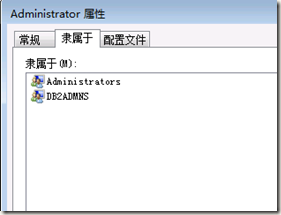
usermod -aG db2 <USER_NAME>驗證:id <USER_NAME> 顯示含 db2 群組後,連接恢復正常。
在 DB2 Server 實例上直接使用 Client 元件,易引發權限耦合、升級風險。最佳實踐:建立純 Client 實例,徹底隔離。
# V8/V9 通用
/opt/IBM/db2/V8.1/instance/db2icrt -s client <CLIENT_INSTANCE_NAME>
-s client 指定建立 Client 實例(非 Server)。DFTDBPATH、無本地資料庫、無柵欄用戶,僅提供連接庫與配置。source Client 實例的 db2profile 即可連接遠端 Server,零權限糾葛。db2icrt -s client db2clientsource ~db2client/sqllib/db2profiledb2 catalog tcpip node ...、db2 catalog database ...db2 connect to <remote_db> user <uid> using <pwd> → 成功。SQLEUCCM 錯誤本質是 Client 端權限檢查失敗。臨時可補群組權限,長遠**必須建立獨立 Client 實例**,實現 Client/Server 徹底解耦,避免升級、遷移、權限變更帶來的連鎖故障。