DB2 自 v8 引入 Configuration Advisor(自動配置向導),能根據工作負載特性自動推薦並套用資料庫管理器、資料庫、緩衝池參數。本文詳細說明圖形介面與命令列兩種啟動方式、所有輸入關鍵字含義、套用模式差異,並提供實戰範例。
AUTOCONFIGURE 命令AUTOCONFIGURE
[ USING input-keyword param-value ]
APPLY { DB ONLY | DB AND DBM | NONE }| 關鍵字 | 取值範圍 | 預設 | 說明 |
|---|---|---|---|
| mem_percent | 1-100 | 80 | DB2 可使用實體記憶體百分比,共存其他應用請設 <100 |
| workload_type | SIMPLE, MIXED, COMPLEX | MIXED | SIMPLE=OLTP(IO集中)、COMPLEX=OLAP(CPU密集)、MIXED=混合 |
| num_stmts | 1-1,000,000 | 10 | 每交易平均 SQL 陳述式數 |
| tpm | 1-200,000 | 60 | 每分鐘交易數 (Transactions Per Minute) |
| admin_priority | PERFORMANCE, RECOVERY, BOTH | BOTH | 偏好效能、恢復速度或平衡 |
| is_populated | YES, NO | YES | 資料庫已有資料(影響統計、重組建議) |
| num_local_apps | 0-5,000 | 0 | 本地連線數 |
| num_remote_apps | 0-5,000 | 10 | 遠端連線數 |
| isolation | RR, RS, CS, UR | RR | 應用程式隔離級別 |
| bp_resizable | YES, NO | YES | 緩衝池是否可動態調整大小 |
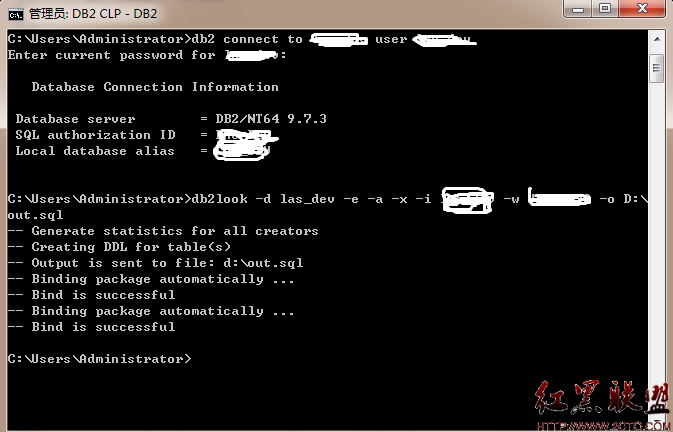
db2 connect to sample
db2 autoconfigure using mem_percent 75 workload_type simple tpm 200 apply nonedb2 autoconfigure using mem_percent 80 workload_type mixed num_stmts 20 tpm 150 apply db onlydb2 autoconfigure using mem_percent 90 workload_type complex admin_priority performance apply db and dbmdb2_all 平行執行:db2_all "||; db2 autoconfigure using mem_percent 80 workload_type mixed apply db and dbm"-- 檢視資料庫配置
db2 get db cfg for sample
-- 檢視資料庫管理器配置
db2 get dbm cfg
-- 檢視緩衝池
db2 "select * from syscat.bufferpools"WORKLOAD_TYPE=MIXED 可能不符實際,必須依業務類型調整。SHEAPTHRES、INTRA_PARALLEL)需實例重啟生效。善用 Configuration Advisor 做為參數調優的「起始基準線」,再結合負載測試與監控微調,是打造高效能 DB2 環境的最佳路徑。