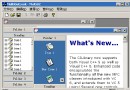
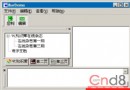
本文實現類似 CnPack 風格的 ListBox 自繪界面:每項為圓角矩形卡片,包含圖標、三行文字,支持選中高亮、焦點虛框、雙擊編輯、窗體摺疊等交互。

lbxMain->Style = lbOwnerDrawFixed;  // 必須項
lbxMain->Ctl3D = false;             // 可選:去邊框
lbxMain->ItemHeight = 50;           // 每項高度
pStrList = new TStringList;
for (int i = 0; i < 10; i++) {
    lbxMain->Items->Add("ListBox Items of " + String(i));
    // 第二、三行用特殊字符 \x03 分隔
    pStrList->Add("Second of " + String(i) + String((char)0x03) + "Third of " + String(i));
}
void __fastcall TMainForm::lbxMainDrawItem(TWinControl *Control, int Index,
    TRect &Rect, TOwnerDrawState State)
{
    // 1. 填充白色背景
    lbxMain->Canvas->Brush->Color = clWhite;
    lbxMain->Canvas->Font->Color = clBlack;
    lbxMain->Canvas->FillRect(Rect);

    // 2. 繪製立體圓角矩形(兩層偏移實現邊框/高光)
    lbxMain->Canvas->Brush->Color = TColor(0x00FFF7F7); // 背景色
    lbxMain->Canvas->Pen->Color = TColor(0x00131315);   // 邊框色
    lbxMain->Canvas->RoundRect(Rect.Left + 3, Rect.Top + 3,
        Rect.Right - 2, Rect.Bottom - 2, 8, 8);
    lbxMain->Canvas->RoundRect(Rect.Left + 3, Rect.Top + 3,
        Rect.Right - 3, Rect.Bottom - 3, 5, 5);

    // 3. 處理選中狀態
    if (State.Contains(odSelected)) {
        lbxMain->Canvas->Brush->Color = TColor(0x00FFB2B5); // 選中色
        lbxMain->Canvas->RoundRect(Rect.Left + 3, Rect.Top + 3,
            Rect.Right - 3, Rect.Bottom - 3, 5, 5);
        lbxMain->Canvas->Font->Color = clBlue;              // 選中文字色

        // 4. 處理焦點虛框(擦除默認虛框)
        if (State.Contains(odFocused))
            ::DrawFocusRect(lbxMain->Canvas->Handle, &Rect);
    }

    // 5. 繪製圖標(假設 ImageList1 已關聯)
    ImageList1->Draw(lbxMain->Canvas, Rect.Left + 7,
        Rect.Top + (lbxMain->ItemHeight - ImageList1->Height) / 2, Index, true);

    // 6. 繪製三行文字
    int textLeft = Rect.Left + 32 + 10; // 圖標右側偏移
    lbxMain->Canvas->TextOutA(textLeft, Rect.Top + 4,
        lbxMain->Items->Strings[Index]); // 第一行:主標題

    String strTemp = pStrList->Strings[Index];
    int pos = strTemp.Pos((char)0x03);  // 分隔符位置

    // 第二行
    lbxMain->Canvas->TextOutA(textLeft, Rect.Top + 18,
        strTemp.SubString(1, pos - 1).c_str());
    // 第三行
    lbxMain->Canvas->TextOutA(textLeft, Rect.Top + 32,
        strTemp.SubString(pos + 1, strTemp.Length()).c_str());
}
TEditForm),修改三行文本,確認後回寫。pStrList 內存。WM_SYSCOMMAND、ShellExecute 等實現無標題欄拖動、高度切換、關閉、打開網站。ItemHeight 固定行高。Canvas->RoundRect 疊加繪製實現立體圓角效果。TOwnerDrawState 判斷 odSelected/odFocused 實現狀態視覺反饋。0x03)在單字符串存儲多行文本,解析顯示。ImageList 關聯繪製圖標,TextOutA 精確控制文本位置。lbOwnerDrawVariable + OnMeasureItem)、懸停效果、動畫過渡、數據綁定虛擬模式。完整工程代碼可參考 C++Builder 研究站點相關資源。掌握 ListBox 自繪,讓你擺脫標準控件樣式限制,打造專屬 UI 風格。