實務開發常需將特定目錄下大量同格式檔案批次轉換為另一格式(如色譜資料 .ch1 轉純文字 .txt)。本文示範以 MFC SDI 專案為基礎,結合 Shell 瀏覽資料夾對話框、CFileFind 檔案搜尋與串流檔案讀寫,完成自動化批次轉換功能。
test,全選預設值。ID_CONVERT、Caption: 轉換、Prompt: 在不同格式文件之間進行轉換CMainFrame 新增 ON_COMMAND(ID_CONVERT, OnConvert)。void CMainFrame::OnConvert()
{
LPMALLOC pMalloc;
BROWSEINFO bi = {0};
if (SUCCEEDED(SHGetMalloc(&pMalloc)))
{
char pszDirName[MAX_PATH];
LPITEMIDLIST pidl;
bi.hwndOwner = GetSafeHwnd();
bi.pszDisplayName = pszDirName;
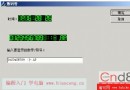
bi.lpszTitle = _T("選擇要批量轉換文件所在的目錄");
bi.ulFlags = BIF_RETURNFSANCESTORS | BIF_RETURNONLYFSDIRS;
if ((pidl = ::SHBrowseForFolder(&bi)) != NULL)
{
if (::SHGetPathFromIDList(pidl, pszDirName))
{
SetCurrentDirectory(pszDirName); // 設為當前目錄
CFileFind finder;
CString strSrc, strDst;
BOOL bFound = finder.FindFile(_T("*.CH1")); // 搜尋特定副檔名
while (bFound)
{
bFound = finder.FindNextFile();
strSrc = finder.GetFilePath();
strDst = strSrc;
strDst.MakeLower();
strDst.Replace(_T(".ch1"), _T(".txt")); // 目標副檔名
CFile srcFile;
CStdioFile dstFile;
if (srcFile.Open(strSrc, CFile::modeRead) &&
dstFile.Open(strDst, CFile::modeCreate | CFile::modeWrite))
{
// 此處呼叫實際解碼/轉換函式
// DecodeCh1ToText(srcFile, dstFile);
srcFile.Close();
dstFile.Close();
}
}
finder.Close();
MessageBox(_T("轉換完畢!"), _T("完成"), MB_OK);
}
pMalloc->Free(pidl);
}
pMalloc->Release();
}
}
SHBrowseForFolder / SHGetPathFromIDList:Shell API 彈出資料夾選擇對話框並取得實體路徑。CFileFind:MFC 封裝 FindFirstFile/FindNextFile,支援萬用字元搜尋。CFile / CStdioFile:二進位與文字串流操作,自動處理緩衝區。同樣架構可應用於:
只需修改搜尋副檔名、目標副檔名與中間轉換邏輯即可。