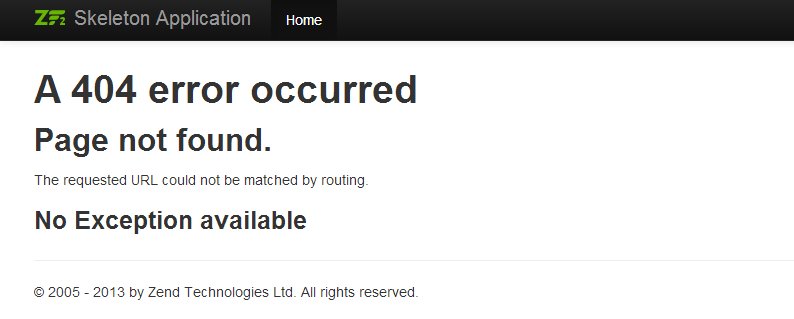
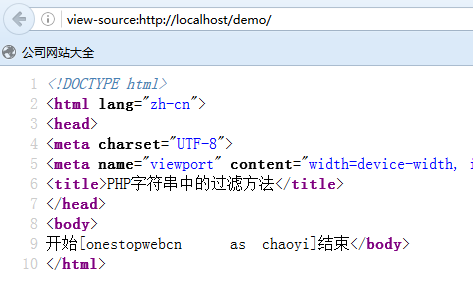
Byte Order Mark (BOM) 是 UTF-8 檔案開頭的三個隱藏位元組(EF BB BF),用於標示位元組序。PHP 解析器會將 BOM 視為輸出內容,導致 header()、session_start()、setcookie() 等函式發生「headers already sent」錯誤。
<?php
$basedir = ".";      // 掃描目錄,. 表當前目錄
$auto = 1;           // 1=自動移除,0=僅檢測

if ($dh = opendir($basedir)) {
    while (($file = readdir($dh)) !== false) {
        if ($file != '.' && $file != '..' && !is_dir($basedir . "/" . $file)) {
            echo "filename: $file " . checkBOM("$basedir/$file") . " <br>";
        }
    }
    closedir($dh);
}

function checkBOM($filename) {
    global $auto;
    $contents = file_get_contents($filename);
    $charset[1] = substr($contents, 0, 1);
    $charset[2] = substr($contents, 1, 1);
    $charset[3] = substr($contents, 2, 1);
    if (ord($charset[1]) == 239 && ord($charset[2]) == 187 && ord($charset[3]) == 191) {
        if ($auto == 1) {
            $rest = substr($contents, 3);
            rewrite($filename, $rest);
            return "<font color=red>BOM found, automatically removed.</font>";
        } else {
            return "<font color=red>BOM found.</font>";
        }
    }
    return "BOM Not Found.";
}

function rewrite($filename, $data) {
    $filenum = fopen($filename, "w");
    flock($filenum, LOCK_EX);
    fwrite($filenum, $data);
    fclose($filenum);
}
?><?php
$basedir = isset($_GET['dir']) ? $_GET['dir'] : '.';
$auto = 1;
checkdir($basedir);
function checkdir($basedir) {
if ($dh = opendir($basedir)) {
while (($file = readdir($dh)) !== false) {
if ($file != '.' && $file != '..') {
$path = $basedir . "/" . $file;
if (!is_dir($path)) {
echo "filename: $path " . checkBOM($path) . " <br>";
} else {
checkdir($path); // 遞迴進入子目錄
}
}
}
closedir($dh);
}
}
function checkBOM($filename) {
global $auto;
$contents = file_get_contents($filename);
$bom = substr($contents, 0, 3);
if ($bom === "\xEF\xBB\xBF") {
if ($auto) {
rewrite($filename, substr($contents, 3));
return "<font color=red>BOM found, automatically removed.</font>";
}
return "<font color=red>BOM found.</font>";
}
return "BOM Not Found.";
}
function rewrite($filename, $data) {
$fp = fopen($filename, "wb");
flock($fp, LOCK_EX);
fwrite($fp, $data);
fclose($fp);
}
?>remove_bom.php 放入專案根目錄。https://yourdomain/remove_bom.php(單層)或 .../remove_bom.php?dir=./src(遞迴指定目錄)。$auto=1 會自動移除 BOM。find . -type f -name "*.php" -exec sed -i '1s/^\xEF\xBB\xBF//' {} \;注意:執行前請備份專案,避免誤損二進位檔案(圖片、壓縮檔等)。腳本僅處理文字檔,建議加上副檔名過濾(如 pathinfo($path, PATHINFO_EXTENSION) === 'php')。