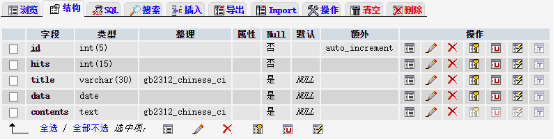
完整上傳流程包含四個核心文件:
<?php
$host = "localhost";
$user = "root";
$pwd  = "1721";
$conn = mysqli_connect($host, $user, $pwd); // 建議改用 mysqli/PDO

if (!$conn) {
    die("資料庫連接失敗:" . mysqli_connect_error());
}

$dbname = "database";
if (!mysqli_select_db($conn, $dbname)) {
    die("選擇資料庫失敗:" . mysqli_error($conn));
}

// 設定字符集
mysqli_set_charset($conn, 'utf8mb4');
?>現代化建議:原代碼使用已棄用的mysql_*函數,務必升級為mysqli或PDO,並使用預處理語句防止 SQL 注入。
<?php
class FileUploader {
    private $uploadDir = 'uploads/';      // 必須以 / 結尾
    private $allowedTypes = ['jpg', 'jpeg', 'png', 'gif', 'webp'];
    private $maxSize = 2 * 1024 * 1024;   // 2MB
    private $prefix = 'IMG_';

    public function __construct($options = []) {
        foreach ($options as $key => $val) {
            if (property_exists($this, $key)) $this->$key = $val;
        }
        // 確保目錄存在
        if (!is_dir($this->uploadDir)) {
            mkdir($this->uploadDir, 0755, true);
        }
    }

    public function upload($fileInputName = 'file') {
        if (!isset($_FILES[$fileInputName]) || $_FILES[$fileInputName]['error'] !== UPLOAD_ERR_OK) {
            return ['success' => false, 'msg' => '無有效文件上傳或上傳出錯'];
        }

        $file = $_FILES[$fileInputName];

        // 檢查大小
        if ($file['size'] > $this->maxSize) {
            return ['success' => false, 'msg' => '文件超過大小限制 (' . ($this->maxSize/1024/1024) . 'MB)'];
        }

        // 檢查類型
        $ext = strtolower(pathinfo($file['name'], PATHINFO_EXTENSION));
        if (!in_array($ext, $this->allowedTypes)) {
            return ['success' => false, 'msg' => '不允許的文件類型,僅支援:' . implode(', ', $this->allowedTypes)];
        }

        // MIME 類型二次驗證(防偽裝)
        $finfo = finfo_open(FILEINFO_MIME_TYPE);
        $mime = finfo_file($finfo, $file['tmp_name']);
        finfo_close($finfo);
        $allowedMimes = ['image/jpeg', 'image/png', 'image/gif', 'image/webp'];
        if (!in_array($mime, $allowedMimes)) {
            return ['success' => false, 'msg' => '文件內容類型不合法'];
        }

        // 生成唯一文件名
        do {
            $filename = $this->prefix . date('YmdHis') . '_' . bin2hex(random_bytes(8)) . '.' . $ext;
            $destPath = $this->uploadDir . $filename;
        } while (file_exists($destPath));

        // 移動文件
        if (!move_uploaded_file($file['tmp_name'], $destPath)) {
            return ['success' => false, 'msg' => '文件移動失敗,請檢查目錄權限'];
        }

        // 設定權限
        chmod($destPath, 0644);

        return [
            'success' => true,
            'filename' => $filename,
            'path' => $destPath,
            'size' => $file['size'],
            'mime' => $mime
        ];
    }
}
?><?php
require_once 'conn.php';
require_once 'uploadclass.php';
$message = '';
$imagePreview = '';
if ($_SERVER['REQUEST_METHOD'] === 'POST' && isset($_POST['action']) && $_POST['action'] === 'upload') {
$title = trim($_POST['title'] ?? '');
if ($title === '') {
$message = '<div class="error">請輸入標題</div>';
} else {
$uploader = new FileUploader();
$result = $uploader->upload('file');
if ($result['success']) {
// 使用預處理語句防注入
$stmt = $conn->prepare("INSERT INTO upload (title, pic) VALUES (?, ?)");
$stmt->bind_param("ss", $title, $result['path']);
if ($stmt->execute()) {
$message = '<div class="success">上傳成功!</div>';
$imagePreview = '<img src="' . $result['path'] . '" alt="預覽" style="max-width:300px">';
} else {
$message = '<div class="error">資料庫寫入失敗:' . $stmt->error . '</div>';
@unlink($result['path']); // 回滾文件
}
$stmt->close();
} else {
$message = '<div class="error">' . $result['msg'] . '</div>';
}
}
}
?>
<!DOCTYPE html>
<html><head><meta charset="utf-8"><title>圖片上傳</title>
<style>.success{color:green}.error{color:red} form{margin:20px 0}</style></head>
<body>
<h2>圖片上傳示例</h2>
<form method="post" action="" enctype="multipart/form-data">
<input type="hidden" name="action" value="upload">
<p>標題:<input type="text" name="title" required></p>
<p>圖片:<input type="file" name="file" accept="image/*" required></p>
<p><input type="submit" value="上傳"></p>
</form>
<div>CREATE TABLE `upload` (
`uploadid` INT(11) UNSIGNED NOT NULL AUTO_INCREMENT,
`title` VARCHAR(100) NOT NULL DEFAULT '',
`pic` VARCHAR(255) NOT NULL DEFAULT '',
`created_at` TIMESTAMP DEFAULT CURRENT_TIMESTAMP,
PRIMARY KEY (`uploadid`)
) ENGINE=InnoDB DEFAULT CHARSET=utf8mb4;| 風險點 | 防護措施 |
|---|---|
| SQL 注入 | 預處理語句 |
| 文件類型偽裝 | MIME 檢查 + 擴展名白名單 |
| 大文件攻擊 | 配置 upload_max_filesize + 代碼層檢查 |
| 腳本執行 | 上傳目錄禁用 PHP 執行(.htaccess: php_flag engine off) |
| 文件名衝突 | 隨機哈希 + 時間戳命名 |
| 路徑遍歷 | 不使用用戶輸入作為路徑部分 |
intervention/image 库