使用 Yii2 AdminLTE 時,常遇到「點擊子選單的建立/檢視/更新頁面,父選單不高亮、不自動展開」的困擾。根因在於 dmstr\widgets\Menu::isItemActive() 預設比對「完整路由(含 Action)」,導致 role/create 無法匹配父選單 role/index。本文教你複製元件覆寫判斷邏輯,僅比對 Module + Controller,輕鬆解決高亮與展開問題,不動框架核心碼。
['label' => '角色管理', 'url' => ['role/index'], 'items' => [...]]role/create 頁面時,父選單「角色管理」既不高亮(active),也不自動展開。打開 vendor/dmstr/yii2-adminlte-asset/Menu.php,核心判斷邏輯:
protected function isItemActive($item)
{
    if (isset($item['url']) && is_array($item['url']) && isset($item['url'][0])) {
        $route = $item['url'][0]; // 如 'role/index'
        // 將目前路由與選單路由拆解為 [module, controller, action]
        // 預設要求三者皆完全相符才回傳 true
        // ...
    }
    return false;
}
預設邏輯要求 Module、Controller、Action 三層全匹配,故 role/create(action 不同)判定為非 active。
cp vendor/dmstr/yii2-adminlte-asset/Menu.php backend/components/Menu.php
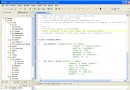
backend/components/Menu.php 的 isItemActive()<?php
namespace backend\components;
use dmstr\widgets\Menu as BaseMenu;
use Yii;
class Menu extends BaseMenu
{
/**
* 覆寫:僅比對 Module 與 Controller,忽略 Action
* 使子選單的 create/update/view 等頁面能正確高亮父選單
*/
protected function isItemActive($item): bool
{
if (!isset($item['url']) || !is_array($item['url']) || !isset($item['url'][0])) {
return false;
}
$itemRoute = $item['url'][0]; // 選單定義路由,如 'role/index'
$currentRoute = Yii::$app->controller->getRoute(); // 當前路由,如 'role/create'
// 拆解為段落
$itemParts = explode('/', $itemRoute);
$currentParts = explode('/', $currentRoute);
// 至少要有 controller 層級
if (count($itemParts) < 2 || count($currentParts) < 2) {
return false;
}
// 比對 Module(若有)與 Controller
// 情況 1:無 Module,如 'role/index' vs 'role/create'
// 情況 2:有 Module,如 'admin/role/index' vs 'admin/role/create'
$offset = (count($itemParts) === 3) ? 1 : 0; // 有 module 時 offset=1
// 比對 Controller
if ($itemParts[1 - $offset] !== $currentParts[1 - $offset]) {
return false;
}
// 若有 Module,再比對 Module
if ($offset === 1 && $itemParts[0] !== $currentParts[0]) {
return false;
}
return true; // 符合:同一 Controller 下的所有 Action 皆視為 active
}
}
?>
<?php
use backend\components\Menu; // 改用自訂元件
use mdm\admin\components\MenuHelper;

$callback = function ($menu) {
    // 原有權限過濾邏輯...
    return $menu;
};

echo Menu::widget([
    'options' => ['class' => 'sidebar-menu'],
    'items' => MenuHelper::getAssignedMenu(Yii::$app->user->id, null, $callback),
]);
?>
role/index → 父選單高亮、展開 ✅role/create → 父選單高亮、展開 ✅role/update?id=1 → 父選單高亮、展開 ✅permission/index → 另一父選單高亮 ✅若專案需求更細緻,可在元件加入 public $activeMatchLevel = 'controller'; 參數,支援 'module'、'controller'、'action' 三種層級,並在 isItemActive() 依參數動態切換比對深度。
dmstr\widgets\Menu 預設全路由匹配(含 Action)。backend/components/Menu.php,覆寫 isItemActive() 僅比對 Module + Controller。套用此修正,你的 AdminLTE 側邊欄將擁有直覺、一致的導航體驗,使用者不再迷失在多層選單中。